
Copyright 2026 © swekartor. All Rights Reserved.



Information about AOL - News, Mail & Video
App Feature
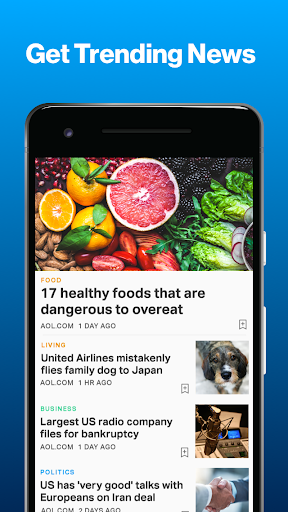
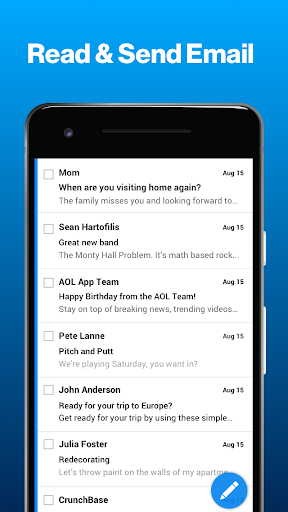
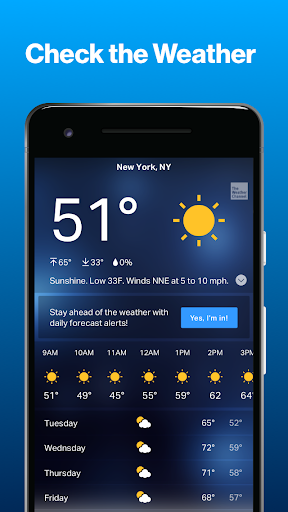
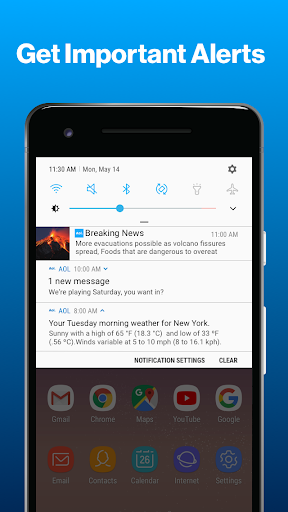
An all-in-one hub that combines AOL email, multi-source news, weather forecasts, and video into a single, fast, and easy-to-navigate app, with quality-of-life email tools (swipe actions, bulk trash/spam clear, secure PIN/biometric lock, attachment previews) and conveniences like article saving and customizable weather alerts.
Verdict
Verdict: A streamlined, legacy-friendly inbox plus news and weather bundle that’s reliable for everyday use, though power users may miss deeper productivity features.
Who is it for
Best for:
- Longtime AOL email users who want a modernized, familiar experience
- Anyone who prefers news from multiple mainstream sources in one feed
- Users who want email, weather, and headlines in a single app
Not ideal for:
- Business and team workflows needing pro features or calendar/task integrations
- Users who dislike bundled news/ads and want a minimal email-only client
- Those needing advanced formatting or enterprise-level customization
Real-world User Experience
Users like it:
Fast-loading mail, simple navigation, reliable long-term accounts, and the convenience of checking email, breaking news, and weather together. Attachment previews, spam/trash management, and optional PIN/biometric lock draw praise. Multi-source news and saved-article features are valued, as well as helpful weather alerts in severe-weather regions.
Users complain about:
Some find parts of the interface confusing after recent updates or for accessibility needs. Occasional formatting limitations (e.g., fewer rich-text options in basic mode) and minor issues like past widget quirks or font-size-related viewing problems. As a content bundle, the presence of ads and news modules may feel cluttered to minimalists.
Is it Worth Paying For?
The core app is free, with ads and optional in-app purchases. For most users, the free version delivers strong value; unless you specifically want an ad-light experience or extra perks tied to IAP, you won’t need to pay.
How it Compares to Alternatives
Compared with Gmail and Outlook, AOL’s email tools are simpler and less enterprise-focused but feel lighter and faster for personal use. Versus Yahoo Mail, AOL offers a similarly integrated experience but emphasizes a clean, straightforward workflow. Compared with dedicated news apps (e.g., News Break) it’s less customizable but benefits from solid mainstream sources and tight integration with mail and weather. Overall, it favors ease and familiarity over deep pro features.
Summary
AOL: Email News Weather consolidates everyday essentials—email, headlines, and forecasts—into a single, smooth app. The email experience is quick, with handy tools for attachments, spam control, and security, while the news feed draws from multiple reputable outlets and supports article saving. Weather alerts are practical, especially in regions with severe conditions. Longtime AOL users will feel at home, and newcomers seeking a simple, all-in-one companion will appreciate its reliability. If you need advanced business features, calendar/task workflows, or a distraction-free, email-only client, alternatives like Outlook, Gmail, or minimalist mail apps may suit you better. For most personal users, the free tier makes this an easy, useful install.

Ratings
Trending APP









Alternative to this app










