
Copyright 2026 © swekartor. All Rights Reserved.



Information about Easy Mail - Email Launcher
App Feature
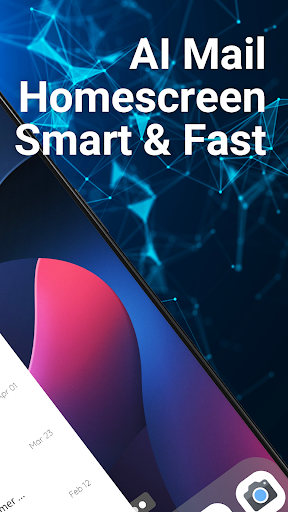
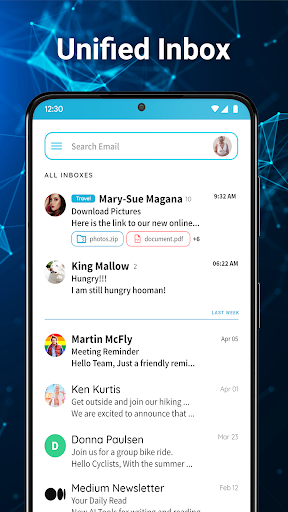
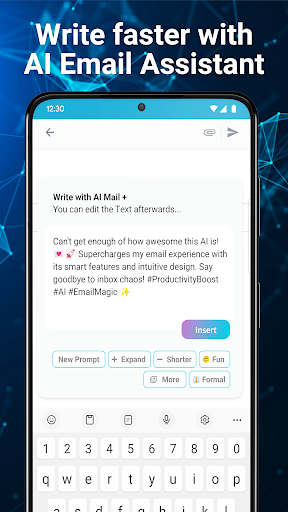
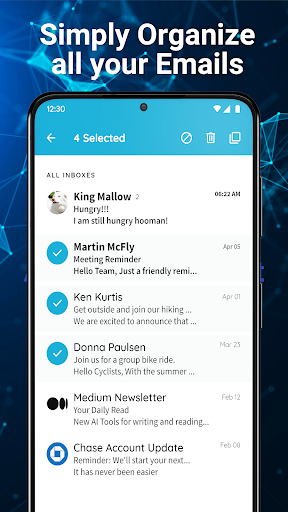
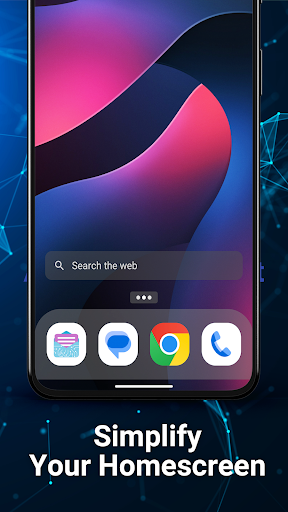
Easy Mail - Email Launcher replaces your Android home screen with an email‑centric launcher. Core features include a swipe-right unified inbox for Gmail/Outlook/Yahoo and more, unlimited accounts, quick replies and AI-assisted composing (rephrase/shorten/polish), customizable widgets for at‑a‑glance email status, an app drawer via swipe up, a pull‑down content feed with Yahoo-powered search, and a privacy-first stance (local processing).
Verdict
Verdict: A smooth, email-first Android launcher that boosts inbox access and simplicity, but not ideal if you want a traditional launcher or advanced mail power tools.
Who is it for
Best for:
- People who check email constantly and want inbox access from the home screen
- Users managing multiple accounts who like a unified, simplified view
- Anyone wanting an easy, minimal launcher with basic AI drafting help
Not ideal for:
- Power users needing deep email automation, advanced filters, or pro-level search
- Those who prefer standard Android launchers with heavy customization or no feed/ads
- Users who dislike Yahoo-powered search or integrated content feeds
Real-world User Experience
Users like it:
Frequent praise for simplicity and speed: swiping into a full-screen inbox feels instant; setup pulls in multiple accounts quickly; navigation is clear; organization assistance helps people stay on top of messages; visibility of unread items is strong; several users highlight it as easier than other mail apps and helpful for productivity.
Users complain about:
Some mention occasional message display quirks or truncated emails, initial setup/operation confusion, and expectations mismatches (it’s a launcher, not just a mail app). A few indicate incomplete setup experiences and general rough edges. Ads are present, and the Yahoo search/content feed won’t appeal to everyone.
Is it Worth Paying For?
The app is free with ads and offers in‑app purchases (likely to remove ads/unlock extras). If you adopt it as your daily launcher and want a clean, distraction‑free inbox view, paying to remove ads is reasonable value. If you’re only testing or prefer a standard launcher plus your existing email app, the free tier suffices.
How it Compares to Alternatives
Compared to Gmail/Outlook/Yahoo Mail, Easy Mail focuses on instant access via the launcher rather than deep email features—faster to reach messages but fewer power tools. Versus other launchers (e.g., Niagara, Smart Launcher), it’s more narrowly email‑centric with a unified inbox and AI drafting, but offers less broad customization. It sits between a full email client and a productivity launcher, prioritizing speed and simplicity over granular control.
Summary
Easy Mail refocuses your phone around email, letting you swipe into a unified inbox from the home screen, draft faster with built‑in AI, and glance at unread counts via widgets. Reviews consistently cite ease of use, quick access, and better day‑to‑day organization, making it a strong pick for people who live in their inbox. Expect trade‑offs: it’s a launcher with a content feed and Yahoo search, ads on the free tier, and fewer advanced email controls than dedicated clients. If you want an email‑first home screen and value speed over depth, it’s a compelling, lightweight option—especially if you upgrade to remove ads.
Ratings
Trending APP

Alternative to this app










