
Copyright 2026 © swekartor. All Rights Reserved.



Information about Draw Monowheel 3D
App Feature
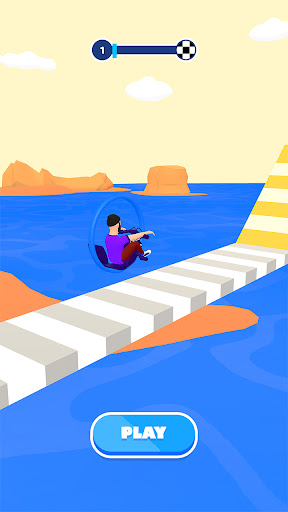
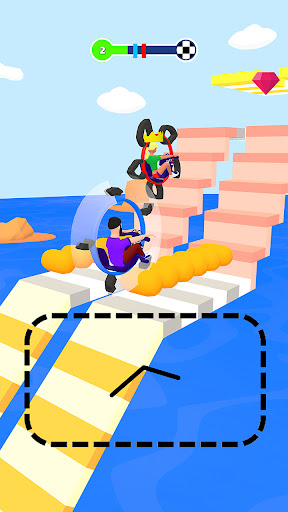
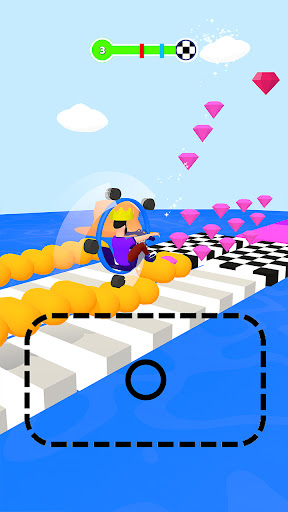
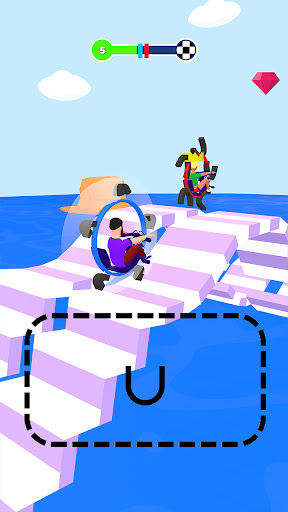
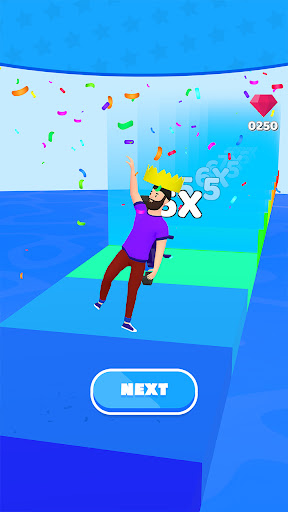
Draw Monowheel 3D is a free arcade game where you sketch shapes to form a monowheel chassis and tackle physics-based obstacles. Your drawings influence balance, momentum, and collisions, while simple touch controls and adjustable camera views help you iterate designs. Progression adds cosmetic tweaks and increasingly challenging levels to test stability and creativity.
Verdict
Verdict: A clever physics-drawing concept with mixed execution, fun for quick experiments but inconsistent polish limits long-term appeal.
Who is it for
Best for:
- Players who enjoy sandbox-style physics and creative problem-solving
- Casual gamers seeking short, pick‑up‑and‑play sessions
Not ideal for:
- Users who dislike frequent ads or interruptions
- Players expecting deep progression, polish, or competitive tuning
Real-world User Experience
Users like it:
The core idea—drawing your own wheel frame and seeing it behave realistically—is novel and satisfying when it works, offering quick bursts of fun and experimentation.
Users complain about:
Feedback trends indicate a middling experience (around a 3.0 rating) with complaints likely centered on ad frequency, occasional rough physics or controls, limited level variety, and general polish issues given the relatively low score and small review base.
Is it Worth Paying For?
The app is free, contains ads, and offers no in-app purchases. There’s nothing to buy; it’s worth a try if you’re comfortable with ads and want a no-cost physics toy.
How it Compares to Alternatives
Compared with other draw-to-ride or physics racers (e.g., Scribble Rider, Draw Joust, or classic physics titles like Hill Climb Racing), Draw Monowheel 3D leans harder into the single-wheel novelty and player-drawn frames. However, competitors generally offer smoother progression, more content variety, and stronger polish; this title trades breadth for a focused but less refined experience.
Summary
Draw Monowheel 3D turns your doodles into a balancing, bouncing monowheel in a 3D physics playground. Its intuitive drawing tools and adjustable camera make iterating on designs quick, and the level-based obstacles provide light challenges that reward creative shapes and timing. Despite a compelling core mechanic and strong download numbers, user sentiment is mixed, likely due to ad load, inconsistent controls or physics edge cases, and limited depth. If you enjoy tinkering with physics and want a free, low-commitment diversion, it’s an easy install; if you prioritize polish, variety, and minimal interruptions, you may prefer more established alternatives.
Ratings
Trending APP






Alternative to this app










