
Copyright 2026 © swekartor. All Rights Reserved.



Information about MapQuest: Get Directions
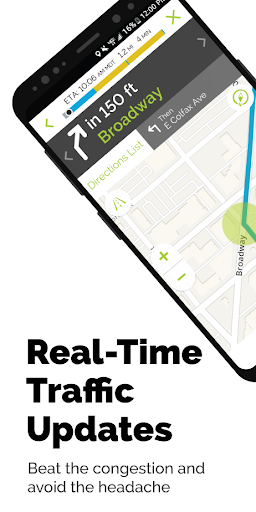
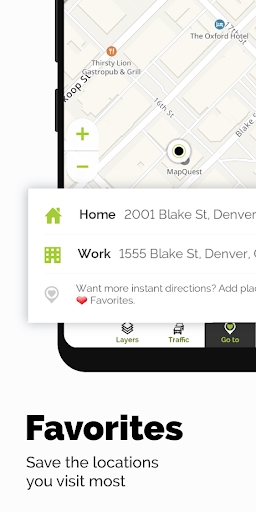
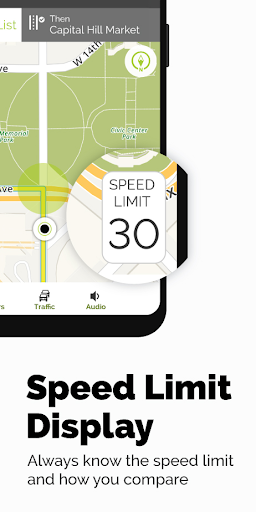
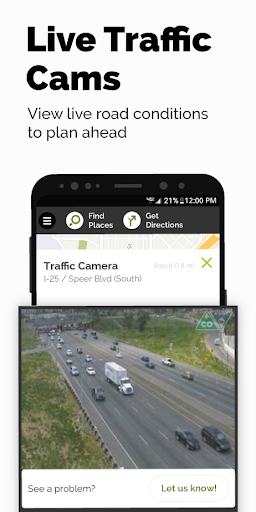
App Feature
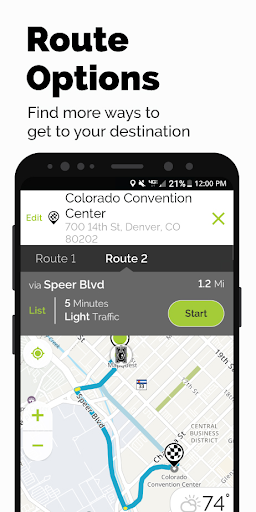
Turn-by-turn GPS navigation for driving and walking in the U.S. and Canada with real-time traffic, optimized routing, speedometer/speed-limit display, multipoint routes, route preferences (avoid tolls/highways), saved favorites, nearby POI search, gas price comparison, weather, hotel booking, roadside assistance access, and Android Watch support.
Verdict
Verdict: A capable, lightweight navigation app that shines for simple, reliable routing and POI tools, but lacks community incident reporting and full transit support.
Who is it for
Best for:
- Drivers who want straightforward, stable navigation with clear turn-by-turn guidance
- Users in the U.S./Canada who value multipoint routing, traffic-aware ETA, and POI layers
- Privacy- and simplicity-focused users seeking a lighter alternative to Google Maps
Not ideal for:
- People who rely on crowdsourced reports (police, hazards) and social features like Waze
- Users needing comprehensive public transit routing and advanced multimodal options
- Those who are sensitive to on-screen ads or require global (beyond U.S./Canada) coverage
Real-world User Experience
Users like it:
Stable and lightweight compared to Google Maps/Waze; intuitive, uncluttered UI; accurate routing (especially in rural areas); clear voice prompts with timely lane guidance; compass on the navigation screen; easy saving of favorites and adding unlimited stops; good map correctness and labels; Bluetooth audio works reliably; useful POI filters and real-view/satellite imagery.
Users complain about:
Occasional ads can obstruct the screen; lacks in-app reporting for accidents/police/hazards; sometimes slow to re-route or loses guidance after overshooting a destination; no public transportation routing; minor lag noted by some users.
Is it Worth Paying For?
The core app is free with ads and optional in-app purchases. For most users, the free version offers strong value—turn-by-turn navigation, traffic, multipoint routes, and POIs are included. Consider paying only if an IAP addresses ads or specific add-ons you care about; otherwise, there’s no need to spend to get a solid experience.
How it Compares to Alternatives
Versus Google Maps: MapQuest feels lighter and less cluttered, with easier access to route options and multipoint stops, but Google Maps offers broader global coverage and richer transit features. Versus Waze: MapQuest trades Waze’s crowdsourced incident reports and social alerts for a calmer, more stable experience; it’s better for straightforward navigation but less proactive about hazards. As an alternative, MapQuest’s POI filters, gas price comparisons, and hotel booking are handy, though not as deeply integrated as Google’s ecosystem.
Summary
MapQuest: Get Directions delivers reliable, no-nonsense navigation across the U.S. and Canada with turn-by-turn voice guidance, live traffic, and thoughtful extras like multipoint routes, saved favorites, gas price comparison, and hotel booking. Users praise its stability, simple interface, and accuracy—particularly in rural areas—and the helpful compass and Bluetooth audio. Its trade-offs are the ad-supported experience, lack of crowdsourced incident reporting, and no full public transit routing. If you want a lightweight, dependable alternative to Google Maps or Waze for driving and walking, MapQuest is an easy recommendation—especially when you value clear routing over social features.
Ratings
Trending APP









Alternative to this app










