
Copyright 2026 © swekartor. All Rights Reserved.


Information about Earth Camera Online




App Feature
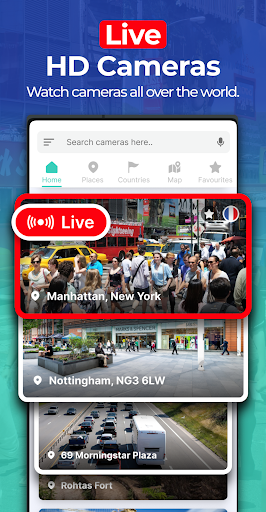
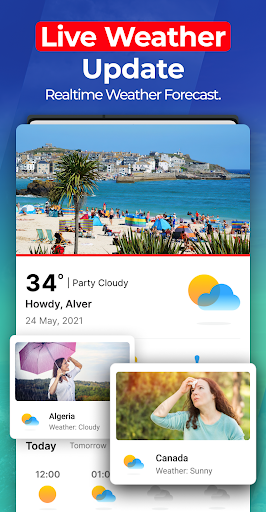
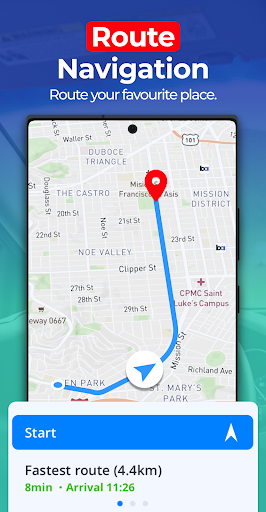
Earth Camera Online aggregates public webcams worldwide into an interactive map, letting you stream live views, discover locations, and bookmark favorite feeds. It also bundles basic GPS/navigation utilities like live traffic, weather updates, location search, and simple route viewing.
Verdict
Verdict: A casual way to browse global webcams with extras, but average polish limits it for serious navigation or guaranteed stream quality.
Who is it for
Best for:
- Armchair travelers who want quick access to global live cams
- Casual trip planners wanting a visual preview and weather snapshot
- Users who like bookmarking favorite scenic or city feeds
Not ideal for:
- Users needing authoritative turn‑by‑turn navigation and reliability
- Viewers expecting consistently high‑quality, always‑online streams
- Anyone strongly averse to ads or in‑app purchases
Real-world User Experience
Users like it:
The provided review praises its simplicity and ease of use; the concept of quickly viewing places via webcams resonates with some users.
Users complain about:
Specific complaints aren’t evident in the single review here, but the middling overall rating suggests mixed satisfaction, likely around reliability, stream quality, or ad load.
Is it Worth Paying For?
The app is free with ads and offers IAP. Try the free tier first to gauge stream reliability and features; only consider paying if you value an ad‑reduced experience or any locked conveniences (e.g., enhanced bookmarks or extras) after confirming they meaningfully improve your usage.
How it Compares to Alternatives
Compared with Google Maps/Street View or Google Earth, this app is less robust for navigation and place data but provides a quicker path to curated live cams. Versus dedicated webcam platforms like EarthCam or SkylineWebcams, it offers wider map‑style discovery and ancillary tools (weather, traffic) but may lag in stream quality, curation, and overall polish.
Summary
Earth Camera Online combines a global webcam viewer with a lightweight navigation toolkit. Its strengths are the interactive map of live cams, easy bookmarking, and handy add‑ons like weather and traffic. However, the average rating hints at uneven reliability and an ad‑supported experience that may frustrate some users. If your goal is casual exploration or previewing destinations visually, it’s a convenient, free starting point. For dependable navigation or consistently high‑quality streams, established map apps and dedicated webcam services likely serve you better. Test the free version first, then decide if any in‑app upgrades are worth it for your needs.
Ratings
Trending APP












Alternative to this app










