Copyright 2026 © swekartor. All Rights Reserved.


Information about Minecraft Education
App Feature
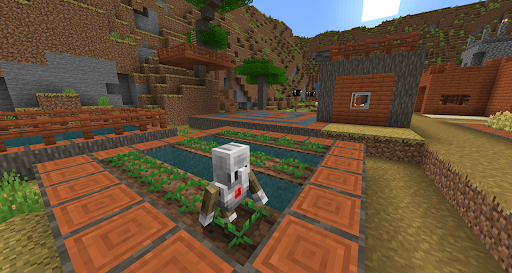
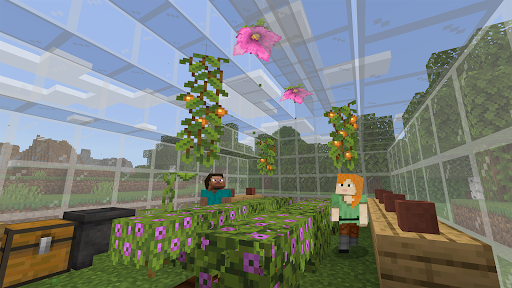
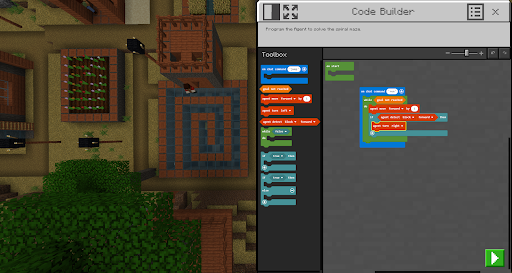
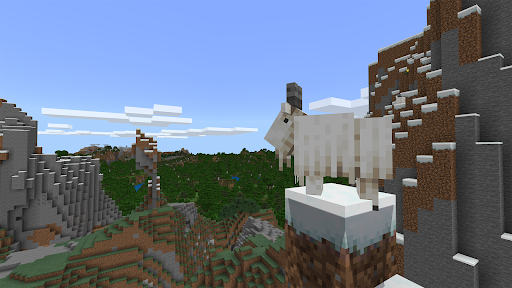
A school- and organization-focused edition of Minecraft that turns open-world sandbox play into structured, standards-aligned learning. It offers ready-to-teach lessons, in-game collaboration, cross-platform multiplayer, Code Builder (block-based, JavaScript, Python), Immersive Reader, documentation tools (Camera, Book & Quill), and integrations with Microsoft 365 tools for classroom management and assessment.
Verdict
Verdict: A powerful, classroom-ready game-based learning platform that shines for schools, but feels limited compared to retail Minecraft for casual home play.
Who is it for
Best for:
- K–12 schools and organizations with Microsoft 365 access seeking STEM and cross-curricular, collaborative lessons
- Teachers wanting a structured curriculum, easy onboarding, and built-in assessment tools
- Students learning coding, problem-solving, and teamwork in a familiar sandbox
Not ideal for:
- Individuals without a school/organizational account expecting retail Minecraft parity
- Players who want the newest Minecraft features, broad mod support, or deep avatar customization
- Users averse to repeated sign-ins or occasional version/compatibility hiccups
Real-world User Experience
Users like it:
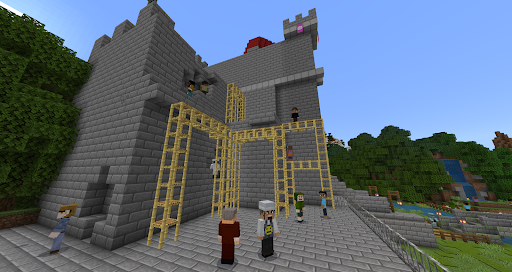
Feels like regular Minecraft but free through school, with extra education features. Smooth performance even on modest devices for many users. Rich lesson library across subjects, easy multiplayer without server fees, and popular coding tools (agent, block/JS/Python). Students enjoy creativity, PvP/creative play within classroom constraints, and teachers value structure and collaboration.
Users complain about:
Frequent sign-in prompts; occasional bugs (e.g., cursor lock after inventory), and sporadic lag or connection issues. Feature lag versus Bedrock/Java, limited avatar customization, and some add-ons/resource packs not working due to version mismatch. A few Code Builder/agent annoyances and update cadence frustrations.
Is it Worth Paying For?
The mobile app itself is free and has no in‑app purchases, but organizational licenses are required via Microsoft 365 for full use. For schools, the value is strong given the curriculum, integrations, and classroom controls. It’s not designed for individual paid use through Google Play.
How it Compares to Alternatives
Compared to retail Minecraft (Bedrock/Java), Education offers curated lessons, accessibility tools, and classroom integrations but lags on the latest features and mod flexibility. Versus coding platforms like Scratch, Tynker, or Code.org, it provides a more immersive 3D environment with multidisciplinary projects but is heavier to manage. Against game-based tools like Kahoot! or Classcraft, Minecraft Education drives deeper creation, problem-solving, and collaboration, though it requires more setup and device capability.
Summary
Minecraft Education brings the creativity and engagement of Minecraft into a structured, standards-aligned learning context. It blends a familiar sandbox with cross-platform multiplayer, integrated coding (block/JS/Python), accessibility supports, and documentation tools—plus a substantial library of ready lessons. Reviews highlight smooth performance on many devices and strong classroom utility, while noting login friction, occasional bugs, and slower updates than retail Minecraft. It’s best for schools with Microsoft 365 who want project-based learning and collaboration at scale. For casual players seeking the latest features or heavy modding, the retail editions remain preferable; for educators, this is a high‑impact, student‑loved choice.
Ratings
Trending APP










Alternative to this app