
Copyright 2026 © swekartor. All Rights Reserved.


Information about Daily Classic Solitaire
App Feature
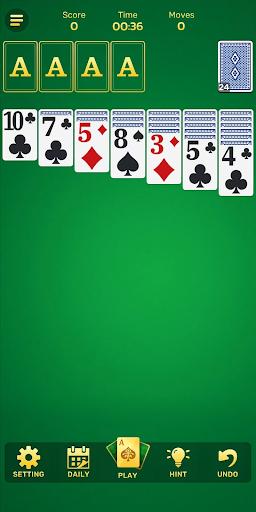
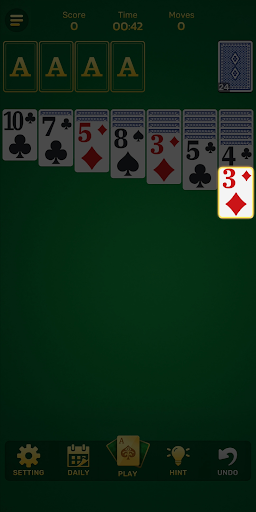
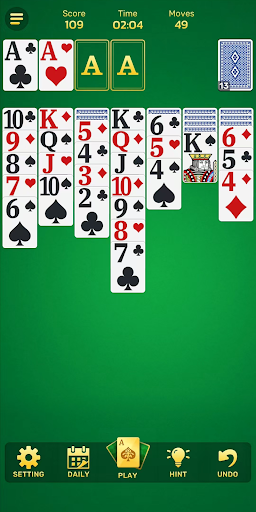
Daily Classic Solitaire delivers classic Klondike play with adaptive difficulty, daily challenges, and lightweight stats. It emphasizes smooth controls, large/readable cards, and personalization (card backs, table themes, sounds). An optional Launcher mode turns your home screen into a Solitaire-centric hub with a desktop pet and quick app access.
Verdict
A polished, easy-to-read Klondike with smart difficulty and daily goals, best for casual play—though ads and frequent notifications may annoy some.
Who is it for
Best for:
- Casual solitaire fans who want quick, smooth games
- Players who appreciate big, readable cards and simple stats
- Users interested in adaptive difficulty and daily challenges
Not ideal for:
- Players seeking deep progression, events, or cloud sync
- Anyone sensitive to frequent notifications or promotional prompts
- Users who dislike launcher-style home-screen changes
Real-world User Experience
Users like it:
Smooth, familiar gameplay with intuitive dragging; large card faces that help with visibility; engaging daily challenges and generally relaxing pacing.
Users complain about:
Aggressive or frequent notifications; occasional interruptions/prompts that pull players out of a round; confusion around update prompts and returning to the same screen; some mixed expectations about playing for money (not a core feature).
Is it Worth Paying For?
Free with ads and no in‑app purchases. Value is strong if you’re fine with ads, but there’s no premium option to remove ads or unlock extras.
How it Compares to Alternatives
Compared to staples like Microsoft Solitaire Collection, MobilityWare, or Brainium, this app feels lighter with faster start-to-play and large, readable cards. Its adaptive difficulty is a nice twist, but it lacks richer modes, cloud sync, and premium ad-free tiers common in competitors. The optional Launcher adds uniqueness, though it won’t appeal to everyone.
Summary
Daily Classic Solitaire is a clean, modern take on Klondike that prioritizes accessibility and ease of play. The adaptive difficulty keeps sessions engaging without punishing newcomers, while daily challenges and basic stats provide just enough structure to encourage regular play. Large card designs and smooth controls make it comfortable for longer sessions, especially for players with vision needs. Downsides include frequent notifications and occasional promotional interruptions, plus an unusual optional Launcher mode that changes the home screen—useful to some, unnecessary to others. If you want a straightforward, free solitaire you can pick up anytime, this is a strong choice; if you crave deep features, cloud sync, or an ad-free upgrade path, alternatives may fit better.
Ratings
Trending APP






Alternative to this app










