Copyright 2026 © swekartor. All Rights Reserved.



Information about TikTok for Android TV
App Feature
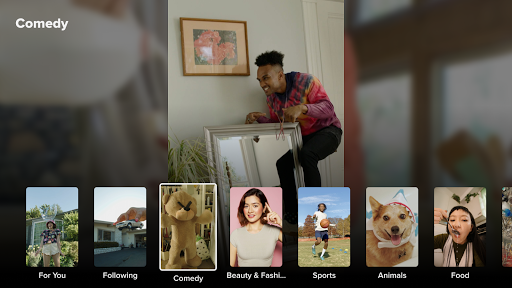
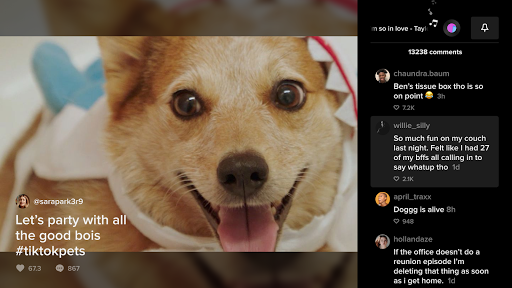
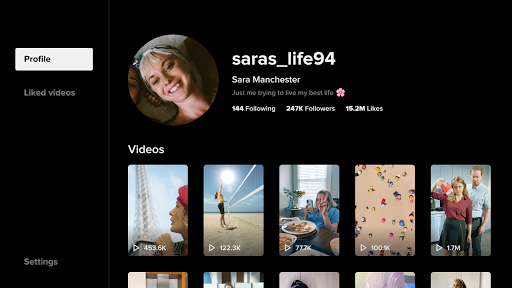
TikTok for Android TV brings TikTok’s short-form, algorithm-driven videos to the big screen with a lean-back interface. It focuses on effortless browsing of trending clips, a personalized feed based on your interests, and simple remote-friendly controls optimized for TV viewing.
Verdict
Verdict: Fun for casual, big-screen TikTok browsing, but limited features and mixed reliability hold it back.
Who is it for
Best for:
- TikTok fans who want a lean-back, big-screen viewing experience
- Households looking to casually browse trending short-form videos together
- Viewers who value a personalized algorithmic feed on TV
Not ideal for:
- Creators who want to upload, edit, or manage content from TV
- Users needing robust playback controls or feature parity with mobile
- Anyone sensitive to app stability quirks or navigation friction
Real-world User Experience
Users like it:
Watching TikTok on a larger screen with an immersive, personalized feed; easy, casual browsing of viral trends, comedy, and dance content from the couch.
Users complain about:
A lower overall rating (2.8) suggests common pain points such as clunky remote navigation, occasional login or playback hiccups, and fewer features compared to the mobile app.
Is it Worth Paying For?
It’s free with no paid tiers or IAP, so there’s nothing to pay for. If you already enjoy TikTok, it’s worth trying at no cost.
How it Compares to Alternatives
Compared to YouTube on TV, this app is better for bite-sized, algorithmic discovery but typically feels less mature in stability and controls. Twitch excels for live streaming and community chat (not a focus here). Facebook Watch or casting Instagram Reels offer short-form alternatives but with different algorithms. If you want creation tools, the mobile TikTok app remains the gold standard; for passive viewing, YouTube’s TV app generally offers smoother navigation and playback.
Summary
TikTok for Android TV transports TikTok’s endless short-form entertainment to your living room, offering a tailored feed, simple remote-friendly navigation, and a fun way to enjoy viral content on a big screen. It’s strictly a viewing app—no uploads or editing—so creators must stick with mobile. The modest rating indicates some rough edges in stability and navigation, and it lacks the depth and polish of more established TV apps. Still, for fans who want to casually browse TikTok on a TV, it’s a free, low-friction way to enjoy quick-hit content with friends or family.


Ratings
Trending APP












Alternative to this app