Copyright 2026 © swekartor. All Rights Reserved.

Best Apps for Editing Photos
Last updated on 03/26/2026
Level up your mobile photo workflow
Great photo edits start with the right tools. Below are handpicked apps that help you adjust, enhance, organize, and even monetize your images. Whether you want a straightforward editor, location tagging, or creative AI effects, mix and match the options that suit your style.
Keep your edits clean and contextual
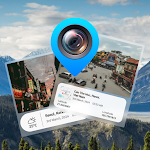
Location data can add useful context to travel and street shots, making them easier to sort and more meaningful to viewers. If you document trips or publish photo stories, geotagging helps map your shots to memories.
Add personality with AI effects
Sometimes the best edit is a playful one. AI-driven animation can turn portraits and old images into lively clips that stand out on social feeds or personal projects.

Monetize your best shots
After editing, consider publishing and selling. A marketplace app helps you reach buyers, build a portfolio, and learn what styles sell—useful feedback for your future edits.

Protect work-in-progress edits
If you share your phone or present images publicly, you may want to hide draft edits, RAW files, or private albums until you are ready to publish.

Quick starter workflow
1) Do basic tuning in a core editor. 2) Geotag travel images for context. 3) Add AI animation for standout posts when relevant. 4) Hide drafts as you iterate. 5) Publish or sell your best edits to test market interest.