
Copyright 2026 © swekartor. All Rights Reserved.



App Feature
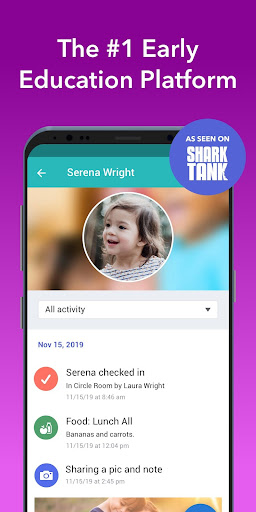
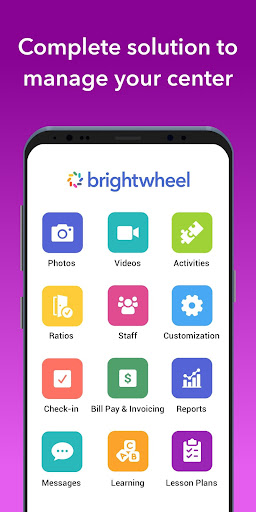
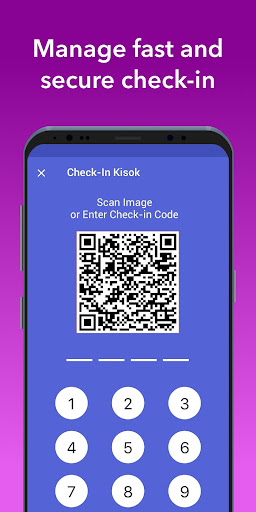
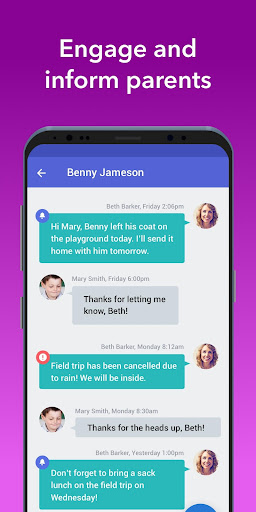
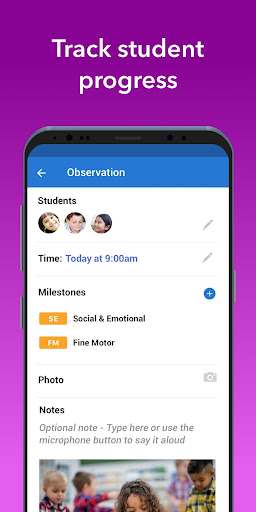
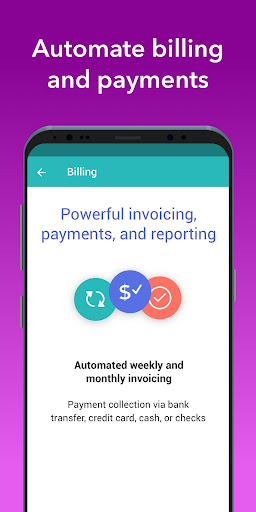
Brightwheel is an all-in-one childcare management platform that streamlines daily operations for early education providers and keeps families connected. Core features include billing and payments, real-time parent communication with photos/videos, attendance and staff tracking, daily reports, calendars, lesson planning and assessments aligned to standards, admissions/enrollment workflows, and robust reporting—synced across web and mobile with strong security and uptime.
Verdict
Verdict: A top-tier childcare management suite that excels at communication and operations, especially strong for centers that want an all-in-one tool.
Who is it for
Best for:
- Childcare centers and preschools seeking unified billing, attendance, and family communication
- Administrators who value reliability, security, and strong customer support
- Teachers who want quick photo/video sharing, daily sheets, and simple assessments
Not ideal for:
- Programs that only need lightweight messaging without admin tools
- Schools unwilling to pay for advanced features like billing, curriculum, or admissions
- Users seeking offline-first workflows with minimal cloud dependency
Real-world User Experience
Users like it:
High ratings (4.8, 1M+ installs) reflect praise for the intuitive interface, dependable real-time updates to families, easy photo/video sharing, smooth sign-in/out and attendance, and the time saved on admin tasks. Providers highlight responsive support and appreciate consolidated billing, reporting, and lesson planning in one place.
Users complain about:
Some users note occasional bugs or sync delays, a learning curve for staff setup, and that certain advanced features are paywalled. A few report notification quirks or friction when configuring billing and reports, especially during initial rollout.
Is it Worth Paying For?
The app offers free and premium plans. Families typically use it free through their provider. For centers, the premium tiers are worth it if you need automated tuition billing, detailed reporting, assessments/standards, and admissions—these can offset costs through time saved and fewer manual errors. If you only need basic communication and attendance, the free tier may suffice.
How it Compares to Alternatives
Compared to HiMama and Procare, brightwheel stands out for a clean, user-friendly mobile experience and broad feature depth (billing, admissions, and curriculum options) in a single platform. Versus classroom tools like ClassDojo or Seesaw, brightwheel is purpose-built for early childhood operations and compliance. Procare may integrate deeply with center management and payroll ecosystems; HiMama is strong on parent updates and portfolios. Brightwheel’s strengths are reliability, security, and fast support alongside comprehensive daily operations.
Summary
Brightwheel brings the essential pieces of running a childcare program—family communication, attendance, billing, lesson planning, assessments, admissions, and reporting—into one secure, reliable platform. Its streamlined interface helps teachers capture moments and daily logs quickly while giving administrators the controls and insights they need. Families benefit from real-time updates and organized communication. While some advanced capabilities require a paid plan and new teams may see a short setup curve, brightwheel’s combination of usability, breadth, and strong support makes it a leading choice for early education centers looking to reduce admin time and strengthen family engagement.
Ratings
Trending APP










Alternative to this app










