
Copyright 2026 © swekartor. All Rights Reserved.



App Feature
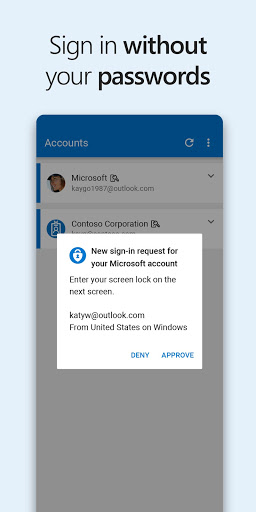
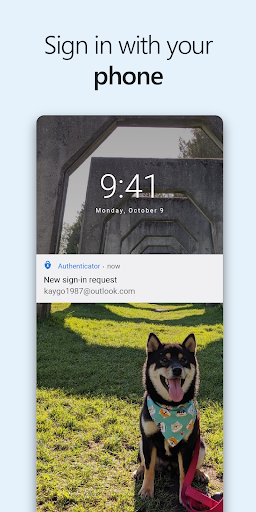
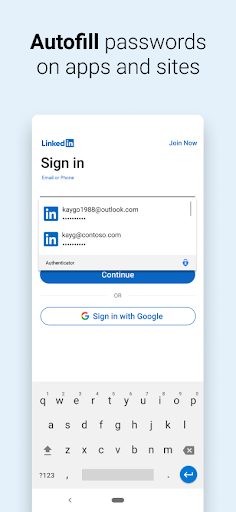
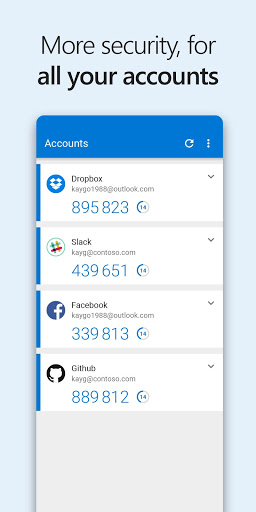
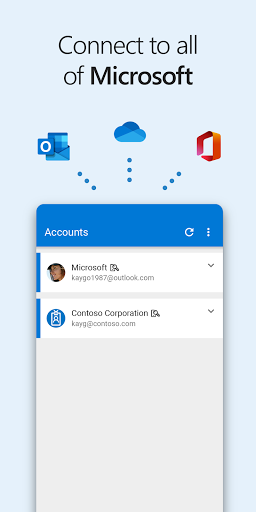
Microsoft Authenticator provides secure sign‑ins via MFA codes, push approvals, and true passwordless login for Microsoft accounts. It supports TOTP for non‑Microsoft services, device registration for work/school SSO, biometric/PIN protection, and optional cloud backup/restore for quick migration.
Verdict
Verdict: A polished, reliable authenticator—especially excellent for Microsoft ecosystems and passwordless sign‑ins.
Who is it for
Best for:
- Microsoft 365/Azure users who want seamless passwordless and push approvals
- Employees/students needing device registration and SSO for organizational access
- Anyone seeking a simple, offline-capable TOTP app with cloud backup
Not ideal for:
- Users wanting a full-featured cross-platform password manager (vault feature deprecated)
- Those who prefer non-Microsoft ecosystems or avoid account-based backups
- Power users needing advanced automation/multi-device token sharing (à la Authy)
Real-world User Experience
Users like it:
Fast, straightforward approvals; reliable TOTP codes that work offline; strong Microsoft account integration with passwordless; biometric lock; cloud backup makes phone upgrades painless; broad support for third-party sites; stable over years for many users.
Users complain about:
Occasional app glitches/black screen requiring reinstall for some; learning curve around device deregistration and multi-method setups; sporadic sync delays with Edge passwords; repeated save prompts; password vault feature being retired; backup refresh sometimes manual.
Is it Worth Paying For?
Free with no ads or IAP. Given its reliability, enterprise-grade features, and passwordless support, it offers excellent value at no cost.
How it Compares to Alternatives
Compared to Google Authenticator, Microsoft Authenticator adds smoother push approvals and deep Microsoft/Entra ID integration; both support TOTP, but Microsoft’s passwordless flows and SSO make it stronger for Microsoft users. Authy excels at multi-device token sync and recovery via phone number, while Microsoft emphasizes Microsoft account–based backup and enterprise trust signals. Duo/Okta Verify are strong in managed enterprise contexts, but Microsoft Authenticator is more approachable for mixed personal/work use, especially if you use Outlook, OneDrive, or Edge.
Summary
Microsoft Authenticator delivers a secure, hassle-minimizing sign-in experience that shines with Microsoft accounts: tap-to-approve prompts, biometrics, and passwordless access dramatically reduce friction while maintaining strong security. It also handles standard TOTP codes for popular non-Microsoft services and supports organizational device registration and SSO. Users praise its speed, reliability, and backup/restore, though a subset reports intermittent glitches and a learning curve around managing old devices and sync. With the password vault being phased out, it’s best viewed as a top-tier authenticator rather than a password manager. For anyone in the Microsoft ecosystem—or anyone who wants a dependable, offline-capable 2FA app with convenient cloud recovery—this is an easy recommendation.
Ratings
Trending APP



Alternative to this app










