
Copyright 2026 © swekartor. All Rights Reserved.



App Feature
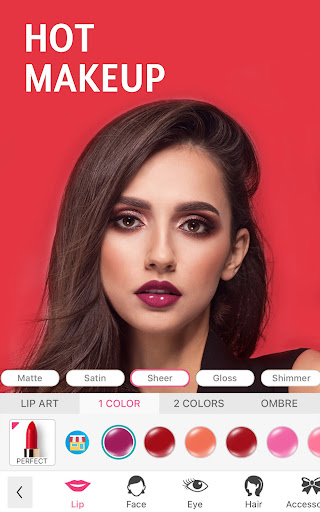
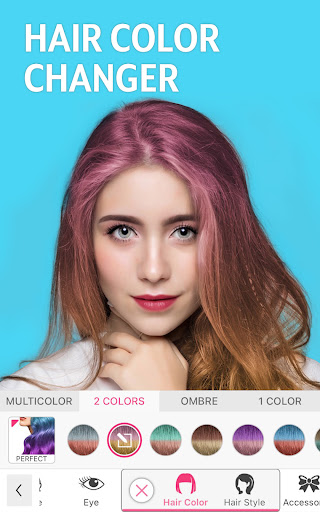
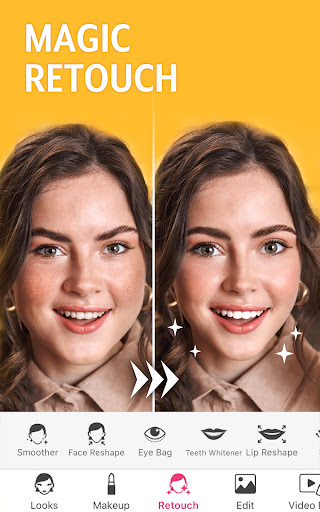
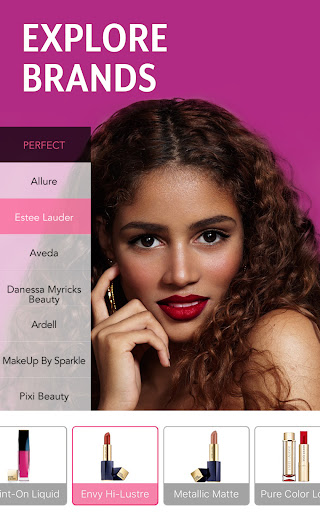
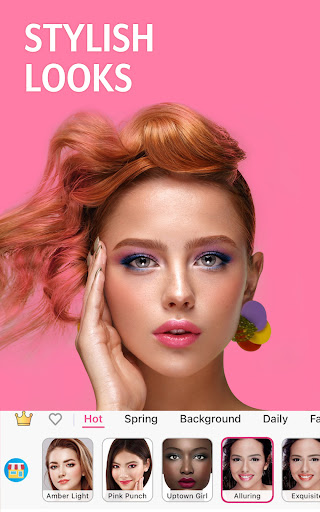
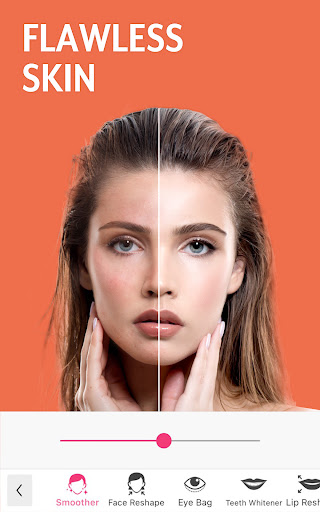
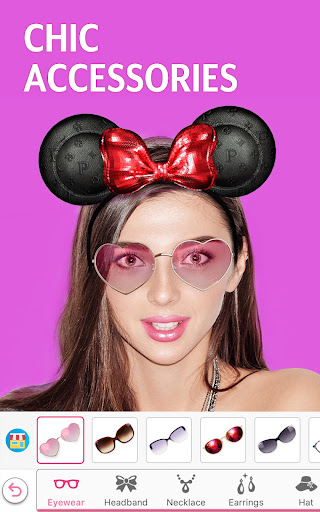
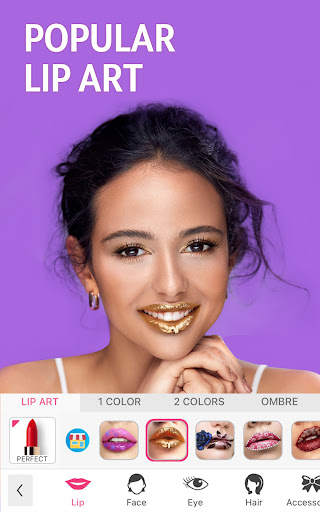
YouCam Makeup is an AR-powered selfie editor focused on virtual makeup, hair color and style try-ons, face retouching, and full-body tuning. It layers pro-style makeup palettes, eyebrow/eyelash/eye-color tools, AI hair transformations, and body sculpting over photos and live camera. Recent AI features add retake/open-eyes, enhance, expand, image-to-video, and avatar/clothing try-ons.
Verdict
Verdict: A top-tier virtual makeup and beauty editor with realistic try-ons and deep tools, best for glam and social-ready edits but less ideal if you need ultra-high-res exports or a purely free experience.
Who is it for
Best for:
- Beauty enthusiasts testing makeup, hair colors, and styles before buying or visiting a salon
- Creators and casual users wanting quick, realistic glam or natural retouching for selfies
- Users who value live try-on and AI enhancements (retake, enhance, image-to-video)
Not ideal for:
- Professionals needing maximum-resolution exports and pixel-level control
- Users who want everything free without subscriptions or gated content
- Minimalists who may find the breadth of options overwhelming
Real-world User Experience
Users like it:
Highly realistic makeup overlays and hair color try-ons (notably in real time), extensive options for lips/eyes/brows/lashes, effective skin smoothing and blemish fixes, simple intensity sliders, quick edits with before/after views, decent offline usability, light ad experience for a free tier, and responsive support (including refund goodwill). Many report it as fun yet practical for testing purchases and planning styles.
Users complain about:
Some premium looks/tools are paywalled; a few find the feature set overwhelming. Occasional comments on export/output quality not being very high-res and precision controls that could be tighter. One user struggled to find hairstyle try-on (suggesting discoverability inconsistencies).
Is it Worth Paying For?
The free tier is capable for casual retouching and try-ons. Premium removes ads and unlocks advanced palettes, finer retouch controls, and larger libraries of hair/makeup, which frequent editors and beauty shoppers may find worth the cost. Based on reviews, pricing is seen as reasonable and good value if you’ll use the expanded looks and AI features; otherwise, staying free is fine.
How it Compares to Alternatives
Versus Facetune and BeautyPlus, YouCam leans hardest into realistic, brand-like makeup and live hair color try-ons, giving it an edge for beauty-specific workflows. PicsArt offers broader creative edits but less specialized beauty realism. Remini/Lensa can outperform on AI upscaling or stylized effects, but YouCam’s makeup accuracy and live AR utility are stronger. Overall, it’s among the best for beauty-focused editing, with slightly softer export fidelity than some pro editors.
Summary
YouCam Makeup - Selfie Editor delivers one of the most complete beauty toolkits on Android: convincing virtual makeup, robust retouching, AI hair transformations, and body tuning, plus newer AI tricks like retake/enhance and image-to-video. Users praise its realism, breadth of options, and low-friction free experience, though premium unlocks the full library and ad-free editing. Downsides include some paywalled content, occasional confusion around locating specific features (like hairstyles), and export quality that may not satisfy pro workflows. If your priority is trying on looks, planning styles, and producing social-ready selfies quickly, it’s an excellent pick; if you need uncompromising resolution or a minimalist, fully free tool, you may want to test the free tier first.
Ratings
Trending APP







Alternative to this app










