
Copyright 2026 © swekartor. All Rights Reserved.



App Feature
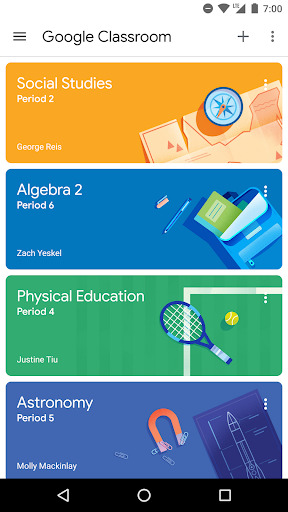
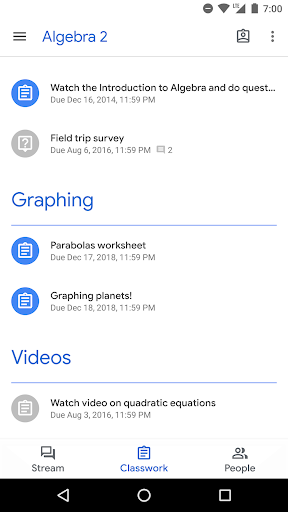
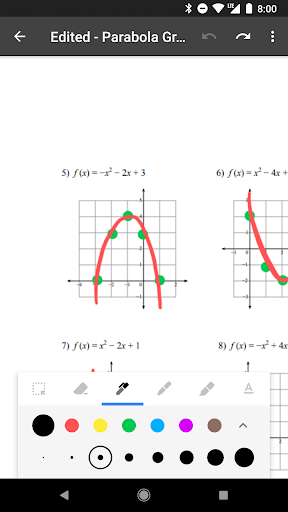
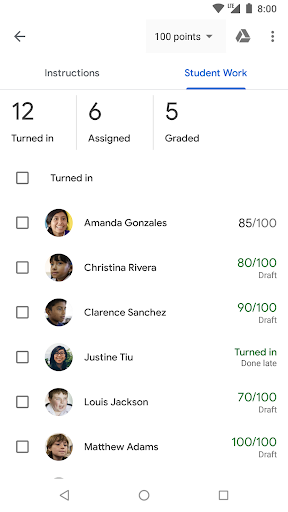
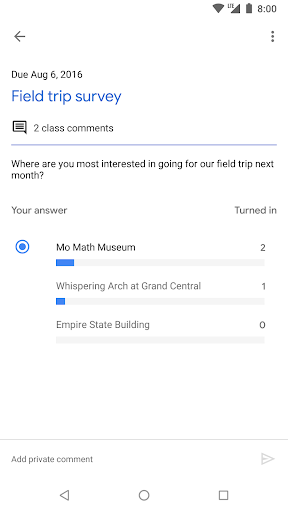
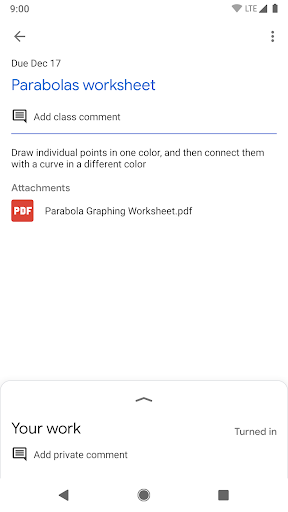
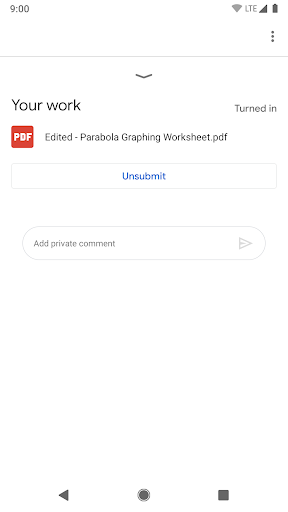
Google Classroom centralizes class communication, assignments, and resource sharing. Teachers create and grade assignments, post announcements, and organize materials; students view a to-do list, submit work, and collaborate. It integrates tightly with Google Drive, Docs, Slides, Sheets, and Calendar for a largely paperless workflow.
Verdict
Verdict: A lightweight, free classroom hub that excels at simplicity and Google integration, but suffers from reliability issues and lacks deeper LMS features.
Who is it for
Best for:
- Schools and teachers already using Google Workspace seeking quick, paperless assignment workflows
- Students who want a clear to-do list and straightforward submission flow
- Small groups or tutoring clubs needing a simple, free coordination tool
Not ideal for:
- Institutions needing robust LMS features (advanced analytics, rich gradebook, modular courses)
- Users who require rock-solid mobile notifications and performance
- Complex, compliance-heavy programs needing granular roles and deep customization
Real-world User Experience
Users like it:
Clean, simple interface; fast setup via class codes; clear to-do list showing assigned/missing/due items; smooth Google Drive/Docs integration for creating and submitting PDFs and documents; easy announcements and grading; helpful for remote and hybrid learning.
Users complain about:
Frequent mobile issues: app freezing or hanging on load, delayed or missing notifications unless the app is opened, occasional problems with document templates not saving edits, slow loading of to-do lists, edge cases with teacher invite acceptance on mobile, VPN-related loading glitches, and intermittent iOS performance complaints.
Is it Worth Paying For?
Free with no ads and no in-app purchases; excellent value if your school uses Google Workspace. There’s no paid tier to evaluate—cost isn’t a barrier, but reliability concerns may be.
How it Compares to Alternatives
Compared to Microsoft Teams for Education, Classroom is simpler and less feature-dense (fewer built-in chat and meeting controls), but integrates better with Google Docs/Drive and is quicker to adopt. Versus Canvas, Moodle, or Schoology, it lacks advanced LMS capabilities (detailed gradebooks, analytics, standards alignment, complex modules), but wins on ease of use and zero cost. Alternatives may offer more reliable notifications and richer course management at the expense of setup complexity.
Summary
Google Classroom streamlines basic teaching tasks—posting assignments, collecting work, and sharing resources—through a clean, approachable mobile and web experience tightly integrated with Google’s productivity suite. For many schools, its simplicity, to-do tracking, and paperless workflow make day-to-day learning smoother, especially in remote settings. However, numerous recent user reports cite mobile stability problems and delayed notifications, which can undermine time-sensitive communication. It also falls short of full LMS depth, limiting analytics, customization, and advanced grading. If your environment already runs on Google Workspace and you value speed and simplicity over heavy features—and can tolerate occasional mobile hiccups—Classroom is a compelling, free choice. Institutions needing robust reliability and comprehensive LMS functionality may prefer Canvas, Moodle, Schoology, or Teams for Education.
Ratings
Trending APP




Alternative to this app










