
Copyright 2026 © swekartor. All Rights Reserved.





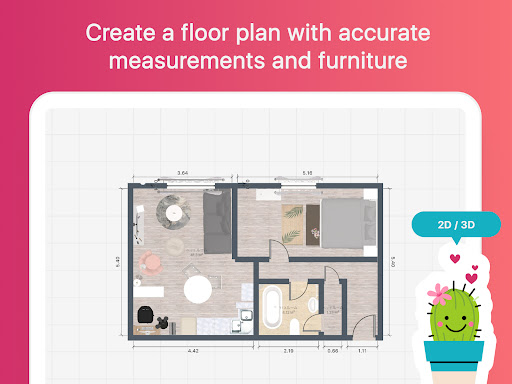

App Feature
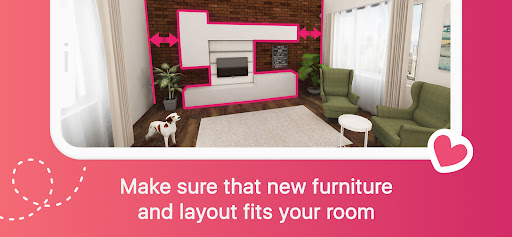
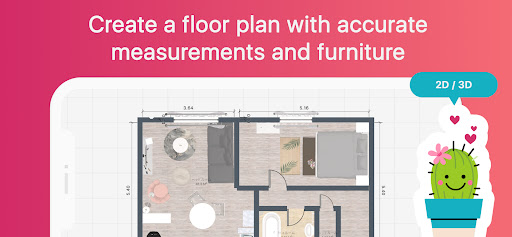
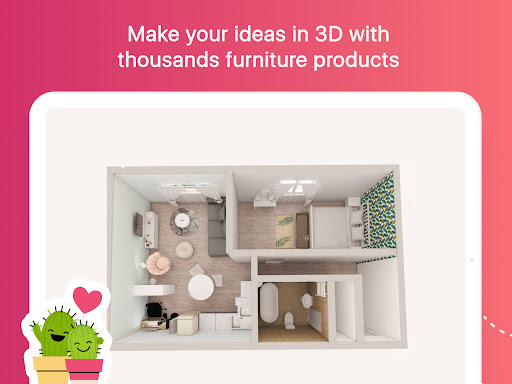
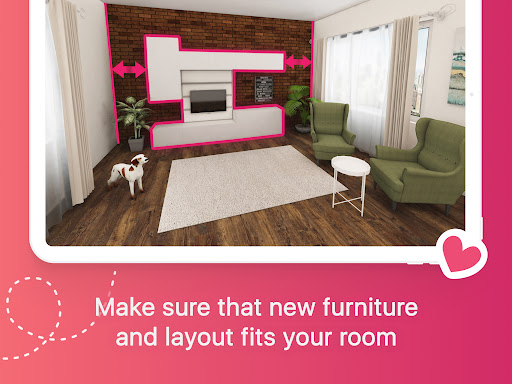
Room Planner: Home Interior 3D is a mobile home and room design app that lets you sketch floor plans, furnish from a large brand-backed catalog, tweak colors and materials, and visualize layouts in realistic 3D/VR. It offers pre-made templates, offline use, shareable designs, and optional subscriptions for full catalog access, advanced colors/materials, precise measurements, unlimited rooms, and HD renders.
Verdict
Verdict: A powerful, ad-free mobile room planner with excellent 3D visuals and a huge catalog, best for DIY planners and students, but pro-level precision and full customization require a subscription.
Who is it for
Best for:
- Homeowners and renters planning renovations or furniture layouts who want quick 3D visualization
- Interior design students and hobbyists exploring layouts, colors, and styles on mobile
- DIY planners needing shareable drafts to communicate ideas with family or contractors
Not ideal for:
- Professionals needing CAD-level tools, exact product specs, or detailed construction documentation
- Users unwilling to pay for expanded catalogs, full color control, and HD renders
Real-world User Experience
Users like it:
Consistently praised for ease of use once familiar, realistic 3D walkthroughs, ad-free experience, no account requirement, flexible object resizing and wall editing, large ready-to-use furniture catalog (including IKEA and real-world pricing), pre-made project templates, and reliable saving/editing of projects across time.
Users complain about:
Early learning curve for rotating/moving objects and doors; wall adjustments can feel fiddly; some color options, bedding colors, and specific furniture behind the paywall; occasional color rendering quirks (white appearing gray); occasional slow loading when pulling items; desire for clearer tutorials or symbols.
Is it Worth Paying For?
The free version is genuinely useful—ad-free, with enough furniture and features to plan rooms and test layouts. Paying makes sense if you want full catalog access, richer colors/materials, exact measurements, unlimited rooms, and photorealistic/HD renders, or if you’re presenting to clients/contractors. For casual planners, free is sufficient; for serious remodels or professional polish, the subscription delivers solid value.
How it Compares to Alternatives
Compared to Homestyler and Planner 5D, Room Planner feels faster on mobile and remains ad-free with robust free tools, while its catalog breadth and 3D view are competitive. Magicplan excels at site capture and measurements for pros, but is less playful for interiors. IKEA’s apps are great for brand-specific visualization, but less flexible for custom sizes and broader styles. Room Planner’s sweet spot is mobile-first simplicity plus a big catalog, with fewer pro-grade drafting tools than RoomSketcher or CAD-centric solutions.
Summary
Room Planner: Home Interior 3D delivers an approachable, ad-free way to draft floor plans, experiment with furniture and decor, and walk through spaces in convincing 3D. Users value its intuitive workflow (after a brief learning curve), flexible resizing, and broad brand catalog, making it ideal for visualizing ideas before spending time or money. While some refinements (object manipulation, wall editing, and color accuracy) could be smoother, the core experience is strong. The free tier suffices for most home planners, and the subscription unlocks professional touches like full catalog access, advanced finishes, and HD rendering. If you need creative exploration and clear communication of ideas—rather than construction-grade documentation—this app is a standout choice on mobile.
Ratings
Trending APP



Alternative to this app










