
Copyright 2026 © swekartor. All Rights Reserved.



App Feature
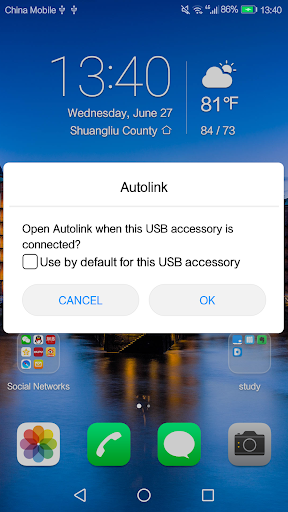
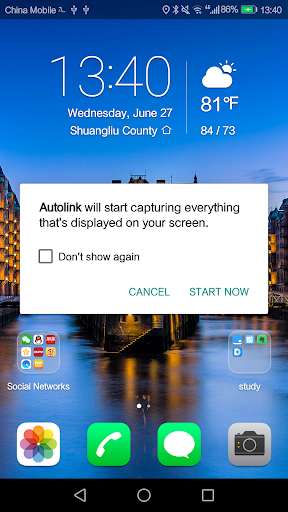
Vehicle multimedia mirroring app that connects your phone to a car head unit via USB, reflects the phone screen on the dashboard, and enables touch control for music, navigation, calls, and other media with basic UI customization.
Verdict
Verdict: Useful for basic phone-to-car screen mirroring on compatible head units, but inconsistent reliability and compatibility make it a gamble compared to official platforms.
Who is it for
Best for:
- Drivers with compatible head units seeking simple USB screen mirroring
- Users who want phone apps on the car display without installing extra services
Not ideal for:
- Drivers expecting Android Auto/CarPlay-level stability, voice control, and deep integration
- Those with newer cars or phones where compatibility is uncertain or spotty
Real-world User Experience
Users like it:
When it works, users appreciate straightforward mirroring, easy access to music and navigation, and being able to control the phone from the car touchscreen.
Users complain about:
Frequent reports of compatibility issues across phones and head units, occasional connection drops or lag over USB, a dated/awkward interface with translation quirks, and limited features versus official in-car ecosystems.
Is it Worth Paying For?
Free with no ads or in‑app purchases, so there’s no monetary risk; the main cost is time spent testing compatibility with your specific car and phone.
How it Compares to Alternatives
Compared to Android Auto or Apple CarPlay, Autolink offers broader basic mirroring but lacks native integrations, voice assistants, and polish. MirrorLink-style alternatives and head-unit vendor apps vary, but official platforms generally deliver better stability and safety features; Autolink’s advantage is simple mirroring on units that don’t support those standards.
Summary
Autolink aims to bridge your phone and car via USB mirroring so you can tap into music, navigation, calls, and media from the dashboard. It’s free, lightweight, and can be convenient if your head unit is compatible, but the mixed 3.1 rating reflects real-world issues: uneven hardware support, connection hiccups, and a basic UI. If your vehicle doesn’t support Android Auto or CarPlay and you’re comfortable troubleshooting, it may be worth a try; otherwise, official solutions or OEM apps will likely provide a more reliable, safer in-car experience.
Ratings
Trending APP









Alternative to this app










