
Copyright 2026 © swekartor. All Rights Reserved.



App Feature
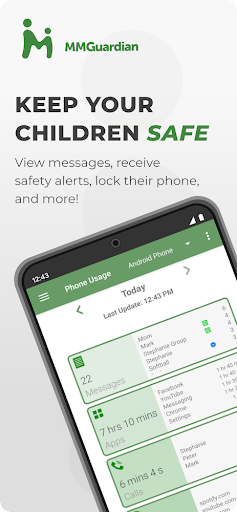
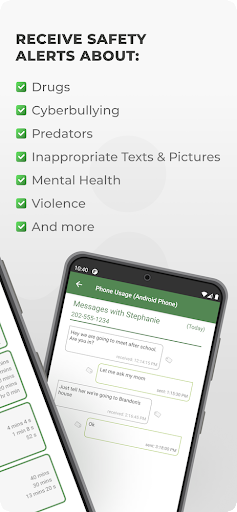
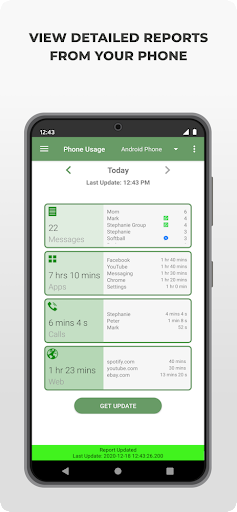
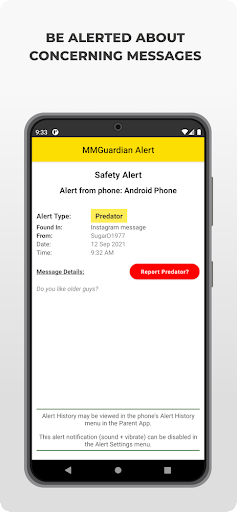
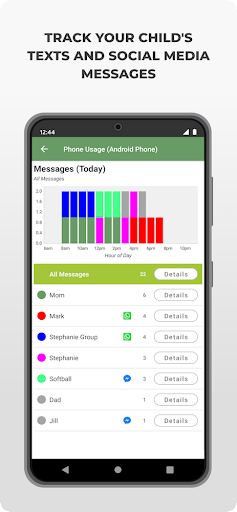
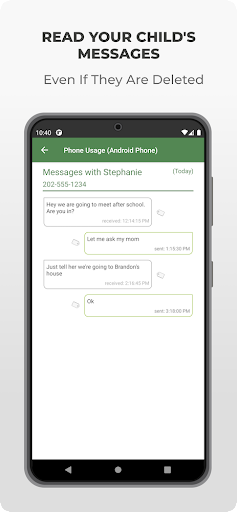
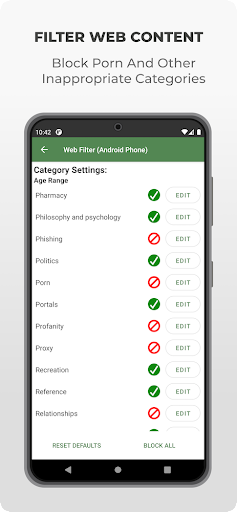
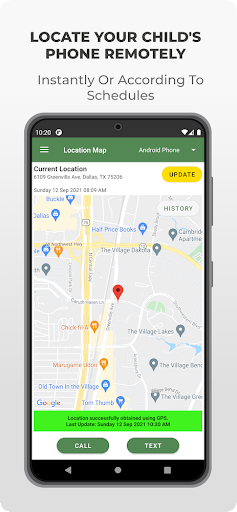
MMGuardian Parental Control is a parent-side companion app that pairs with a child app to monitor and manage a child’s smartphone use. Core features include SMS/call/app/web monitoring and reports, real-time alerts for risky content (sexting, bullying, self-harm), app blocking and screen-time schedules, instant lock/unlock, web filtering, and GPS location tracking.
Verdict
Verdict: A powerful, comprehensive parental control suite with robust monitoring and alerts, best for families who want deep oversight rather than a light-touch solution.
Who is it for
Best for:
- Parents seeking detailed monitoring of texts, social chats, web activity, and app usage.
- Families who want proactive safety alerts plus remote locking and GPS tracking.
- Households managing multiple child devices and needing centralized controls.
Not ideal for:
- Parents who prefer minimal oversight or only basic device rules (e.g., simple screen-time).
- Users who don’t want to install a separate child app or maintain data connectivity.
- Families expecting fully free premium monitoring beyond the trial period.
Real-world User Experience
Users like it:
Consistently praised for breadth and reliability: parents report easy setup, effective monitoring of texts and apps, actionable daily reports, dependable web blocking, quick device lock/unlock, and useful alerts for risky content, helping reinforce clear boundaries and expectations.
Users complain about:
Customization gaps around lock/unlock duration options; some controls are time-limited after the trial and require a subscription; requires installing and maintaining the companion child app with network connectivity.
Is it Worth Paying For?
Yes for active monitoring needs. After a 14‑day free trial, subscriptions (~$4.99/month or $49.99/year per child; family plans available) unlock the full suite. Given the reliable alerts, detailed reports, and comprehensive controls, the value is strong compared to piecemeal free options—especially for families prioritizing safety signals and multi-app chat monitoring.
How it Compares to Alternatives
Compared to Google Family Link, MMGuardian offers deeper text/social chat monitoring and content alerts, not just app limits and location. Versus Qustodio or Net Nanny, it’s competitive in web filtering, screen-time, and location, while standing out with granular SMS/chat insights and keyword/image alerts. Bark focuses heavily on alerting across platforms; MMGuardian balances alerts with stronger on-device controls (locks, app blocking). Choice depends on whether you value active restriction (MMGuardian/Qustodio/Net Nanny) or primarily alert-based oversight (Bark).
Summary
MMGuardian Parental Control delivers an extensive toolset—SMS and social chat monitoring, content alerts, web filtering, app blocking, screen-time schedules, instant locking, and GPS—that helps parents supervise and guide digital behavior. Real-world reviewers highlight reliable notifications, clear reports, and effective enforcement of rules, with minor complaints about lock/unlock duration flexibility. While the free trial showcases capabilities, the subscription is the route to ongoing, full-featured protection. For families who want both granular monitoring and strong on-device controls, MMGuardian is a compelling, well-rounded choice.
Ratings
Trending APP












Alternative to this app










