
Copyright 2026 © swekartor. All Rights Reserved.



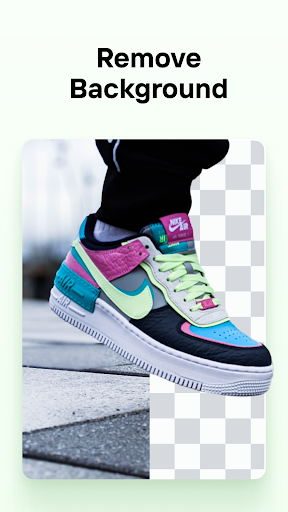





App Feature
Photoroom AI Photo Editor focuses on fast, accurate background removal and AI-powered design for professional-looking product photos and marketing visuals. It adds smart object-aware adjustments, templates, brand kits, batch editing, video generation from photos, and collaboration, all wrapped in an easy, beginner-friendly interface with Google Photos integration.
Verdict
Verdict: A top-tier AI background remover and ecommerce visual tool, excellent for fast pro results but less ideal if you need full-fledged, granular photo editing or transparent usage limits.
Who is it for
Best for:
- E-commerce sellers needing clean product shots, batch edits, and on-brand templates
- Content creators and social media managers seeking quick, polished visuals
- Beginners who want pro-looking results without a steep learning curve
Not ideal for:
- Power users needing deep, layer-based or pixel-precise editing workflows
- Budget-sensitive users wary of subscriptions or strict AI usage limits
- Photographers who require advanced manual retouching beyond object-aware tweaks
Real-world User Experience
Users like it:
Consistently praised for instant, high-quality background removal; easy, intuitive UI; generous free features with no intrusive ads; professional results that elevate listings; broad template/background options; solid performance and reliability; time-saving for business workflows; seamless Google Photos integration.
Users complain about:
Occasional glitches and imperfect background edges, especially with low contrast; subscription perceived as pricey by some; confusion finding exports; reports of undisclosed or stricter-than-expected AI image limits; rare bugs and minor hiccups.
Is it Worth Paying For?
Yes, if you regularly create product or marketing visuals: Pro unlocks batch editing, higher throughput, more templates/backgrounds, and branding features that save significant time. The free tier is generous and ad-free, making it easy to trial. Caveats: some users feel pricing is high and note opaque AI usage caps—check current limits before subscribing.
How it Compares to Alternatives
Compared to Canva and PicsArt, Photoroom is faster and more accurate for background removal and ecommerce-ready outputs, but offers fewer comprehensive design and creative tools than Canva and fewer artistic effects than PicsArt. Versus Adobe Photoshop/Express, it’s vastly easier and quicker for cutouts and templated product shots, though Adobe wins on pro-grade, granular editing. Against remove.bg or PhotoDirector, Photoroom pairs top-tier cutouts with templates, batch tools, and branding, making it a stronger all-in-one for sellers.
Summary
Photoroom excels at what many users need most: rapid, reliable background removal and streamlined creation of professional product and social visuals. Its AI tools, batch editing, templates, and brand kit features are tailored to ecommerce and content workflows, producing polished results with minimal effort. The free tier is capable and ad-free, while Pro meaningfully boosts speed and consistency for serious sellers—though some find the subscription steep and AI usage limits unclear. If your main goal is to transform everyday photos into clean, on-brand images quickly, Photoroom is one of the best choices on Android; for deep manual editing or fully transparent, low-cost usage at scale, consider alternatives.
Ratings
Trending APP









Alternative to this app










