
Copyright 2026 © swekartor. All Rights Reserved.



App Feature
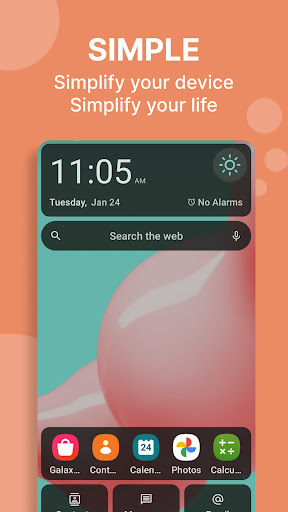
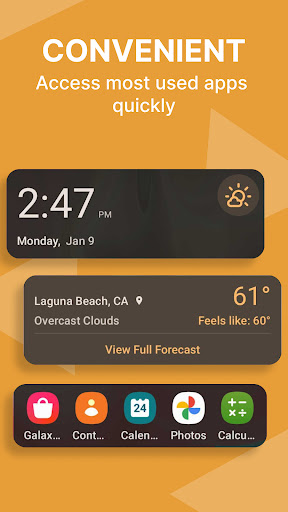
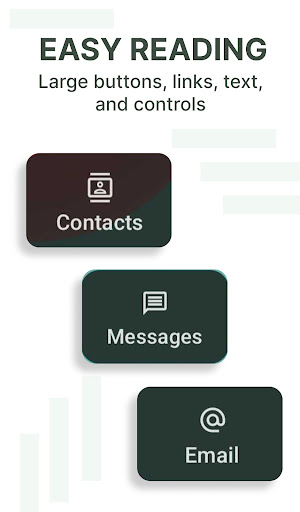
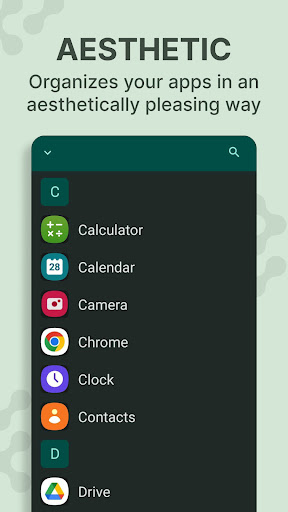
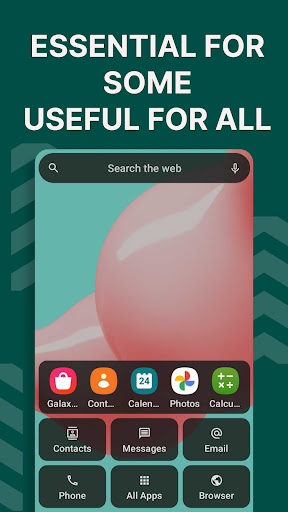
Easy Homescreen is an Android launcher that simplifies navigation with large buttons, readable fonts, clean layouts, and smart app organization. It adds practical touches like widget support, customizable themes and icons, an accessibility-first design, and a built-in large-key keyboard with quick access to essentials (e.g., weather).
Verdict
Verdict: A thoughtful, accessibility-first launcher that excels at simplicity and readability, but power users may find customization depth limited.
Who is it for
Best for:
- Seniors, accessibility needs, or anyone who prefers large text/buttons
- Users who want a calm, clutter-free home screen that surfaces frequent apps
- People who value easy onboarding and minimal setup to get organized quickly
Not ideal for:
- Power users seeking granular gestures, layouts, and deep tweakability
- Those who dislike oversized UI elements or prefer the stock Android look
- Users sensitive to signup friction or who frequently switch launchers
Real-world User Experience
Users like it:
Clean, organized home screen with big, bold icons and legible text; quicker access to frequently used apps; step-by-step setup that’s easy to follow; meaningful accessibility benefits for seniors and users with limited dexterity or vision; included large-key keyboard and helpful widgets; overall smoother daily use and reduced clutter.
Users complain about:
Signup/onboarding can feel intrusive to some; confusion about how to uninstall/disable; anxiety around an emergency slider gesture; a learning curve when switching from the default launcher; occasional expectations for more widget resizing/control and news customization.
Is it Worth Paying For?
The app is free with ads and optional in‑app purchases. For users prioritizing simplicity and accessibility, the free tier seems sufficient. Consider IAP only if you want extra themes or customization—otherwise, the core experience delivers good value without paying.
How it Compares to Alternatives
Compared to Nova or Action Launcher, Easy Homescreen favors readability and simplicity over deep customization and gesture controls. Versus Microsoft Launcher, it trades Microsoft ecosystem features for a calmer, senior-friendly layout. Against Niagara Launcher’s minimalist feed, Easy provides larger touch targets and accessibility-first UI. Relative to Big/Senior launchers, it’s similarly accessibility-focused but adds modern personalization (icons, fonts) and an integrated larger-key keyboard.
Summary
Easy Homescreen reimagines Android’s start screen for clarity and comfort: large buttons, readable fonts, and a minimal layout that surfaces what you use most. It’s especially strong for seniors and users who want fewer distractions and faster access, bolstered by simple setup, widget support, and a built-in large-key keyboard. While it can’t match power-user launchers for deep tweaks or advanced gestures—and some users note signup friction and initial confusion around uninstall—the overall experience is stable, calming, and genuinely helpful. With a solid 3.9 rating and 10M+ installs, it’s a compelling free option for anyone who wants their phone to feel friendlier and easier to use.
Ratings
Trending APP









Alternative to this app










