
Copyright 2026 © swekartor. All Rights Reserved.



App Feature
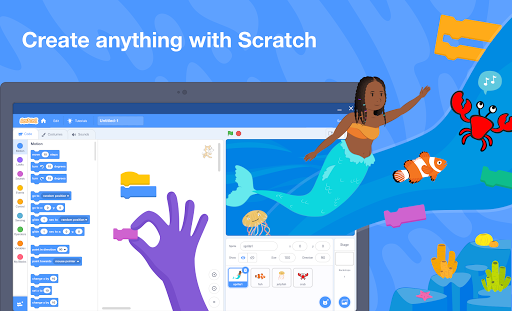
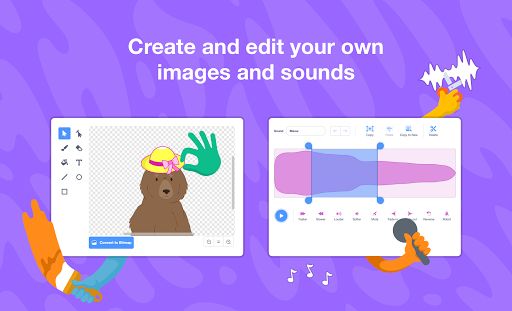
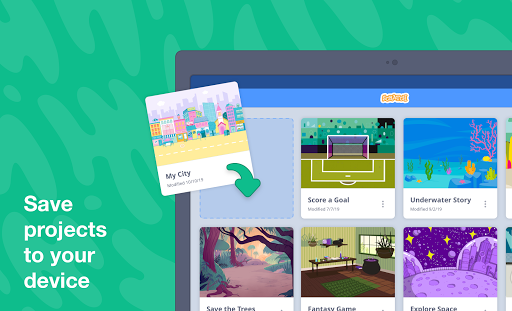
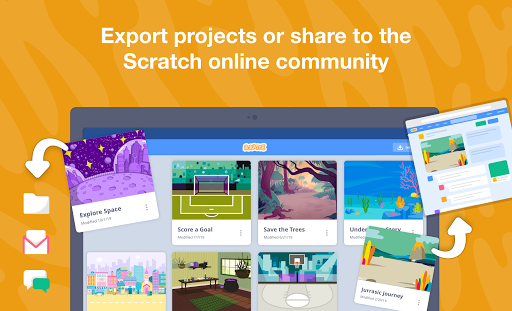
Scratch is a free, block-based coding app for tablets and Chromebooks that lets users create interactive stories, games, and animations, integrate images/sounds, work offline, and export or share projects to a large global community with tutorials and educator resources.
Verdict
Verdict: A fantastic beginner-friendly coding sandbox on tablets/Chromebooks, but clunky on phones and limited for advanced projects.
Who is it for
Best for:
- Kids and beginners learning programming concepts through block-based creation
- Educators and classrooms seeking free, offline-friendly coding tools
- Hobbyists who want to prototype simple games/animations and share with a community
Not ideal for:
- Phone users needing precise editing or touch-optimized UI
- Advanced developers requiring complex features (cloud multiplayer, custom blocks at scale, deep file/system access)
- Users who want polished mobile gameplay experiences rather than a creation tool
Real-world User Experience
Users like it:
Offline editor works well on Chromebooks/tablets; easy block-based learning curve; rich libraries of sprites, backdrops, and sounds; smooth import/export to the website; no ads; strong tutorials and educator support; inspires creativity and long sessions of tinkering.
Users complain about:
Tiny buttons and controls on phones; costume editing and resizing are hard via touch; some UI quirks (window controls grouping, scrolling issues in sprite lists); limited mobile accessibility and missing features like cloud variables for multiplayer; desire for more sprites/backdrops and finer UI zoom/customization.
Is it Worth Paying For?
The app is completely free with no ads or in-app purchases, so there’s nothing to pay for—excellent value, especially for education. The only trade-off is UI friction on phones and some advanced feature gaps.
How it Compares to Alternatives
Compared to Tynker (subscription) and Hopscotch (iOS-centric), Scratch offers stronger free value and a larger learning ecosystem/community. Versus MIT App Inventor, Scratch is easier for younger learners but less powerful for app-style builds. Pocket Code (Catrobat) is more phone-optimized, while Scratch shines on tablets/Chromebooks with richer community sharing and educator resources.
Summary
Scratch delivers a proven, kid-friendly path into coding: drag-and-drop blocks, multimedia integration, and a massive community encourage experimentation and sharing. It runs offline, exports/imports to the website, and includes robust tutorials—ideal for classrooms and self-guided learners. Reviews praise its accessibility and creative possibilities, while highlighting frustrations on phones: small buttons, tricky costume editing, and occasional UI quirks. If you use a tablet or Chromebook, it’s a standout free choice. Power users or those building advanced multiplayer or mobile-optimized projects may hit limitations, but as a learning and creativity platform, Scratch remains one of the best no-cost entries into programming.
Ratings
Trending APP








Alternative to this app










