
Copyright 2026 © swekartor. All Rights Reserved.



Information about Stickman: draw animation maker
App Feature
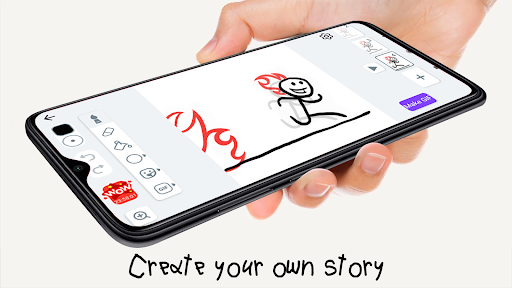
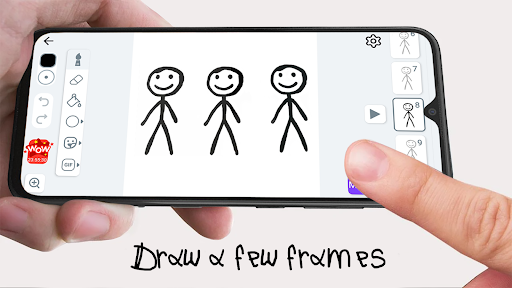
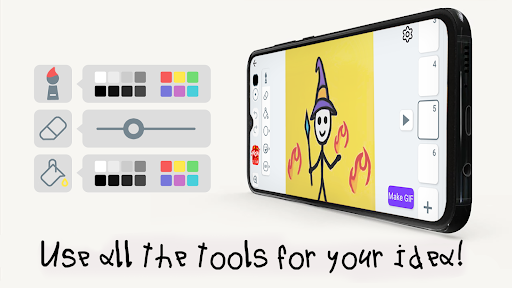
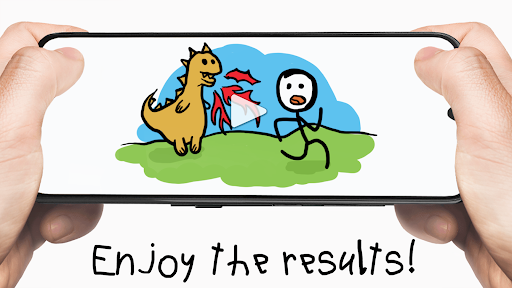
A simple flipbook-style animation maker focused on drawing stick figures frame-by-frame. Core tools include multiple brushes, eraser, coloring, onion-skinning, FPS control, copy/paste of frames, and export to short animated videos. It emphasizes quick sketching, learning basics of animation, and turning favorite movie plots into stick-figure shorts.
Verdict
Verdict: A friendly, beginner-first stick-figure animator that excels at simple flipbook cartoons, but lacks depth and polish for advanced workflows.
Who is it for
Best for:
- Beginners and kids learning frame-by-frame animation
- Casual creators who want quick stickman shorts with minimal setup
- Users who value simplicity over complex timelines and layers
Not ideal for:
- Power users needing pro features (multi-layer timelines, audio tracks, advanced brushes)
- Users who are highly sensitive to ads or ad-gated tutorials
- Creators seeking a built-in community gallery for sharing
Real-world User Experience
Users like it:
Very easy to use, great for first-time animators; onion skin and FPS control make timing intuitive; copy/paste speeds up workflow; fun for creative storytelling; responsive developer support noted; many find it engaging and educational for children.
Users complain about:
Frequent or intrusive ads, including ad-gated tutorials that sometimes fail to load; occasional bugs (playback speed stuck at 1 fps for some, copy/paste disabled after re-entering a project); performance slows when projects have many frames; limited toolset (desires for zoom pinch, eyedropper, more backgrounds, audio support); no built-in gallery to view others’ animations.
Is it Worth Paying For?
The base app is free with ads and some features/tutorials gated by ad views. If you plan to use it regularly, the low-cost premium (as users note) to remove ads and unlock smoother access is worthwhile—especially to avoid broken ad loads on tutorials and to streamline the experience. Casual users can stick with free.
How it Compares to Alternatives
Compared to FlipaClip or Animation Desk, this app is simpler and faster to grasp, making it great for first projects and kids, but it lacks multi-layer editing, audio tracks, and robust asset management. Versus Stick Nodes (another stickman-focused option), this feels more freehand/flipbook-oriented and less rig-driven, trading complexity for immediacy. It’s a solid entry-level tool but not a replacement for feature-rich animation suites.
Summary
Stickman: draw animation maker distills animation to its flipbook essentials: draw, onion-skin, set FPS, and export. The approachable interface and basic tools make it a standout on-ramp for beginners and younger creators who want to animate quickly without learning a complex timeline. User feedback highlights smooth learning, creative fun, and helpful basics, balanced by frequent ads, occasional glitches (playback speed, copy/paste), ad-gated tutorials that can fail to load, and missing quality-of-life features like zoom pinch, eyedropper, and audio. If you’re just starting out or want a lightweight sketch-to-animation sandbox, it’s an easy recommendation—consider the inexpensive premium to cut ads and friction. For advanced projects with sound, layers, and deeper control, alternatives like FlipaClip or Stick Nodes will fit better.
Ratings
Trending APP







Alternative to this app










