
Copyright 2026 © swekartor. All Rights Reserved.



Information about Camera Block Free - Anti spyware & Anti malware
App Feature
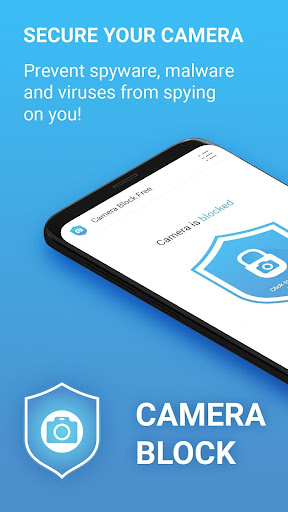
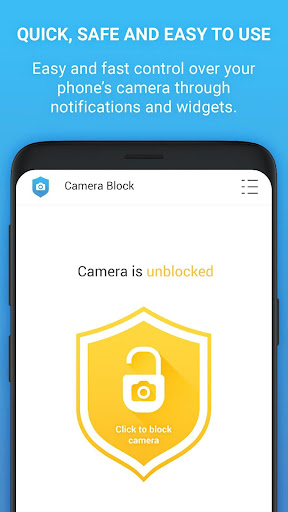
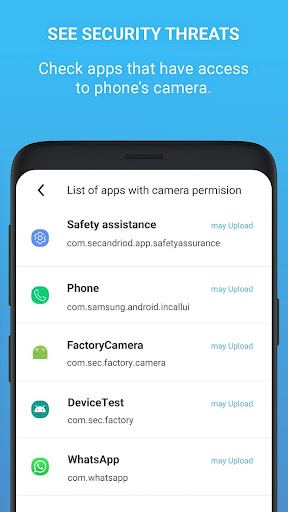
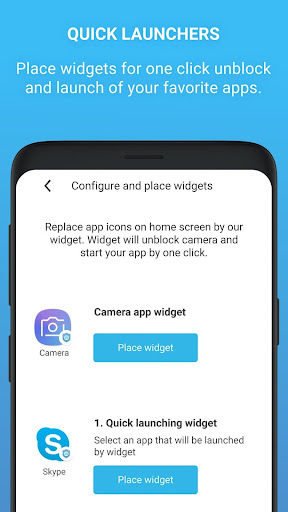
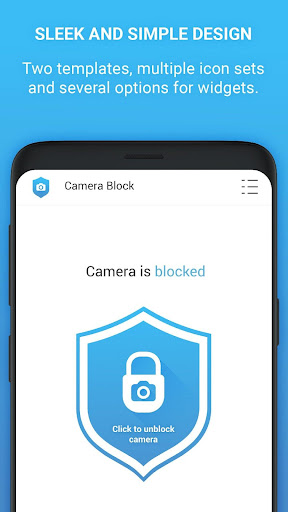
Camera Block Free - Anti spyware & Anti malware (Camera Blocker: Anti Spy Guard) blocks and disables your phone’s camera with a single tap, monitors which apps request camera access, and alerts you to new permissions. It offers scheduled blocking, a home-screen widget, dark mode with icon sets, and a camera guard/detector tutorial to help you audit apps. The free version contains ads and has limited protection hours; the Pro upgrade unlocks 24/7 blocking, removes ads, and claims no internet access or data collection. Some materials also note an optional app-lock feature for extra privacy.
Verdict
Verdict: A simple, effective camera kill-switch for privacy-conscious users, best if you upgrade for uninterrupted protection.
Who is it for
Best for:
- People worried about spyware or unauthorized camera access who want a one-tap block
- Users who value monitoring/alerts when apps gain camera permissions
- Those who prefer set-and-forget scheduling and quick-toggle widgets
Not ideal for:
- Users who need constant, 24/7 blocking but don’t want to pay for Pro
- Anyone uncomfortable granting device admin-level permissions to an app
- People who find manual toggling before using the camera inconvenient
Real-world User Experience
Users like it:
Reviewers praise the app’s simplicity and reliability: one tap blocks the camera system-wide and visibly prevents other apps from using it. Users recovering from hacks appreciate the added peace of mind, quick enable/disable flow, and the complementary microphone-blocking guidance.
Users complain about:
In the sampled reviews, explicit complaints are rare. Potential friction points include needing to unblock to use the camera, ads in the free version, and the free plan’s time-limited protection window.
Is it Worth Paying For?
If you rely on continuous protection, the Pro version is worth it: it removes ads, enables 24/7 blocking (no evening shutoff), and claims no internet access/data collection, offered as a lifetime license. Casual users who only need occasional blocking can likely stick with the free version and its manual toggle.
How it Compares to Alternatives
Compared to relying solely on Android’s permission manager, this app offers faster, global control (a true kill-switch) and monitoring/alerts for new camera access. Versus general antivirus suites, it’s narrower but simpler, with a focus on camera privacy. Physical lens covers are foolproof for the rear camera but can’t disable the sensor or front lens; this app disables camera access system-wide. Some alternatives bundle mic-blocking and firewalls; here, camera blocking is the core, with guidance toward separate mic protection.
Summary
Camera Block Free provides a reliable, one-tap way to disable your phone’s camera and monitor which apps can access it, helping defend against spyware and unwanted recordings. The interface is minimal, the widget and scheduler make daily use easy, and the camera guard/detector guidance helps you audit permissions. The trade-offs: ads and a restricted protection window on the free tier, plus the need to briefly unblock to use your camera. For users who want seamless, always-on protection and no ads, the Pro upgrade is a compelling, privacy-forward value.
Ratings
Trending APP










Alternative to this app










