
Copyright 2026 © swekartor. All Rights Reserved.



Information about Blackmagic Camera
App Feature
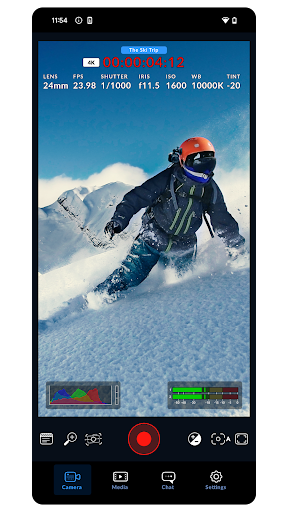
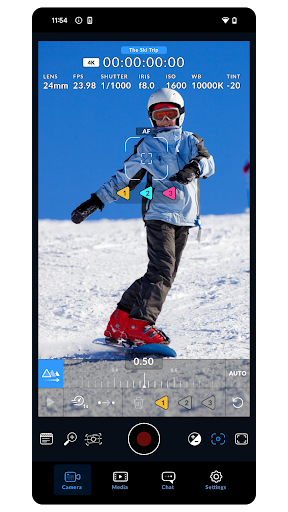
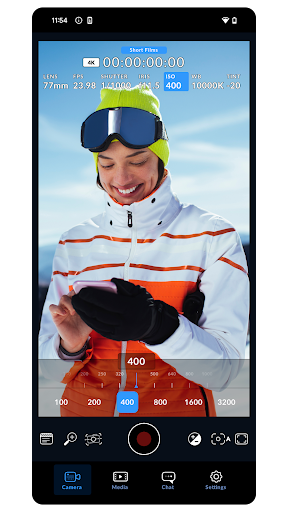
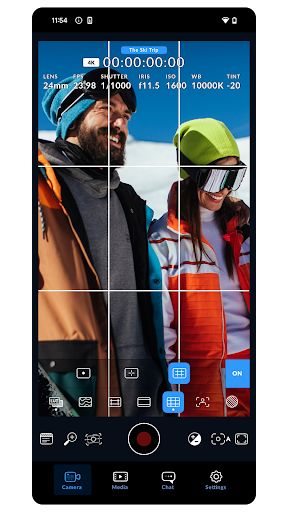
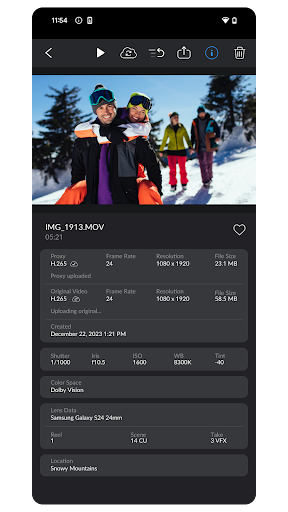
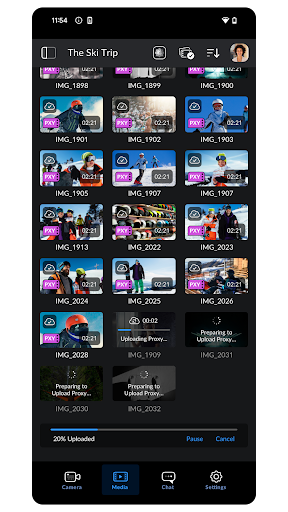
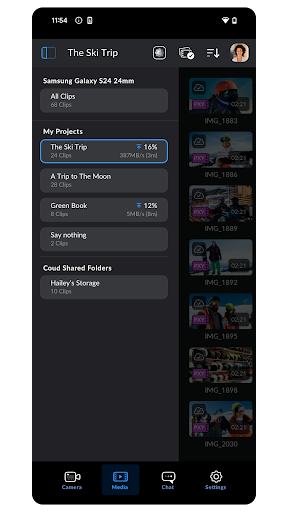
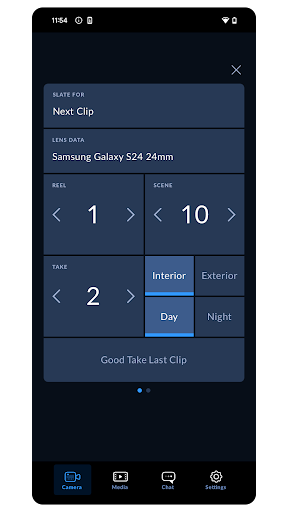
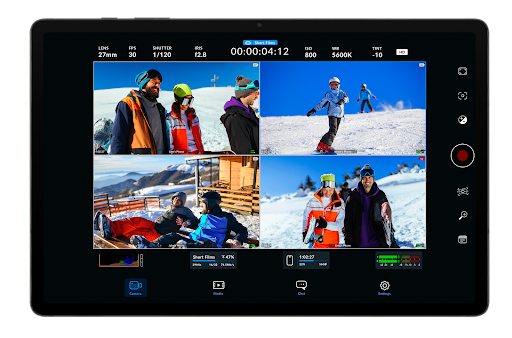
Blackmagic Camera turns supported Android phones into pro-style digital film cameras with granular manual controls (ISO, shutter angle, WB, frame rate), live monitoring tools (waveform, histogram, peaking, false color), remote camera control, and workflow-friendly recording with metadata and Blackmagic Cloud integration for seamless DaVinci Resolve collaboration.
Verdict
Verdict: A powerful, pro-grade video app that elevates Android filmmaking, though device quirks and feature gaps can impact reliability.
Who is it for
Best for:
- Mobile filmmakers and creators who need full manual video control, scopes, and consistent presets
- DaVinci Resolve users leveraging Blackmagic Cloud and a unified Blackmagic UI/workflow
- Owners of newer, supported phones seeking higher quality (e.g., 4K60, HDR, bitrate control)
Not ideal for:
- Casual shooters who prefer simple point-and-shoot stability over manual controls
- Users on older or less-supported devices affected by crashes, missing OIS/8K, or green-screen preview bugs
- Those needing universal 10‑bit log/HDR, very high bitrates (>100 Mbps), or external SSD recording
Real-world User Experience
Users like it:
The interface mirrors Blackmagic cinema cameras, making pro settings fast and intuitive. Users report markedly better image quality vs stock apps, with 4K60, new full‑sensor options, HDR (BT.2020) and bitrate control improving detail and reducing artifacts. Remote control is a standout addition, and frequent updates have fixed early crashes and lens‑switching limits. Integration with DaVinci Resolve earns praise for a smooth edit/color workflow.
Users complain about:
Stability and compatibility vary by device: some report crashes, green preview screens (recording still works), missing OIS or 8K on specific models, presets triggering crashes, and auto exposure or stabilization toggling back on unexpectedly. Lens switching color shifts mid‑record on some phones. Android feature parity lags iOS (LUT handling, color spaces), bitrate caps (~72 Mbps for some), no external SSD save location on certain devices, and occasional streaming setup issues.
Is it Worth Paying For?
It’s free with no ads or IAP, delivering a level of manual control, monitoring, and workflow integration that many paid apps charge for—excellent value if your device is well supported.
How it Compares to Alternatives
Compared to Filmic Pro, Blackmagic Camera is free and integrates tightly with DaVinci Resolve, with cinema‑style UI and scopes; Filmic often offers broader device tuning, log options, and higher bitrate ceilings but is paid/subscription and not as Resolve‑centric. Versus Open Camera, Blackmagic provides a far more polished pro video interface, scopes, and Cloud workflow, though Open Camera may be lighter, more universally compatible, and supports external storage on more devices. Stock camera apps are typically more stable with OEM features (e.g., OIS, seamless lens switching) but lack the deep manual controls, monitoring tools, and consistent pro workflow Blackmagic offers. Feature parity with iOS Blackmagic Camera is improving, but Android still trails in some color/LUT options.
Summary
Blackmagic Camera brings a genuine cinema‑camera experience to Android, with manual exposure controls, pro monitoring (waveform, false color, peaking), remote operation, and streamlined Blackmagic Cloud-to-DaVinci workflows. Users consistently report better quality than stock apps—benefiting from 4K60, HDR, higher bitrates, and recent updates that added full‑sensor recording and improved stability. However, reliability and feature availability can vary significantly by device: some users see crashes, preview glitches, missing OIS/8K, and LUT/color feature gaps versus iOS. If your phone is supported, it’s one of the best pro video tools on Android—and it’s free—making it an easy recommendation for filmmakers and Resolve editors, with the caveat that you should test your device’s specific capabilities and keep an eye on ongoing updates.
Ratings
Trending APP












Alternative to this app










