
Copyright 2026 © swekartor. All Rights Reserved.



Information about Clean Fix Plus
App Feature
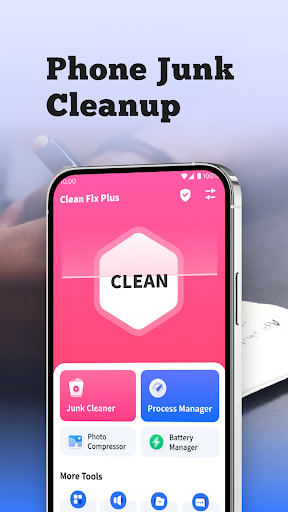
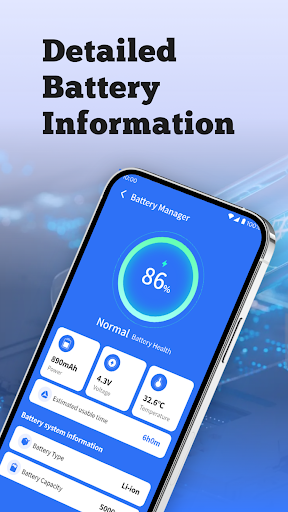
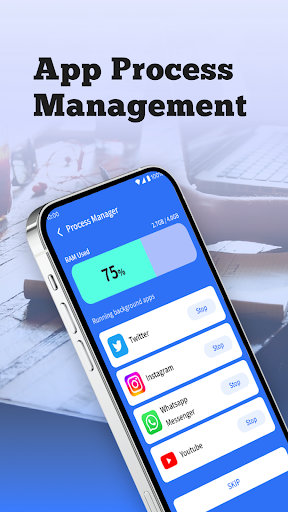
Clean Fix Plus is a free Android utility for cleaning junk files, checking uninstall residuals, managing background apps, and viewing battery information, wrapped in a simple, beginner‑friendly interface with real‑time monitoring alerts.
Verdict
Verdict: A capable, no-cost cleaner for quick storage and performance tune-ups, best if you want simplicity and can tolerate ads.
Who is it for
Best for:
- Users who want one‑tap junk cleaning and quick speed boosts
- People who prefer a simple, intuitive interface with minimal setup
- Anyone needing residual file checks after uninstalling apps
Not ideal for:
- Power users seeking deep system tools, automation, or advanced analytics
- Those who want an entirely ad‑free experience
- Users looking for all‑in‑one security/antivirus suites
Real-world User Experience
Users like it:
Fast, thorough junk cleaning that frees meaningful space and improves responsiveness; intuitive UI; helpful battery info; visible RAM status; extra touches like a speaker cleaner that some say improved call clarity; minimal nagging compared with some cleaners.
Users complain about:
Contains ads; limited evidence of advanced features beyond core cleaning and monitoring; may not satisfy users who expect deep diagnostics or pro‑level controls.
Is it Worth Paying For?
The app is free with ads and offers no in‑app purchases. There’s nothing to buy, so value is strong if you’re comfortable with advertising.
How it Compares to Alternatives
Compared with Files by Google, Clean Fix Plus adds background app management, battery info, and residual checks but lacks Google’s ad‑free simplicity and trusted brand. Versus SD Maid, it’s far easier for beginners but offers less granular control and power‑user tooling. Against CCleaner or Avast Cleanup, it provides core cleaning without subscriptions or paywalls, though those alternatives may offer richer automation and cross‑feature ecosystems.
Summary
Clean Fix Plus focuses on quick, effective cleanup and straightforward device optimization: scan and remove junk, check for leftover files after uninstalls, manage idle background apps, and keep an eye on battery status—all in an approachable interface. Reviews highlight noticeable speed gains, meaningful storage savings, and handy extras like a speaker cleaner, with the main trade‑off being ads and a feature set geared more toward convenience than deep system tuning. If you want a free, simple cleaner that just works, it’s an easy recommendation; power users seeking advanced controls may prefer more technical alternatives.

Ratings
Trending APP







Alternative to this app










