Copyright 2026 © swekartor. All Rights Reserved.



Information about PDF & Launcher for Android
App Feature
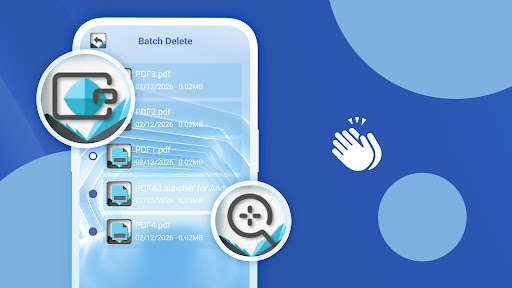
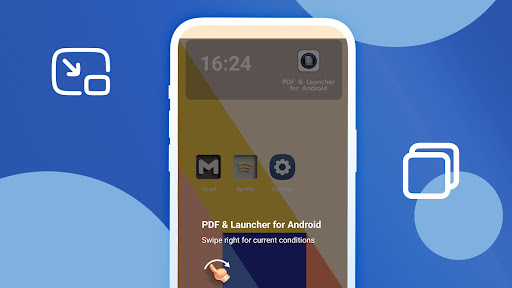
PDF & Launcher for Android is a lightweight, fast, and privacy‑focused PDF reader that opens files locally, supports pinch‑to‑zoom, page thumbnails, and continuous scrolling, adds basic annotations/form filling, and offers launcher shortcuts for quick access and batch file deletion.
Verdict
Verdict: A nimble, privacy‑minded PDF reader with handy launcher shortcuts, but too basic for heavy annotation or pro workflows.
Who is it for
Best for:
- Users who want a fast, lightweight PDF opener with no account required
- Privacy‑conscious readers who prefer local‑only document handling
- Android users who value home‑screen shortcuts to frequent PDFs
Not ideal for:
- Power users needing advanced editing, signatures, or cloud collaboration
- Researchers who rely on deep annotation, bookmarks sync, and cross‑device features
- Anyone who wants an ad‑free, fully featured PDF suite
Real-world User Experience
Users like it:
Quick startup and smooth scrolling for most PDFs, simple interface that’s easy to navigate, small install size, and reassurance that files open locally without logins.
Users complain about:
Feature set can feel limited versus big‑name readers (advanced markup, cloud tools), presence of ads, and occasional friction around the launcher/shortcut behavior or batch operations.
Is it Worth Paying For?
The app is free with ads and has no in‑app purchases; there’s nothing to buy, so the value hinges on whether you’re comfortable with ads in exchange for a lightweight, private reader.
How it Compares to Alternatives
Compared to Adobe Acrobat Reader, Foxit, or Xodo, this app is smaller, faster to open, and more privacy‑forward (local only), but lacks advanced tools like rich annotations, signatures, OCR, cloud sync, and collaboration. Versus Google’s PDF viewer or other minimalist readers, it adds launcher shortcuts and batch delete, but still trails premium suites in depth.
Summary
PDF & Launcher for Android focuses on speed, simplicity, and privacy. It reliably opens PDFs with smooth navigation, basic annotation and form filling, and useful launcher shortcuts for quick access, all without accounts or cloud uploads. The trade‑off is a lean feature set and ads; if you need pro‑level editing, signatures, or cloud syncing, established readers like Adobe, Foxit, or Xodo are better fits. For everyday reading on Android—especially if you value local‑only handling—it’s a tidy, efficient choice.
Ratings
Trending APP


Alternative to this app