
Copyright 2026 © swekartor. All Rights Reserved.


Information about VistaCreate: Graphic Design


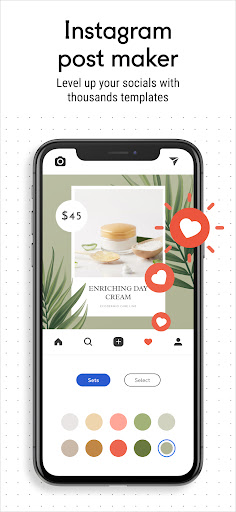


App Feature
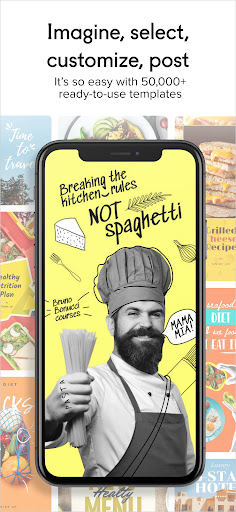
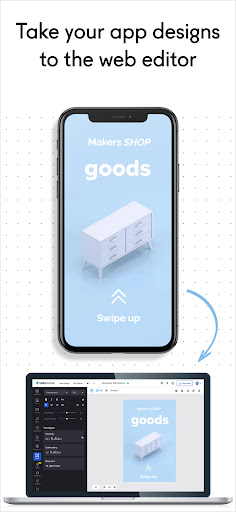
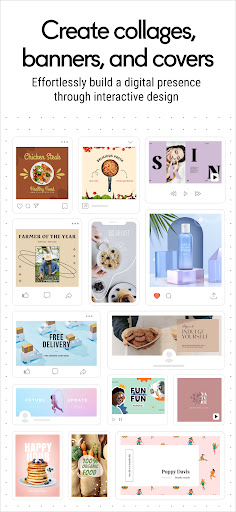
A mobile-first graphic design and video editor with drag-and-drop tools, thousands of templates, animation, background remover, brand kits, magic resize, AI image generation, built-in stock libraries, cloud sync, collaboration, and direct social exports.
Verdict
Verdict: A polished, beginner-friendly design suite that rivals big names, best if you value speed and quality templates over granular pro controls.
Who is it for
Best for:
- Small businesses and marketers needing fast, branded visuals
- Creators managing social posts, stories, and quick video edits
- Beginners who want pro-looking results without a steep learning curve
Not ideal for:
- Power users needing desktop-grade precision and advanced layering
- Audio-focused editors or complex motion graphics workflows
- Teams requiring extensive template volume and deep asset management
Real-world User Experience
Users like it:
Very easy to use with a clean interface; high-quality, distinctive templates; ad-free experience with good value; capable mobile editor that can pass for pro results; responsive support and helpful notifications; ability to upload own music when stock tracks fall short.
Users complain about:
Some UI gaps (difficulty zooming, duplicating objects) and occasional feature discoverability issues; music library perceived as generic; perceived smaller template quantity than competitors (though quality is praised).
Is it Worth Paying For?
Yes for frequent creators: the free tier is usable, and the paid plan adds strong value via brand kit, premium stock, and faster resizing/automation. If you only need occasional simple posts, the free version may suffice; upgrade is worthwhile for branding, stock assets, and time savings.
How it Compares to Alternatives
Competes directly with Canva and Adobe Express. Users report it as simpler and faster on mobile with templates that look more premium, though the absolute template count may be lower. It matches key features (brand kit, resize, stock, animation) and feels less cluttered, but heavy-duty desktop workflows and advanced audio/motion tools remain stronger in pro suites.
Summary
VistaCreate: Graphic Design delivers a streamlined, capable toolkit for producing social graphics, marketing materials, and lightweight video content from your phone. Its strengths are ease of use, quality templates, on-brand creation via brand kits, quick resizing, and integrated stock plus AI image generation. Reviewers highlight how quickly they achieve professional-looking results without ads, while noting minor UX quirks (zooming, object duplication) and a generic music library. For small businesses, marketers, and creators who value speed and polish, the free plan is generous and the paid upgrade adds meaningful productivity and asset depth. If you need fine-grained desktop control or complex motion/audio work, you may still prefer heavier tools; otherwise, VistaCreate is a compelling, mobile-friendly alternative to Canva and Adobe Express.
Ratings
Trending APP












Alternative to this app










