
Copyright 2026 © swekartor. All Rights Reserved.



Information about Ringtone Maker:create ringtone
App Feature
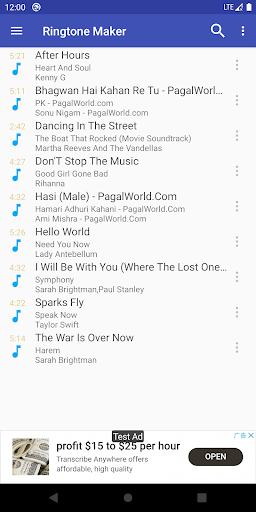
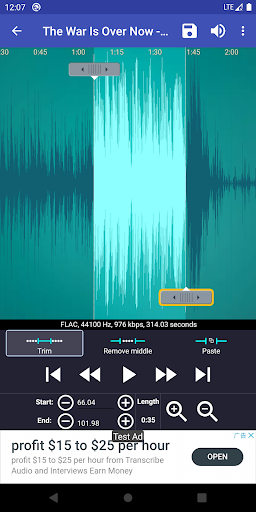
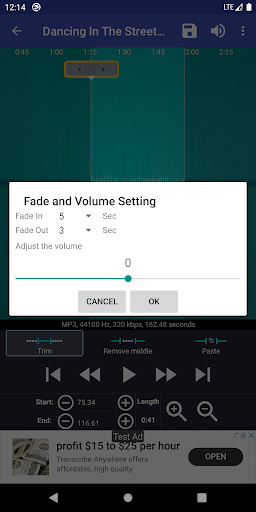
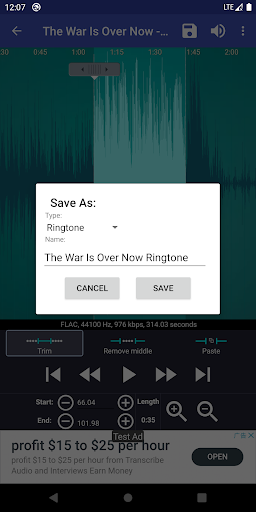
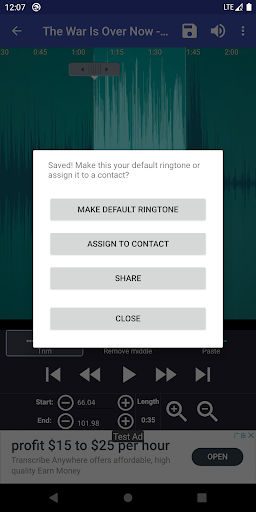
A lightweight ringtone editor that trims, fades, amplifies, and assigns clips from common audio formats (MP3, AAC, WAV, FLAC, OGG, etc.) or recordings as ringtones, notifications, and alarms, with waveform zoom, start/end controls, merge, contact-specific tones, and simple file management.
Verdict
Verdict: A fast, no-frills ringtone cutter that excels at the basics and stays reliable over time.
Who is it for
Best for:
- Users who want quick, precise ringtone/notification edits from existing songs or voice notes
- Anyone who values a simple, ad-light interface without subscriptions
- People assigning custom tones to specific contacts or alarms
Not ideal for:
- Power users needing multi-track editing, effects stacks, or DAW-level tools
- Those who rely on cloud-locked/streaming libraries (e.g., Google Play Music) without local downloads
- Users expecting modern UI design or built-in music discovery
Real-world User Experience
Users like it:
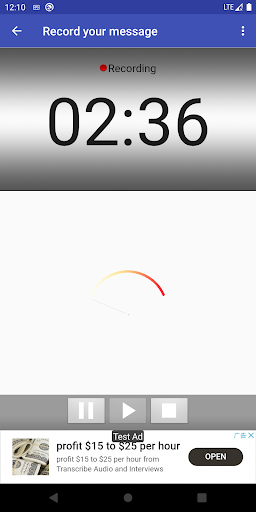
Long-term reliability (many users for ~5–10 years), very easy trimming with visual waveforms and zoom, quick setup of ringtones/notifications/alarms including per-contact tones, effective fade and gain controls, minimal and nonintrusive ads, and handy voice recording for spoken alerts.
Users complain about:
Occasional issues with the fade feature on some MP3s, difficulty locating music when Android’s media database lags or when content is hidden by streaming services, a dated UI, and limited advanced editing beyond basic cut/merge/volume.
Is it Worth Paying For?
The core app is free and fully usable without IAPs; ads are light. An ad-free paid version exists separately, which is worthwhile if you prefer no ads, but most users won’t need it for functionality.
How it Compares to Alternatives
Compared to many ringtone makers that push subscriptions, impose minimum clip limits, or export wrong formats, this app is cleaner, faster, and more permissive with features like precise waveform editing, contact assignment, and recording. It lacks the polish and depth of pro audio editors but outperforms ad-heavy or paywalled competitors for everyday ringtone tasks.
Summary
Ringtone Maker:create ringtone focuses on what matters: quickly turning any local audio or recording into clean, customized ringtones, notifications, and alarms. It supports a wide range of formats, offers intuitive waveform trimming, fade and gain tweaks, and lets you assign tones system-wide or per contact. Users praise its longevity, simplicity, and light ads, though some encounter occasional fade quirks and file visibility issues caused by Android’s media scanning or streaming app restrictions. If you want a dependable, free ringtone tool without subscriptions or bloat, this is an excellent pick; if you need advanced audio production features or cloud integration, look elsewhere.
Ratings
Trending APP











Alternative to this app










