
Copyright 2026 © swekartor. All Rights Reserved.



Information about Ai File Viewer - Open AI File


App Feature
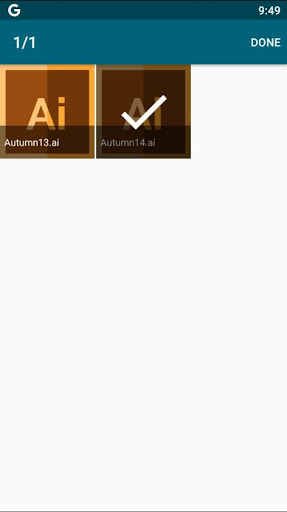
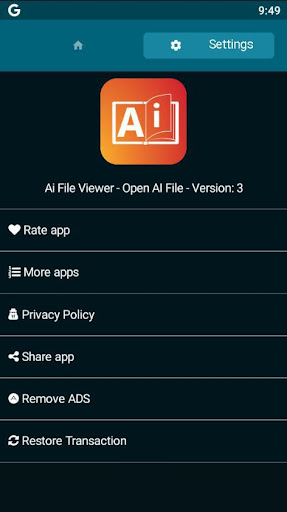
Ai File Viewer - Open AI File is a lightweight viewer focused on opening and previewing Adobe Illustrator files on Android. It emphasizes quick import, zoom/drag navigation, and basic resizing for AI images, with claims of support for AI/AIT/EPS formats and full-screen viewing.
Verdict
Verdict: A simple, lightweight AI file viewer for quick previews, but too limited for complex or professional Illustrator workflows.
Who is it for
Best for:
- Users who need a quick, free way to preview .ai files on Android
- Designers or clients who only need to check layout or confirm assets on the go
Not ideal for:
- Professionals requiring full-fidelity rendering, layers, fonts, or editing tools
- Users handling complex Illustrator files with effects, artboards, or custom fonts
Real-world User Experience
Users like it:
Quickly opens many AI files for a fast look; simple interface with pinch-to-zoom and full-screen preview; small download and generally easy to use.
Users complain about:
Mixed reliability with complex files or certain formats; limited functionality (no editing, possible fidelity issues); presence of ads and occasional paywalls/IAP; sporadic performance issues reported by some users.
Is it Worth Paying For?
The core viewer is free with ads and optional IAP. Given its narrow, preview-only scope, the free version suits most casual needs; paying mainly makes sense if you want to remove ads and you frequently preview files, but don’t expect pro-level features for the purchase.
How it Compares to Alternatives
Compared to desktop Adobe Illustrator or full vector apps (Affinity, Vectornator on iPad), this is far more limited—preview-only with potential rendering gaps. Versus other Android AI/Vector viewers, it’s similarly lightweight and ad-supported; reliability varies app-to-app. Web alternatives like Photopea in a mobile browser can sometimes render AI files more faithfully but are slower and require internet.
Summary
Ai File Viewer - Open AI File targets a single job: letting Android users quickly preview Illustrator files without installing heavy software. It delivers a simple interface with zoom and full-screen viewing and claims broad AI-family format support. However, its 3.3 average rating and mixed feedback suggest limitations with complex files, occasional performance hiccups, and the friction of ads/IAP. If you only need a fast look at AI files on your phone, it’s a practical, free option. For precise rendering, multi-artboard support, or any editing, you’ll still need a full desktop tool or a more capable vector app.
Ratings
Trending APP












Alternative to this app










