
Copyright 2026 © swekartor. All Rights Reserved.


Information about SketchPad - Doodle On The Go
App Feature
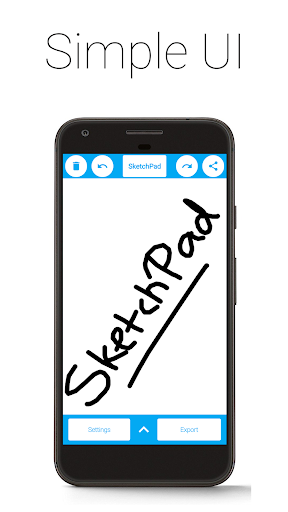
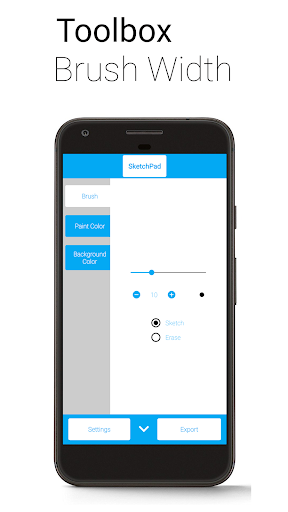
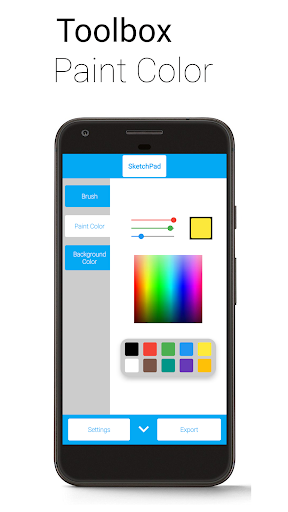
SketchPad – Doodle & Draw is a lightweight, offline-friendly drawing app focused on quick sketches and casual doodling. It offers a clean canvas, basic tools (brush/airbrush/line/fill/eraser), RGBA/HEX color selection, adjustable brush sizes with preview, unlimited undo/redo (device-limited), shake-to-clear, PNG export, local saving, and simple sharing—without accounts or cloud storage.
Verdict
Verdict: A fast, fuss-free sketch app for casual doodling, but too limited for serious art workflows.
Who is it for
Best for:
- Kids and beginners who want an easy, ad-light sketch pad
- Adults who need a quick scratchpad for notes, ideas, or signatures
- Users who value privacy and offline use with no accounts/cloud
Not ideal for:
- Artists needing layers, pressure curves, complex brushes, or vector tools
- Power users who want project management, cloud sync, or multi-device workflows
- Anyone expecting robust performance on massive canvases or long undo chains
Real-world User Experience
Users like it:
Simplicity and speed; clean UI that lets you start drawing immediately; good for children and quick scratch work; customizable brush size and convenient shake-to-clear; minimal interruptions with light or optional ads; helpful for quick calculations, signatures, and casual practice.
Users complain about:
Limited toolset and color options; no landscape mode requested by users; undo can be slow after heavy drawing; saving/gallery behavior and directory control could be better; UI ergonomics (eraser/draw placement) could improve; collaboration is not real-time and there’s no cloud/gallery management.
Is it Worth Paying For?
Yes—if you like the simple, offline sketching experience, the one-time purchase to remove ads is good value. The free version is already usable, but paying mainly buys you an uninterrupted canvas rather than advanced features.
How it Compares to Alternatives
Compared to ibis Paint X and Autodesk SketchBook, SketchPad is far simpler: no layers, blending modes, pressure curve tuning, or rich brush engines. It’s closer to minimalist tools like Simple Draw, prioritizing instant access and privacy over depth. Choose SketchPad for quick, private doodles; choose ibis Paint X/SketchBook for serious illustration and advanced tooling.
Summary
SketchPad – Doodle & Draw delivers a focused, privacy-conscious drawing pad that opens fast, stays out of your way, and keeps everything on-device. The basic toolset, color controls, and unlimited undo/redo make it great for kids, casual doodles, brainstorming, or jotting ideas. Reviews praise the simplicity and low-friction workflow, while calling out limited colors, occasional slower undo, and requests for landscape mode and better save/gallery controls. Ads support the free version and can be removed with a single purchase. If you need pro-grade features, go with ibis Paint X or SketchBook; if you want an easy, clutter-free sketch surface you can trust offline, SketchPad fits the bill.
Ratings
Trending APP












Alternative to this app










