
Copyright 2026 © swekartor. All Rights Reserved.



Information about Cut Paste Photos
App Feature
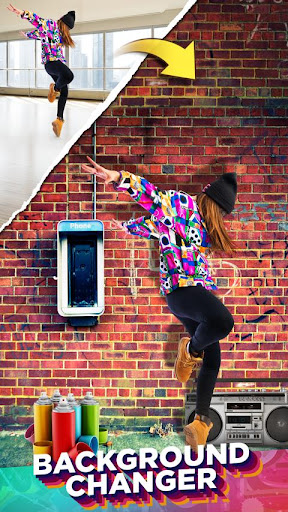
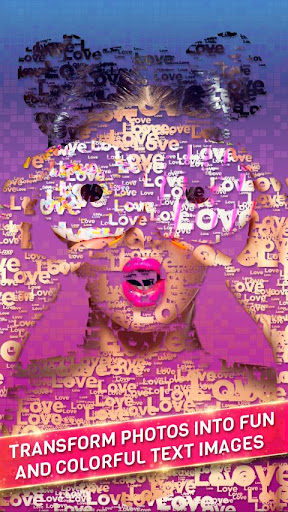
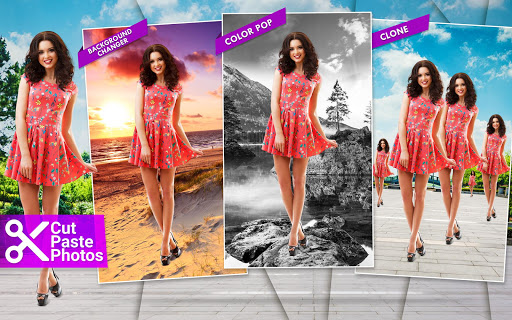
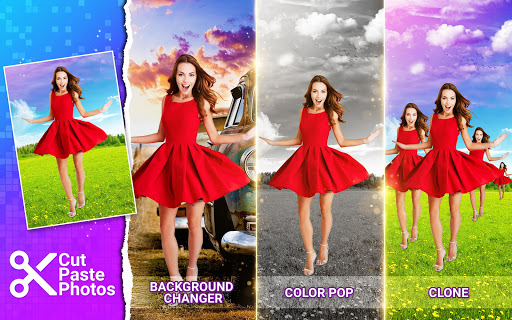
Cut Paste Photos is a background removal and photo compositing app that lets you cut or copy objects and people, paste them onto new backgrounds, build collages, add filters/text/stickers, clone subjects, apply color-pop and double-exposure effects, and fine-tune edges with AI and manual tools.
Verdict
Verdict: A powerful, beginner-friendly cut-and-paste editor with generous free tools, but heavy ads and questionable premium value for casual users.
Who is it for
Best for:
- Quick background removal and composites without pro software
- Social posts, thumbnails, and fun edits (clones, color-pop, stickers)
Not ideal for:
- Professionals needing layer-based, non-destructive workflows
- Users who dislike frequent ads or recurring subscription prompts
Real-world User Experience
Users like it:
AI smart cutter and background remover work well most of the time; manual refine tools (erase/add) make clean edges easier; simple workflow for layering faces/objects onto new scenes; broad toolset (filters, text, stickers, collages) with an accessible UI; free version is capable enough for many tasks.
Users complain about:
Many ads between steps; premium pricing perceived as expensive by some; occasional UI quirks or taps not registering (reported but later improved); watermark/cost concerns for pro features.
Is it Worth Paying For?
The free tier covers most essentials and is sufficient for many users. Premium removes ads and likely unlocks extras, but several reviewers find recurring pricing high; unless you use it heavily for frequent composites, the value proposition is mixed. If a one‑time or lifetime option is available to you, that could be more palatable.
How it Compares to Alternatives
Compared to PhotoRoom or remove.bg, Cut Paste Photos offers broader creative tools (collage, clone, text, filters) but may be less precise for batch or commercial background removal. Against PicsArt or Canva, it’s more focused on cut‑paste and quick composites, with fewer design/layout features overall. Adobe Photoshop Express provides richer global edits, but Cut Paste Photos makes object extraction and playful composites faster for non‑pros.
Summary
Cut Paste Photos streamlines background removal and photo compositing with an effective AI cutter, helpful manual refinements, and a playful suite of extras—collages, cloning, color‑pop, text, stickers, and filters. It excels at quick, convincing edits like adding someone to a scene or creating YouTube thumbnails, and the generous free tier makes it approachable for beginners. Ads are frequent and premium pricing can feel steep for casual use, but power users who rely on frequent composites may appreciate the ad‑free convenience and added tools. For creative, fast cut‑and‑paste edits on mobile, it’s one of the most accessible options, though professionals or ad‑averse users may prefer alternatives with stronger precision or different pricing models.


Ratings
Trending APP












Alternative to this app










