Copyright 2026 © swekartor. All Rights Reserved.



Information about GPS Camera - GPS Map
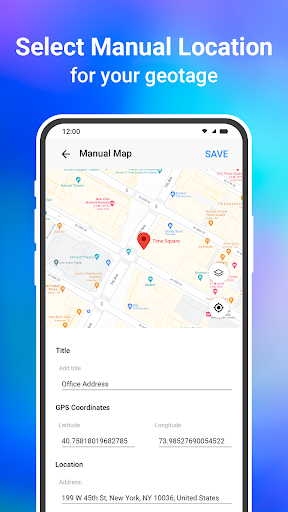
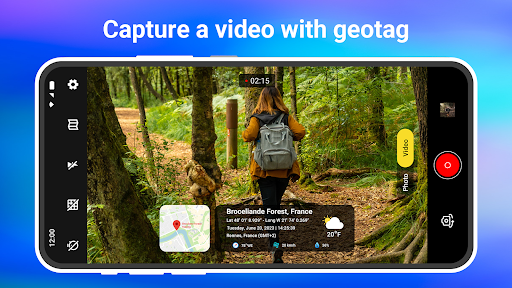
App Feature
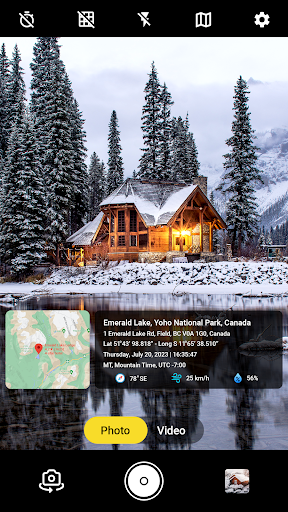
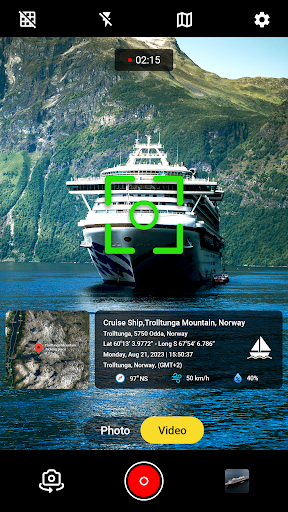
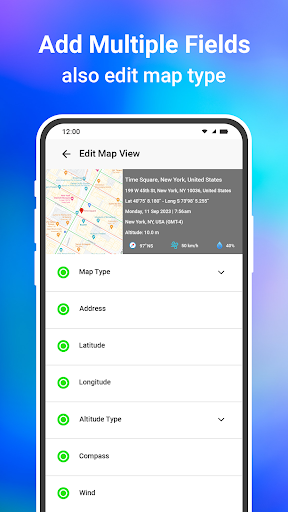
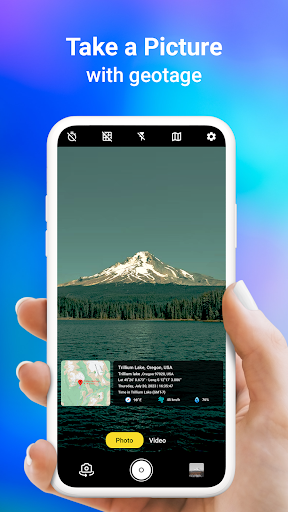
GPS Camera - GPS Map adds automatic geotags (address, latitude/longitude, date/time) to photos and videos, offers multiple map overlays (standard/terrain/satellite/hybrid), AR-style on-camera location/direction overlays, exportable GPS data, and customizable templates and stamps.
Verdict
Verdict: A handy geotagging camera for travel and field use, but light on pro controls and polish.
Who is it for
Best for:
- Travelers and vloggers who want location-stamped photos/videos instantly
- Field workers documenting sites with coordinates and time
- Casual users who like map overlays and simple templates
Not ideal for:
- Photographers needing advanced manual camera controls or RAW
- Users who dislike ads or template-style watermarks
- Those needing robust offline maps and data collection workflows
Real-world User Experience
Users like it:
Simple, user-friendly camera that reliably stamps location and time; smooth performance with minimal lag; useful for finding and recalling places; templates and live video stamping are appreciated.
Users complain about:
Sparse critical feedback, but at least one report of front-camera flashlight not working in low light; overall polish and depth may be limited compared to pro camera apps.
Is it Worth Paying For?
The app is free with ads and offers IAP. For basic geotagging and map overlays, the free tier should suffice. Paying may be worthwhile if you want to remove ads, unlock more templates, or access any premium export/customization options.
How it Compares to Alternatives
Compared to standard camera apps (or Google Photos’ EXIF location), it focuses on visible, customizable on-image stamps and map overlays rather than hidden metadata. Versus alternatives like Timestamp Camera or Open Camera with location stamps, it leans more into templates, live GPS video tagging, and map-style choices; however, it likely has fewer pro camera controls than Open Camera and a narrower focus than full photo editors.
Summary
GPS Camera - GPS Map streamlines location-aware photography by automatically embedding coordinates, address, and time onto photos and videos, with optional map overlays and AR-style guidance. It’s easy to use, performs smoothly for many users, and is effective for travel logs, field documentation, and quick sharing with visible context. While it doesn’t compete with professional camera apps on manual controls or advanced editing, it fills a practical niche for clear, on-image geotagging. The free version covers most needs, with IAP likely removing ads and expanding templates for users who want more polish.
Ratings
Trending APP












Alternative to this app