
Copyright 2026 © swekartor. All Rights Reserved.



Information about Email Home - Email Homescreen
App Feature
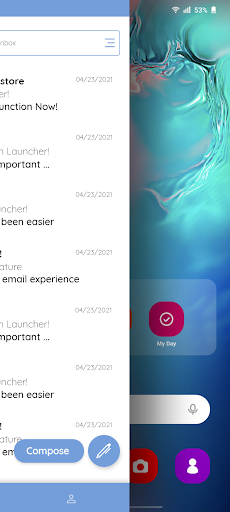
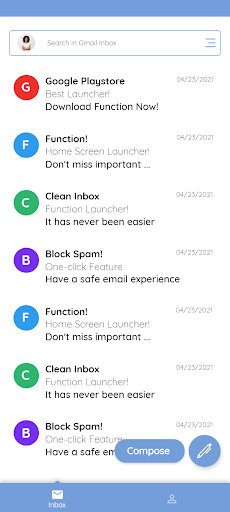
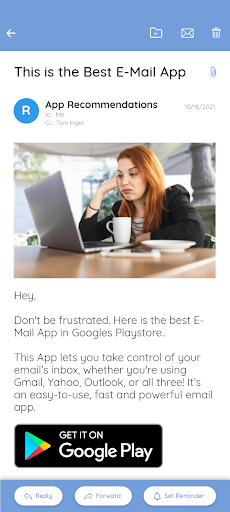
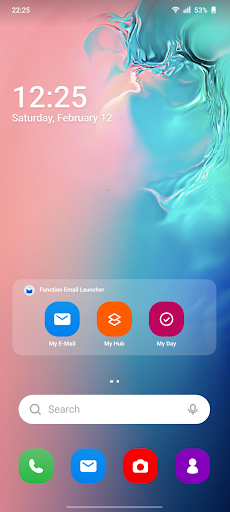
Email Home - Email Homescreen unifies multiple email accounts (Gmail, Outlook, Yahoo, etc.) into a single, swipe-right homescreen experience with priority sorting (My Hub), auto-organized tabs (Personal, Social, Shopping), one-tap spam cleanup, and built-in response reminders plus basic autocorrect.
Verdict
Verdict: A convenient unified-inbox launcher for quick, organized email access, best for simplicity over power-user depth.
Who is it for
Best for:
- People managing multiple email accounts who want one place to check everything
- Users who value quick access, auto-sorted tabs, and easy spam cleanup
- Those who benefit from reply reminders to avoid missed responses
Not ideal for:
- Power users needing granular filters, rules, or advanced workflows
- Anyone relying on perfect grammar corrections or highly precise spam filtering
Real-world User Experience
Users like it:
Fast access with no setup (swipe right), unified inbox convenience, My Hub surfacing important emails first, clear Personal/Social/Shopping tabs, one-click spam cleanup, and helpful response reminders that reduce missed replies.
Users complain about:
Autocorrect and grammar fixes are limited and may miss errors; prioritization and spam detection can occasionally need manual review; advanced features common in full email clients (deep integrations, complex rules) feel absent.
Is it Worth Paying For?
The app is free with no noted in‑app purchases; for a no-cost unified inbox with prioritization and reminders, it offers solid value without payment.
How it Compares to Alternatives
Compared to standalone apps like Gmail, Outlook, or Yahoo Mail, Email Home centralizes multiple accounts and emphasizes quick triage via a homescreen experience and priority tabs. It trades deep features (custom rules, enterprise integrations, calendars) for speed and simplicity, making it lighter than full clients but more streamlined for multi-account checking.
Summary
Email Home - Email Homescreen streamlines email by bringing all accounts into a single, swipe-right homescreen view with priority sorting, categorized tabs, one-tap spam control, response reminders, and basic autocorrect. Its 4.2 rating and 10M+ downloads suggest broad appeal for users who want fast access and less clutter. While it doesn’t replace fully featured clients for complex workflows, it shines at quick daily triage across multiple inboxes. If you want a simple, unified entry point to your email that highlights what matters and helps you remember to reply, this is an easy, no-cost upgrade to your routine.
Ratings
Trending APP












Alternative to this app










