
Copyright 2026 © swekartor. All Rights Reserved.



Information about Clean Utility Toolkit
App Feature
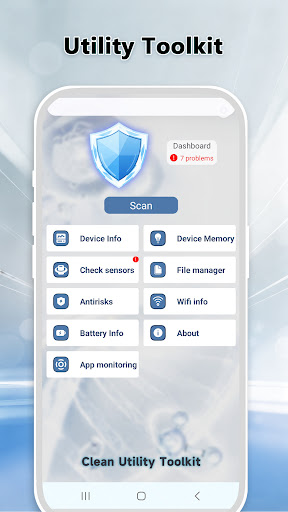
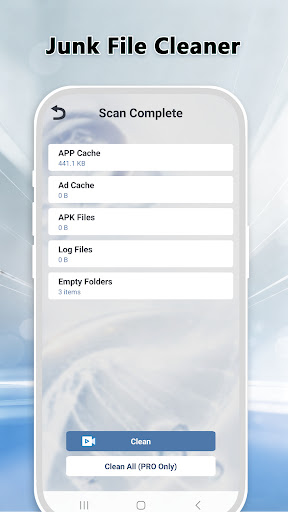
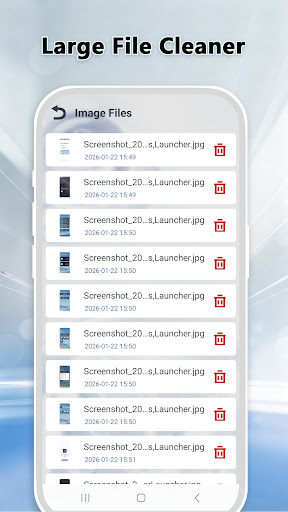
Clean Utility Toolkit is a free, multi-functional Android toolbox focused on everyday maintenance. It combines junk cleaning, RAM optimization, app management, Wi‑Fi diagnostics, and basic phone component tests in a simple, ad-supported interface that claims to process everything locally for privacy.
Verdict
Verdict: A capable, lightweight cleaner-and-utilities bundle for routine upkeep, but power users may want deeper controls and analytics.
Who is it for
Best for:
- Users who want one-tap cleanup and simple diagnostics in one place
- Budget-conscious users who prefer free tools with low learning curve
- People seeking local-only operations for basic privacy reassurance
Not ideal for:
- Power users needing granular automation, schedulers, or deep system tweaks
- Those who want ad-free experiences or cloud-based insights
- Users expecting full duplicate/media analysis or advanced file tools
Real-world User Experience
Users like it:
Overall sentiment (4.4 rating) points to a clean UI, quick junk removal that reliably frees space, and handy at-a-glance memory, network, and device checks bundled in a single app.
Users complain about:
Reports are limited, but common pain points for similar tools likely apply: presence of ads, occasional aggressive cleanup suggestions that require manual review, and fewer advanced options than specialist utilities.
Is it Worth Paying For?
There are no in-app purchases; it’s free with ads. If you’re fine with occasional ads and need straightforward cleaning and diagnostics, it offers good value at no cost.
How it Compares to Alternatives
Compared to Files by Google, this adds memory optimization, diagnostics, and an app manager but lacks Google's polish and smart recommendations. Versus CCleaner, it’s simpler and fully free (ad-supported) but offers fewer advanced schedules and analytics. Against SD Maid, it’s more beginner-friendly with a broader toolkit, while SD Maid remains stronger for deep, technical cleanup and automation.
Summary
Clean Utility Toolkit wraps core housekeeping features—junk cleaning, RAM optimization, app management, Wi‑Fi checks, and basic diagnostics—into a compact, easy interface. Its local-only operations and no-cost model make it appealing for routine device upkeep, especially for users who want simple controls without subscriptions. Downsides include ads and a feature set that favors simplicity over power-user depth. If you need a straightforward, all-in-one maintenance helper, it’s a solid pick; if you want granular automation, advanced file analysis, or an ad-free experience, consider more specialized alternatives.
Ratings
Trending APP












Alternative to this app










