Copyright 2026 © swekartor. All Rights Reserved.



Information about PS Remote Play
App Feature
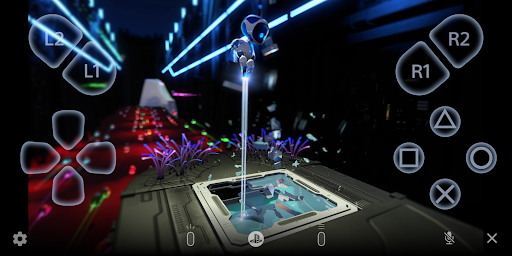
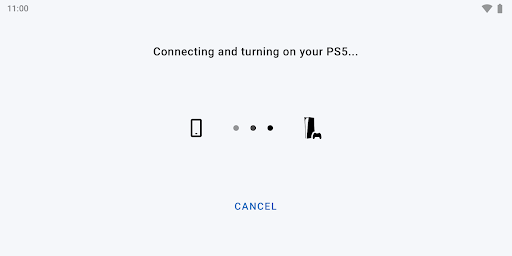
PS Remote Play streams your PS5/PS4 to an Android device, letting you mirror the console’s screen, use on‑screen controls or pair compatible controllers (DualSense, DualShock 4, DualSense Edge, Backbone), join voice chat, and type via your phone—all over a fast, stable internet connection.
Verdict
Verdict: A convenient, free way to extend PlayStation gaming to mobile, but network quality and device compatibility heavily dictate the experience.
Who is it for
Best for:
- PlayStation owners with strong Wi‑Fi or 5G who want to play away from the TV
- Single‑player or slower‑paced gamers tolerant of minor input lag
- Users with compatible controllers and verified Android devices (e.g., recent Pixel series)
Not ideal for:
- Competitive online multiplayer where low latency is critical
- Users on unstable or metered mobile data connections
- Owners of unverified/older Android devices expecting flawless performance
Real-world User Experience
Users like it:
Smooth streaming on solid connections; easy pairing with PS controllers; useful when TVs are occupied; flexible resolution/frame rate settings; practical for quick sessions, remote access, and text/voice chat.
Users complain about:
Input lag makes fast competitive play difficult; occasional device compatibility quirks (touchpad behavior, login issues, mobile data restrictions); on‑screen controls are fiddly; inconsistent performance on unverified devices; some reports of app conflicts (e.g., PS App).
Is it Worth Paying For?
The app is free with no ads or in‑app purchases, so there’s nothing to buy—value depends entirely on your network and device setup.
How it Compares to Alternatives
Compared to Xbox Remote Play, feature parity is similar, with both limited by network latency; Sony’s controller support on newer Android versions is strong. Versus Steam Link, PS Remote Play depends on a console, not a PC, and can feel more restricted in touch/overlay options. Advanced third‑party streaming apps (e.g., Moonlight/Parsec for PC) often offer lower-latency tuning and broader customization, but they don’t stream PS games natively and require different host setups. For PlayStation ecosystems specifically, this is the official and most seamless route.
Summary
PS Remote Play brings your PS5/PS4 to your Android device with official controller support, voice chat, and keyboard input, making it a handy companion when the main screen is busy or you’re away from home. Real‑world results hinge on network quality and device compatibility: many users report reliable, smooth streaming on strong Wi‑Fi/5G with controllers, while others encounter lag, mobile data limitations, and occasional quirks like touchpad handling. It’s free and straightforward for single‑player, casual, or turn‑based games, but less suited to twitchy competitive titles. If your setup meets the requirements—modern Android, verified device, and robust internet—this is a valuable, no‑cost extension of your PlayStation library.
Ratings
Trending APP












Alternative to this app