
Copyright 2026 © swekartor. All Rights Reserved.


Information about Battery Charging Animations 4D
App Feature
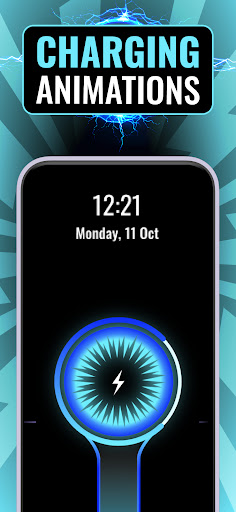
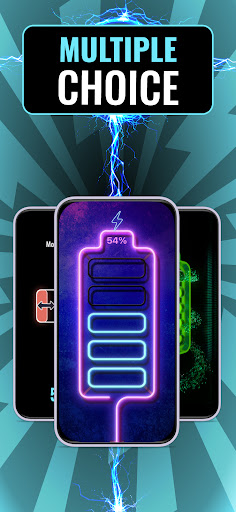
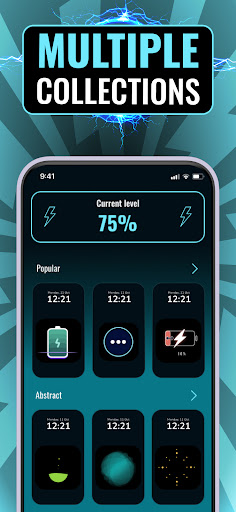
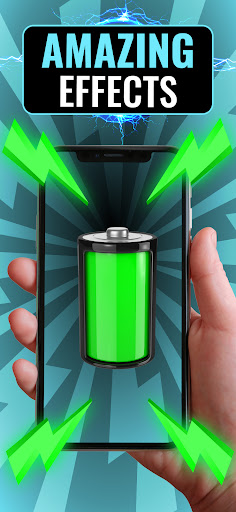
Battery Charging Animations 4D delivers eye-catching 3D/4D charging animations with customizable styles, while bundling basic battery tools to monitor usage and manage power-hungry apps.
Verdict
Verdict: Fun visuals for charging screens, but mixed execution limits broader appeal.
Who is it for
Best for:
- Users who want flashy, customizable charging animations
- Casual users seeking simple battery usage monitoring
Not ideal for:
- Power users needing rigorous, data-rich battery analytics
- Anyone sensitive to potential ads, bugs, or performance hiccups
Real-world User Experience
Users like it:
The animations are vibrant and engaging, customization is straightforward, and the included battery tools are convenient for quick checks.
Users complain about:
Mixed stability and performance, limited depth in optimization features, and likely ad interruptions contribute to the modest 3.3 rating.
Is it Worth Paying For?
The app is free and no in‑app purchases are indicated; try it risk‑free. If a premium option exists in future (e.g., to remove ads), only consider it if you primarily value the animations and use the app daily.
How it Compares to Alternatives
Compared with other charging animation apps, it emphasizes 3D/4D flair and easy theming but appears less robust in analytics than dedicated battery managers. Competing tools may offer smoother performance or fewer ads, while system battery settings still provide the most reliable monitoring without visual effects.
Summary
Battery Charging Animations 4D focuses on turning the otherwise mundane charging state into an animated showcase, with plenty of styles and colors to personalize your device. It adds lightweight battery tools for quick visibility into usage and app drain, but its overall polish and optimization depth seem average, as reflected by a 3.3 rating and modest install base. If you primarily want lively charging visuals and can tolerate potential ads or occasional rough edges, it’s an easy, free download. Those seeking precise battery diagnostics or a cleaner, more stable experience may prefer established battery utilities or simpler, ad‑light alternatives.
Ratings
Trending APP












Alternative to this app










