Copyright 2026 © swekartor. All Rights Reserved.


Information about Location Share
App Feature
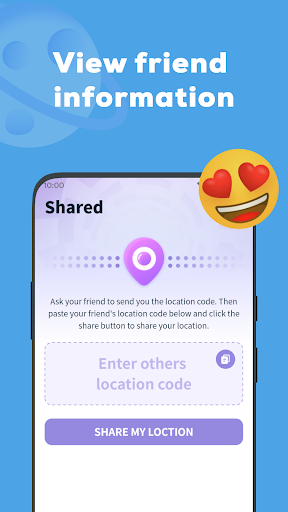
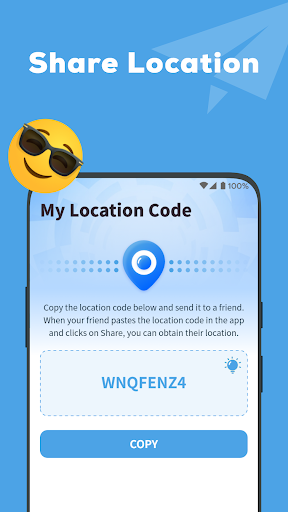
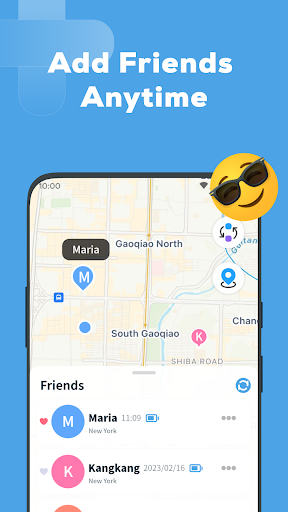
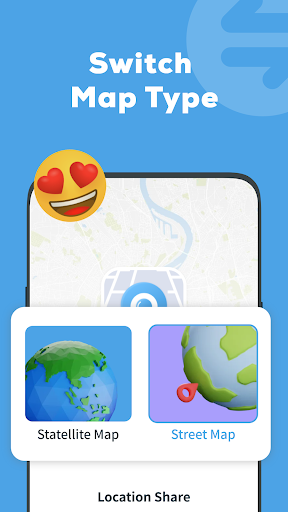
Location Share is a consent-based location sharing app focused on real-time updates, group tracking, and simple privacy controls so friends and family can see each other’s live positions and receive movement notifications.
Verdict
Verdict: A straightforward, ad-supported location sharing tool for families and groups, but light on advanced safety and device-finding features.
Who is it for
Best for:
- Families or friends who want basic, real-time location sharing
- Groups coordinating meetups without complex setup
Not ideal for:
- Users seeking robust safety features (driving analytics, SOS, geofencing reports)
- People who need a true phone-finder or device management tool
Real-world User Experience
Users like it:
Simplicity, clear location info, and quick setup; many praise its usefulness for identifying places and following friends/family, with generally smooth, reliable updates and minimal permissions.
Users complain about:
Some confusion expecting phone-finder capabilities; occasional difficulty locating a device or contact; feedback asks for broader device discovery across apps.
Is it Worth Paying For?
The app is free, ad-supported, and lists no in-app purchases; there’s no paid tier to evaluate, and the free feature set should be sufficient for basic sharing.
How it Compares to Alternatives
Compared with Google Maps’ built-in location sharing, Location Share is simpler but offers fewer map layers and ecosystem perks. Life360 provides richer safety tools (crash detection, driving reports, place alerts) and family features, but involves subscriptions and heavier data use. Glympse excels at temporary, link-based shares without accounts, while Location Share favors ongoing, mutual consent circles. For device recovery, Google’s Find My Device or Apple’s Find My are more appropriate than Location Share.
Summary
Location Share delivers the essentials: real-time, consent-based location sharing with optional notifications and basic privacy controls, wrapped in an easy interface. It’s well-suited for families and friends who just want to see where everyone is without navigating a complex feature set or subscription upsells. Expect ads and fewer advanced safety or reporting tools than premium alternatives. If you need reliable, lightweight sharing for day-to-day coordination, it’s a solid pick; if you want comprehensive family safety, driving insights, or true device recovery, consider Life360, Google Maps sharing, or dedicated find-my-device services.
Ratings
Trending APP










Alternative to this app