
Copyright 2026 © swekartor. All Rights Reserved.



Information about Pix Editor: AI Photo Maker
App Feature
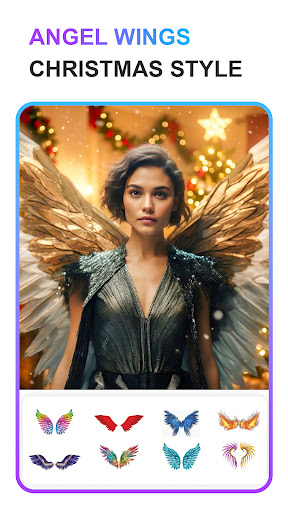
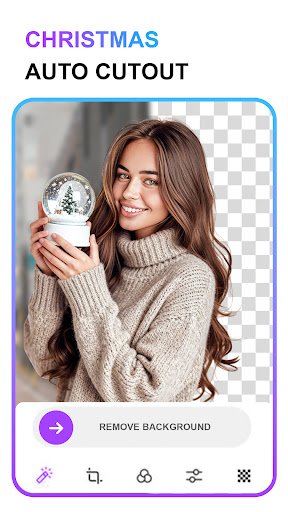
Pix Editor: AI Photo Maker is a mobile photo editor focused on quick, polished results. It combines AI-enhanced adjustments, automatic background removal/replacement, a collage maker with 100+ layouts, 500+ frames, filters/effects, stickers, PIP overlays, and social-ready templates to create posts and storyboards with minimal effort.
Verdict
Verdict: A capable, beginner-friendly photo editor for quick social-ready visuals, but not a pro tool for advanced retouching or RAW workflows.
Who is it for
Best for:
- Casual users who want fast AI fixes, frames, and collages for social posts
- Beginners who prefer simple tools over complex layer-based editing
- Anyone needing quick background removal and themed templates
Not ideal for:
- Photographers needing advanced retouching, RAW editing, or granular masking
- Users who want a fully ad-free experience without paying
- Power users seeking multi-device workflows, batch edits, or desktop-grade control
Real-world User Experience
Users like it:
Ease of use and speed, trendy frames, and effective background eraser that helps create attractive images quickly.
Users complain about:
Occasional friction starting edits or feature access (potential gating/permissions), and likely interruptions from ads or premium locks.
Is it Worth Paying For?
The free tier covers core editing, frames, and collages, making it sufficient for most casual use. If you use it frequently, want an ad-free experience, or need full access to premium frames/effects/templates, the IAP could be worthwhile; otherwise, stick with the free plan.
How it Compares to Alternatives
Compared to PicsArt, it’s leaner with a simpler toolset and fewer community features. Against Adobe Photoshop Express, it trades pro-grade controls and RAW handling for speed and templates. Canva offers stronger design/branding and multi-platform workflow, while PhotoRoom excels at studio-grade background removal. Pix Editor sits as a lightweight, mobile-first option with abundant frames and easy AI tools.
Summary
Pix Editor: AI Photo Maker delivers approachable, AI-assisted photo editing with standout background removal, abundant frames, and flexible collages aimed squarely at quick social sharing. Its 500+ frames, filters, stickers, and PIP overlays help produce eye-catching results without a learning curve, and AI auto-enhancements speed up routine fixes. While the app’s free version is generous, ads and occasional feature gating may frustrate some users, and it lacks advanced controls for professional photographers. For casual creators who want fast, stylish edits on a phone, it’s a strong pick; for pro-grade editing or ad-free use, alternatives or the premium tier may serve better.






Ratings
Trending APP












Alternative to this app










