Copyright 2026 © swekartor. All Rights Reserved.



Information about Steam
App Feature
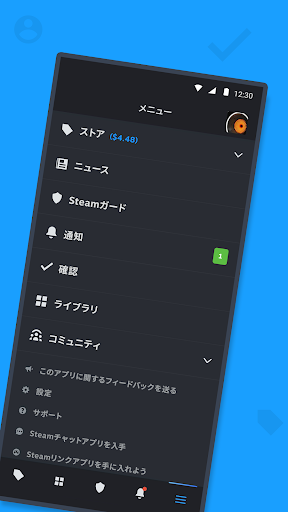
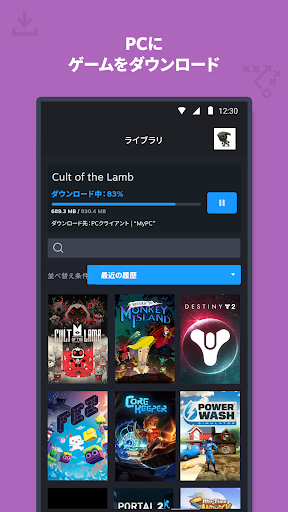
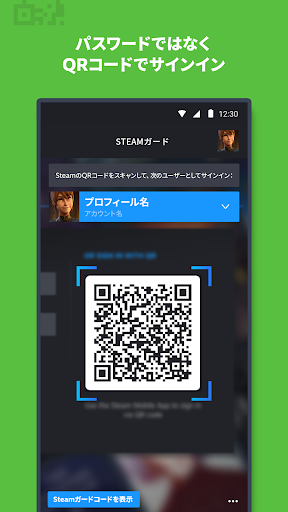
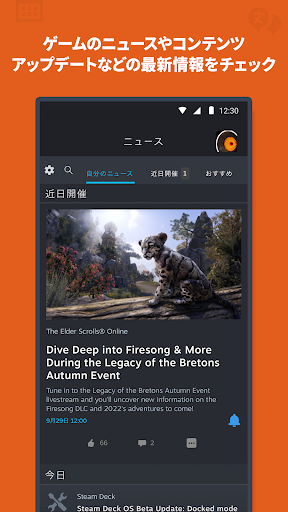
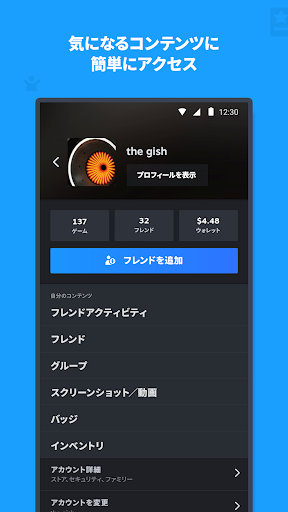
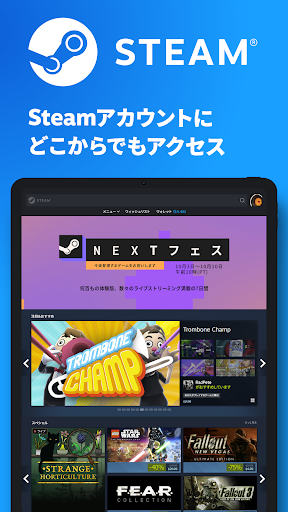
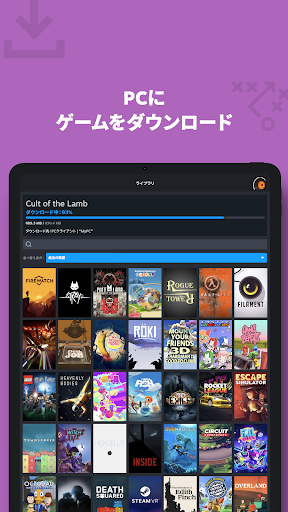
Steam Mobile is a free companion app for PC gamers that lets you browse and buy games, manage your library and remote downloads, confirm trades/market actions, receive personalized news and notifications, access community features, and secure your account with Steam Guard two‑factor authentication and QR code sign‑in. It supports multiple accounts, device authorization management, and customizable tabs.
Verdict
Verdict: An essential companion for Steam account security and management, but not a way to play PC games on your phone.
Who is it for
Best for:
- PC gamers who need secure, fast sign‑ins (2FA/QR) and trade confirmations
- Users who want to browse sales, buy games, and manage downloads remotely
- Community‑engaged players who use chats, groups, guides, and the Market on the go
Not ideal for:
- Anyone expecting to play PC games natively on mobile
- Users wanting a highly optimized, app‑native store/community experience (some views feel like a web wrapper)
- People who dislike dealing with permissions or occasional login friction
Real-world User Experience
Users like it:
Reliable Steam Guard authentication, convenient QR code login, and quick trade/market confirmations; smooth access to store, wishlists, sales, and personalized news; useful library view and remote downloads; effective chat and community access; multiple accounts support; generally stable performance.
Users complain about:
Confusion and disappointment from users expecting mobile gameplay; occasional login/permission hassles; some UI quirks (text cutoff, small buttons) and browsing that feels like a basic web view; sporadic issues adding friends or finding items in the massive catalog.
Is it Worth Paying For?
The app is free with no ads or in‑app purchases; given its robust security (2FA) and management features, it offers strong value at no cost.
How it Compares to Alternatives
Compared to console companion apps (Xbox, PlayStation), Steam matches core strengths like remote downloads and social features but stands out for robust trade/market confirmations and QR sign‑in. Battle.net and other authenticators focus mainly on 2FA, while Steam Mobile combines security with store/library/community tools. If you want to stream and play PC games on your phone, Valve’s separate Steam Link app is the relevant alternative—Steam Mobile is for management, not gameplay. Competing PC stores (Epic, GOG) lack similarly comprehensive mobile companions.
Summary
Steam Mobile is a practical, security‑first companion for PC gamers who live in the Steam ecosystem. It makes authentication painless with Steam Guard and QR sign‑in, speeds up trades and market actions, and lets you shop sales, manage your library and remote downloads, follow personalized news, and engage with the community—all from your phone. While the interface occasionally feels like a web wrapper and some users report minor login/permission quirks, the app reliably delivers what matters most: secure access and convenient account, store, and community management. It doesn’t play PC games on mobile—and isn’t meant to—but as a free utility for Steam users, it’s easy to recommend.




Ratings
Trending APP












Alternative to this app