
Copyright 2026 © swekartor. All Rights Reserved.


Information about PDF Jumper - Read PDF
App Feature
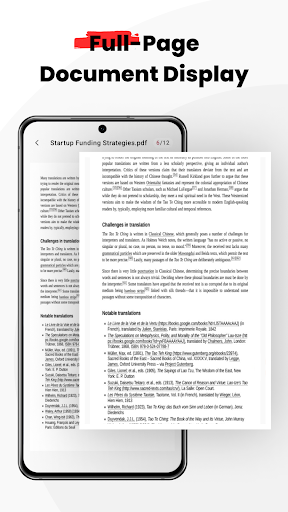
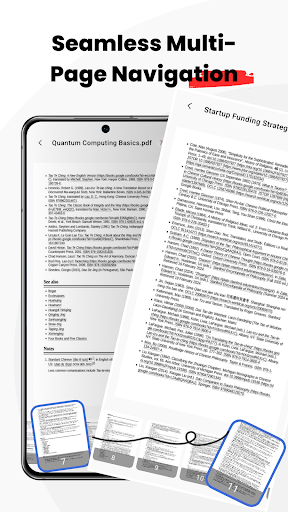
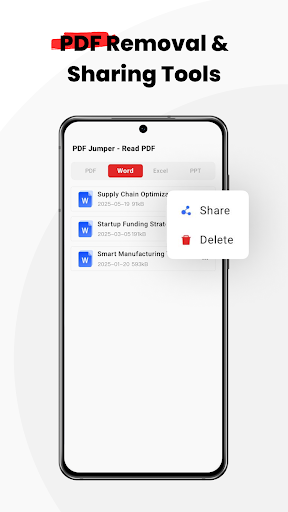
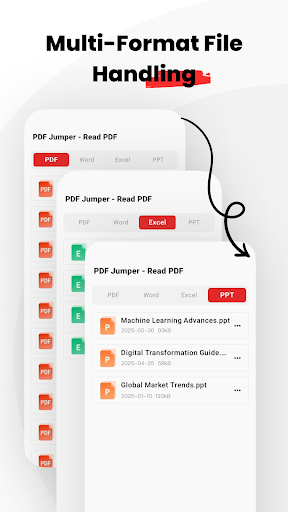
PDF Jumper is a free, lightweight PDF and office document viewer focused on quick preview, smooth navigation, basic annotations (highlighting, notes, simple form fill), and simple file management and sharing. It emphasizes a clean interface, fast rendering, bookmarks and search, and requires broad file permissions for its document manager.
Verdict
Verdict: A clean, fast PDF reader for everyday use, but light on pro-grade tools and raises permission concerns for privacy-minded users.
Who is it for
Best for:
- Users who want a quick, clutter‑free PDF viewer
- Students and office workers needing basic annotation and sharing
- Anyone preferring a free app without ads or IAP
Not ideal for:
- Power users who need advanced editing, form features, or e‑signing
- Privacy‑conscious users wary of broad storage/file permissions
- Teams needing deep cloud workflows and collaboration controls
Real-world User Experience
Users like it:
Fast opening of PDFs, straightforward navigation and zoom, clean UI, and simple annotations that don’t alter the original file. Lightweight feel with no ads is also appreciated.
Users complain about:
Broad file permissions for document management can feel invasive; limited advanced features compared with full editors; occasional hiccups with very large or complex PDFs and inconsistent polish given the mid‑3s rating.
Is it Worth Paying For?
The app is free with no ads and no in‑app purchases, so there’s nothing to pay for—good value if you only need core reading and light markup.
How it Compares to Alternatives
Compared to Adobe Acrobat Reader and Foxit, PDF Jumper is lighter and simpler but lacks rich editing, e‑sign, cloud services, and enterprise features. Versus Xodo, it offers a cleaner, minimalist approach but fewer annotation and sync tools. It’s more capable than barebones viewers like Google’s built‑in PDF preview, thanks to bookmarks and basic markup, but not a replacement for full productivity suites.
Summary
PDF Jumper targets users who want fast, distraction‑free PDF reading with just enough extras—highlighting, notes, bookmarks, search, and easy sharing—to handle daily tasks. It pairs a clean design with quick rendering and basic file management, reaching over a million installs without ads or paywalls. The trade‑offs are notable: broad storage permissions may deter privacy‑minded users, and professionals will miss advanced editing, forms, e‑signing, and deeper cloud collaboration. If you need a lightweight, free reader for everyday PDFs, it’s a practical choice; if you require heavy‑duty document workflows, consider more feature‑rich alternatives.
Ratings
Trending APP












Alternative to this app










