Copyright 2026 © swekartor. All Rights Reserved.



Information about Video Background Changer


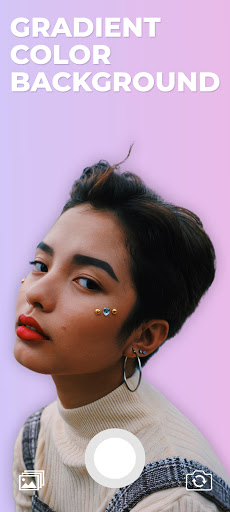

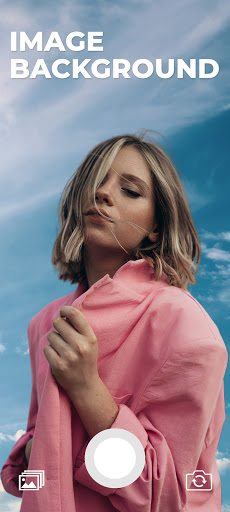




App Feature
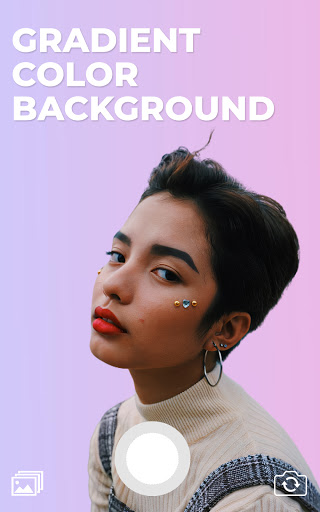
Video Background Changer replaces your video background in real time using a green-screen-style effect. You can swap the background with solid colors, gradients, gallery images, or even another video, and toggle between selfie and rear camera. It targets quick captures with instant preview and simple saving for images or recordings.
Verdict
Verdict: A handy, lightweight real‑time background remover for simple videos, but reliability and quality depend on lighting and setup.
Who is it for
Best for:
- Creators who want fast, no-frills virtual backgrounds on mobile
- Users with controlled lighting and solid backdrops for cleaner keying
- Social posts or quick clips that don’t need desktop-grade compositing
Not ideal for:
- Advanced editors needing granular masking, tracking, or multi-layer timelines
- Low-light or cluttered scenes where AI keying struggles
- Anyone requiring consistently perfect saves with custom backgrounds
Real-world User Experience
Users like it:
Simple workflow and quick results; effective chroma/green-screen keying when recording against solid backgrounds with good lighting; works well even on older phones; small output sizes; practical alternative to TikTok’s green screen without the upload hassle.
Users complain about:
Occasional save failures or corrupted exports when using non-default backgrounds; quality drops with complex scenes or poor lighting; ads on launch; potential rough edges around subjects if the backdrop isn’t clean.
Is it Worth Paying For?
Free with ads and no in-app purchases. There’s nothing to buy, so it’s an easy, low-risk install if you need basic real-time background removal.
How it Compares to Alternatives
Compared to social app filters (e.g., TikTok), this avoids posting requirements and offers more background types (colors/gradients/images/videos). Versus mobile editors like CapCut, KineMaster, or VN, it’s faster and simpler but lacks robust timelines, masks, and fine-tuning. Desktop tools (Premiere, DaVinci) yield superior keys and control but are far more complex and time-consuming.
Summary
Video Background Changer focuses on one job—quick virtual background swaps on your phone—and delivers when the scene is well lit and uncluttered. It’s lightweight, straightforward, and offers flexible background sources, making it great for rapid social content or mockups. However, it can stumble when exporting with certain backgrounds and isn’t designed for advanced compositing. If you can control lighting and use a simple backdrop, it’s a convenient, free tool; for intricate edits or unreliable save behavior, a fuller editor or desktop workflow will serve you better.
Ratings
Trending APP












Alternative to this app