
Copyright 2026 © swekartor. All Rights Reserved.


Information about Easy PDF-Read PDF
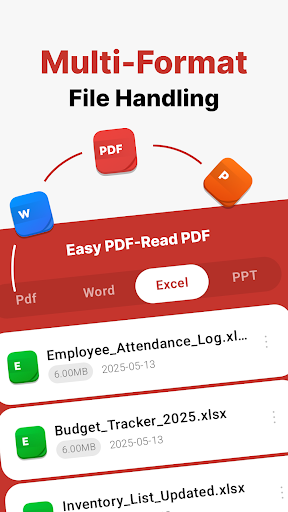
App Feature
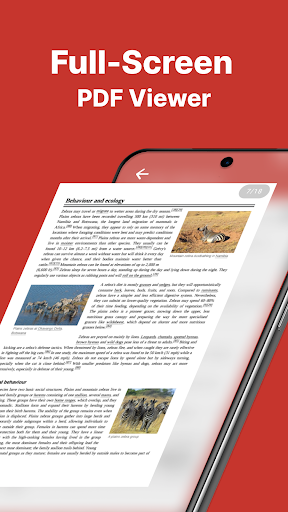
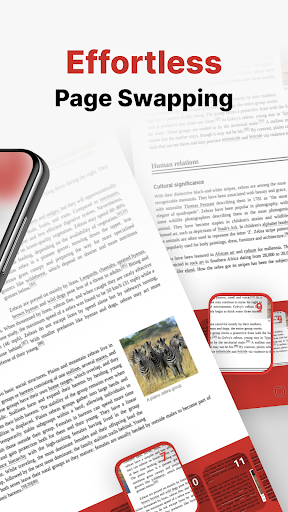
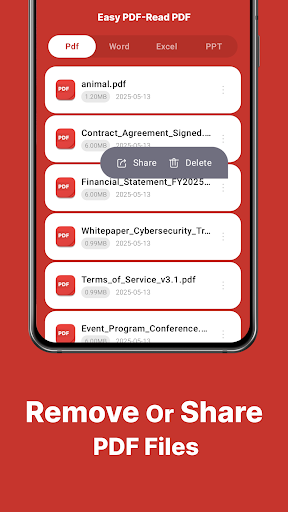
Easy PDF-Read PDF is a free mobile document viewer focused on quick, distraction-free reading and simple file actions. It opens PDFs and common office formats (DOC, PPT, Excel), supports smooth page swiping, and lets you share or delete files from your device. The provided feature list also claims annotation tools and cross-device sync, though these aren’t clearly reflected in the Play description.
Verdict
Verdict: A straightforward, ad-free PDF/office viewer for basic reading and sharing, but likely too limited for power users needing advanced tools.
Who is it for
Best for:
- Users who want a clean, fast, free PDF reader without ads
- Anyone needing basic viewing of PDF/DOC/PPT/Excel files and easy sharing
Not ideal for:
- Power users who need robust editing, form-filling, OCR, or e-signatures
- Teams relying on guaranteed cloud sync, collaboration, or enterprise features
Real-world User Experience
Users like it:
A recent positive note mentions successful updating/using the PDF feature. The interface is described as simple, aiming for quick navigation and smooth page swipes.
Users complain about:
Public feedback is sparse (very few written reviews) and the middling overall rating suggests mixed experiences; specifics about bugs or missing features aren’t evident from available comments.
Is it Worth Paying For?
The app is free with no ads and no in-app purchases listed, so there’s nothing to pay for. As a no-cost viewer, it’s worth trying if you need basic functionality.
How it Compares to Alternatives
Compared to Adobe Acrobat Reader or Xodo, Easy PDF is more minimal: good for opening and viewing but likely behind on advanced annotation, form-filling, cloud sync, and collaboration. Foxit and WPS Office also offer richer toolsets and integrations. If you want a lightweight, no-ad viewer, this app fits; for complex workflows, mainstream alternatives are stronger.
Summary
Easy PDF-Read PDF targets users who want an uncomplicated, ad-free way to open PDFs and common office files on mobile, with smooth page navigation and simple sharing/deleting from device storage. While a separate feature list mentions annotation and cross-device synchronization, the Play description emphasizes viewing and basic file management, so advanced capabilities may be limited or inconsistently presented. Mixed overall ratings and very few written reviews leave real-world reliability somewhat unclear. If you need a lightweight reader for everyday viewing, it’s a low-risk, free option; if your workflow depends on editing, forms, signatures, OCR, or dependable cloud sync and collaboration, established alternatives like Adobe Acrobat Reader, Xodo, or Foxit will serve you better.
Ratings
Trending APP












Alternative to this app










