
Copyright 2026 © swekartor. All Rights Reserved.



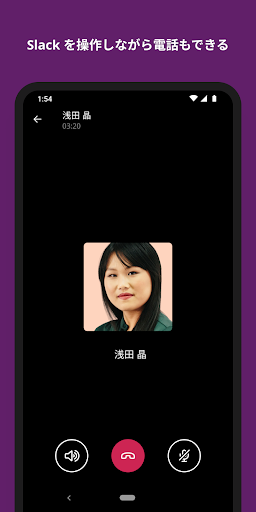
App Feature
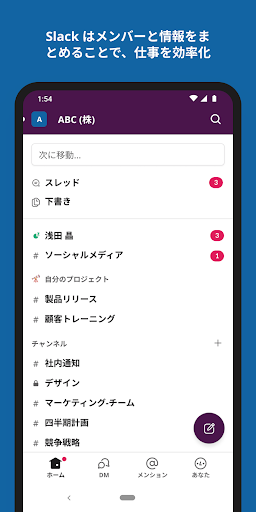
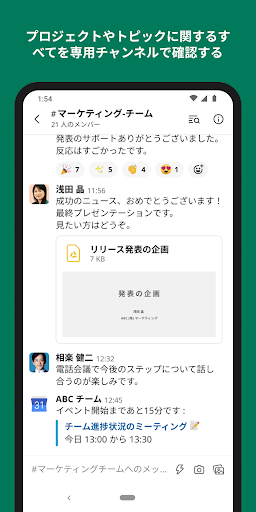
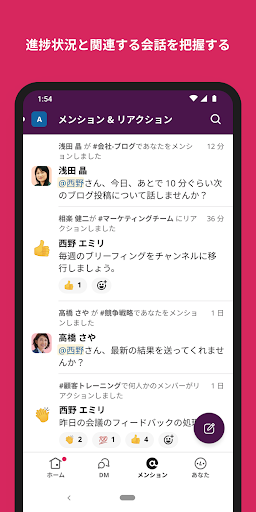
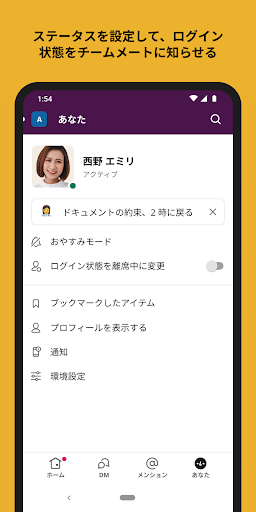
Slack centralizes team communication into organized channels with messaging, audio/video clips, huddles, and video calls; supports shared docs, file sharing, task tracking, and templates; integrates with 2,600+ apps (Google Drive, Salesforce, Dropbox, Asana, etc.); offers AI-powered search and optional Slack AI add-on.
Verdict
Verdict: A powerful, integration-rich team hub that excels at organized collaboration, though occasional mobile bugs and notification quirks may frustrate some.
Who is it for
Best for:
- Teams needing organized, channel-based collaboration with strong app integrations
- Cross‑company work with contractors/clients and asynchronous communication
- Users who value powerful search and low impact on battery/performance
Not ideal for:
- Teams needing rock‑solid, uniform mobile notifications in every scenario
- Organizations wanting fully built‑in task management without add‑ons
- Users who prefer a simpler chat tool with minimal features
Real-world User Experience
Users like it:
Clean, organized channels make team or class comms easy; robust search has improved; mobile app is generally lightweight on battery and mirrors desktop well; support is responsive; good for personal notes/snippets and multi‑org use.
Users complain about:
Intermittent bugs (white screen on launch for some, thread errors, duplicate people lists); occasional notification hiccups when both app and browser are open; slow media previews for some; a few desktop features (e.g., custom emoji management) not fully present or slower on mobile.
Is it Worth Paying For?
The Android app is free with no in‑app purchases; value comes from Slack’s workspace tiers (Pro/Business+/Enterprise) and optional Slack AI. Upgrading is worth it if you need advanced templates, admin/security controls, deep project features, and AI meeting notes/search. Small teams can do well on the free plan but may hit limits on history and advanced features.
How it Compares to Alternatives
Compared to Microsoft Teams, Slack offers broader third‑party integrations and a cleaner channel model, while Teams excels with Microsoft 365 and meetings/telephony. Versus Google Chat, Slack provides richer workflows, app directory, and search—Chat is simpler for Google Workspace‑centric teams. Against Discord, Slack is better for work features (search, compliance, integrations), whereas Discord suits communities and voice‑first hangouts. Slack’s AI add‑on and app ecosystem are differentiators; mobile reliability can lag behind the most tightly integrated suites.
Summary
Slack brings people, files, and tools together in structured channels, combining chat, huddles/video, file sharing, and docs with an extensive app ecosystem and strong search. Real‑world users praise its organization, performance, and versatility—from team comms to personal notes—while noting occasional mobile bugs and notification edge cases. As a free app, it’s compelling out of the box; paid plans and the Slack AI add‑on add meaningful value for growing teams that need project templates, advanced management, and automated insights. If your workflows straddle multiple services and external partners, Slack is a top choice; if you demand flawless mobile notifications or want an all‑in‑one PM suite without integrations, consider alternatives.
Ratings
Trending APP












Alternative to this app










