
Copyright 2026 © swekartor. All Rights Reserved.



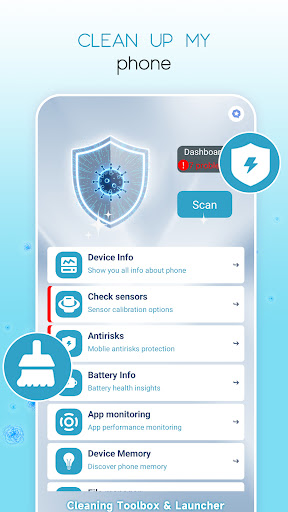
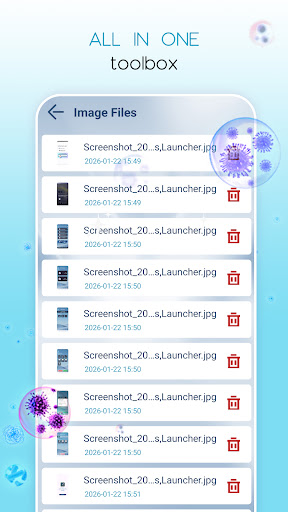
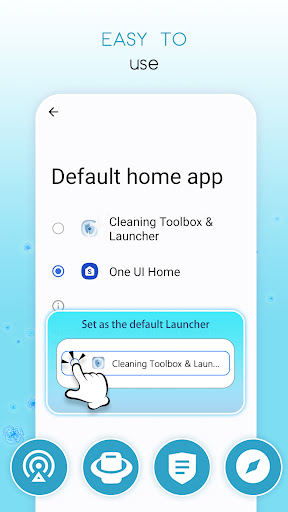
App Feature
Cleaning Toolbox & Launcher combines a storage cleaner, memory booster, basic app manager, and lightweight launcher customization. It scans and removes cache/junk, helps find large files, manages/hibernates background apps, offers batch uninstall and APK backup, and adds drawer/hide options with simple theme tweaks and device checks.
Verdict
Verdict: A convenient all‑in‑one cleaner and lightweight launcher, best for casual tune‑ups rather than deep optimization or pro‑level customization.
Who is it for
Best for:
- Everyday users who want quick storage cleanup and simple speed boosts
- People who prefer a basic launcher with app organization and hide options
- Anyone needing a single app for cleaning, app management, and light theming
Not ideal for:
- Power users seeking advanced automation, granular controls, or deep system tools
- Users who want a full-featured launcher with extensive gestures and layouts
- Those who strictly avoid ads or in‑app purchases
Real-world User Experience
Users like it:
Positive note highlights general satisfaction (“love this app”). The 3.8 rating and 100K+ installs suggest it works adequately for basic cleaning and organization.
Users complain about:
Limited public feedback (few reviews) makes issues unclear; presence of ads/IAP may annoy some users. No consistent reports of problems surfaced from the available data.
Is it Worth Paying For?
The core cleaner and launcher functions appear usable for free, with ads. Unless you need ad removal or any premium convenience features, the free tier should suffice; consider paying only if you use it often and want an ad‑free experience.
How it Compares to Alternatives
Compared with Files by Google, it offers a bundled launcher and app tools but likely less polish in file suggestions. Against CCleaner or SD Maid, it’s simpler and more beginner‑friendly but less advanced in diagnostics. Versus dedicated launchers (e.g., Nova/Microsoft Launcher), it trades depth of customization for the convenience of integrated cleaning and app management.
Summary
Cleaning Toolbox & Launcher aims to simplify Android maintenance by pairing a straightforward junk cleaner and memory booster with a basic, customizable launcher. It’s easy to pick up, covers common needs like cache clearing, finding large files, managing apps, and hiding icons, and adds simple theming and device checks. The rating and install count indicate dependable, everyday usefulness, though limited review detail and the presence of ads/IAP temper expectations. If you want a lightweight all‑in‑one to free space and tidy your home screen without digging into advanced settings, this is a practical option; power users and customization enthusiasts may prefer specialized cleaners and full‑featured launchers.
Ratings
Trending APP






Alternative to this app










