
Copyright 2026 © swekartor. All Rights Reserved.



App Feature
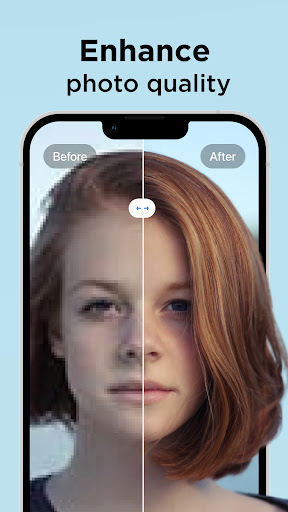
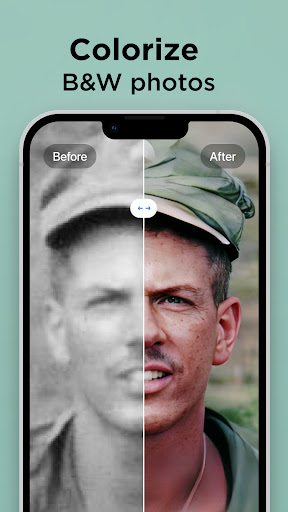
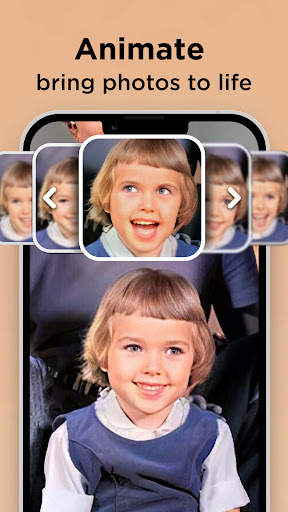
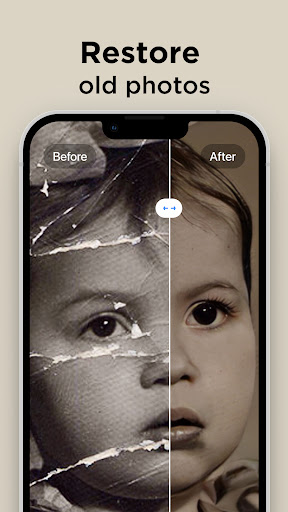
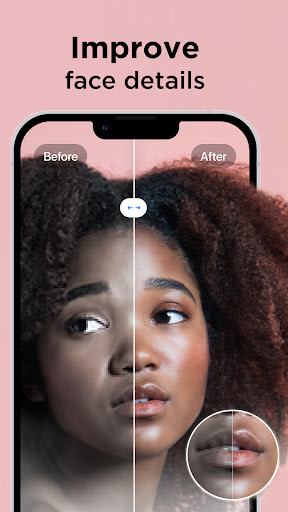
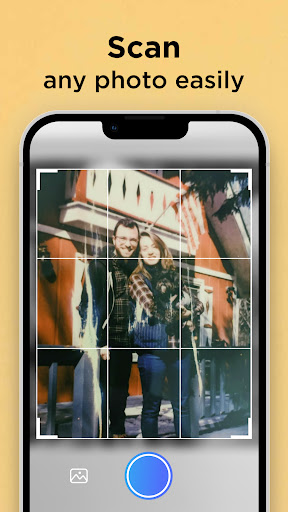
Pixelup uses AI to unblur, sharpen, upscale, and colorize photos, with one-tap enhancement, optional fine‑tuning, photo animation, and AI avatar creation. It’s geared toward restoring old or low‑quality images and preparing them for sharing.
Verdict
Verdict: A capable AI photo restorer for quick upgrades and colorization, but subscriptions and ads may outweigh the value if you need broader editing tools.
Who is it for
Best for:
- People restoring old family photos (unblur, colorize, upscale).
- Users who want fast, one‑tap enhancements without manual tuning.
- Social media sharers who like animated photos and simple outputs.
Not ideal for:
- Power editors needing layers, masks, and full creative controls.
- Users averse to ads, trials, or recurring subscriptions.
- Those expecting flawless miracles on severely damaged photos.
Real-world User Experience
Users like it:
Impressive clarity on old or fuzzy photos; face details stay natural without altering features; colorization and animation deliver noticeable upgrades; free tier demonstrates strong results even with limits.
Users complain about:
Ad load can be heavy and sometimes tricky to dismiss; occasional glitches; subscription feels pricey for the feature set; lacks broader editing options (stickers, background swaps, scene changes).
Is it Worth Paying For?
If you frequently restore photos or want the best AI enhancement/animation quality with fewer interruptions, the subscription can be worthwhile. For casual or rare use, the ad‑supported free tier or short trial may suffice, especially since some phones offer basic sharpening for free (albeit with weaker results).
How it Compares to Alternatives
Against AI restorers like Remini, Pixelup is similar in one‑tap upscaling, deblurring, and colorization, plus simple animations and avatars. Compared to general editors (Adobe Photoshop Express, PicsArt, Google Photos), Pixelup’s niche is restoration quality and speed rather than creative editing breadth. If you need comprehensive editing, alternatives win; if you want fast, realistic face‑preserving enhancements, Pixelup is competitive.
Summary
Pixelup focuses on AI-powered restoration—making old, blurry, or monochrome photos look clearer, sharper, and colorized with minimal effort. Reviewers praise its natural results that don’t distort facial features and its ability to rescue decades-old images. The trade-offs are heavy ads in the free tier, occasional glitches, and a subscription that may feel steep if you expect a full editing suite. For users who primarily want quick, high-quality cleanups and occasional animations, it delivers strong value; for those seeking all-in-one creative tools or who dislike subscriptions, a broader editor or sticking to the free tier is more sensible.
Ratings
Trending APP












Alternative to this app










