
Copyright 2026 © swekartor. All Rights Reserved.



App Feature
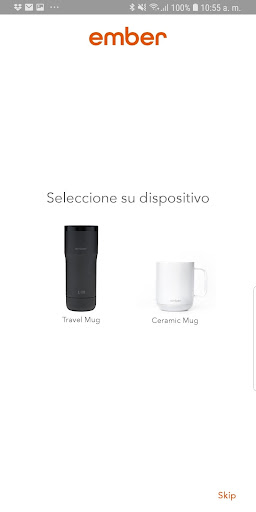
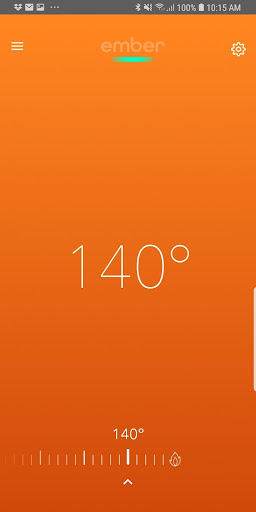
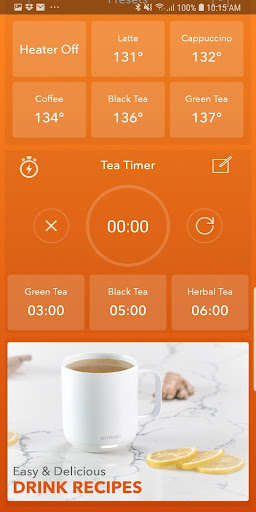
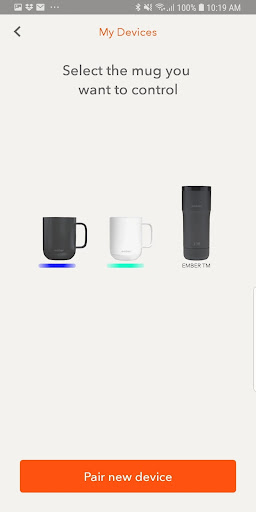
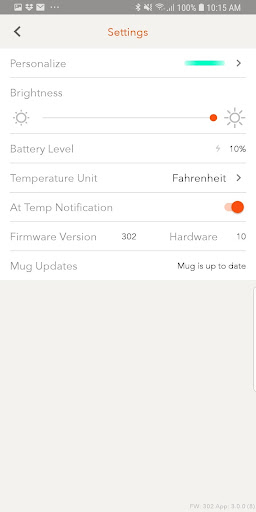
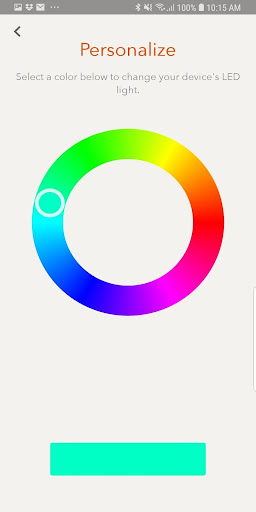
Companion app for Ember smart mugs to set and maintain precise drink temperatures, save beverage presets, receive readiness/low-battery alerts, personalize LED/name, switch °C/°F, manage multiple mugs, and browse recipes. Note: It requires Ember hardware and does not provide weather or community forecasting despite some conflicting descriptions.
Verdict
A capable companion for Ember mugs held back by reliability and connectivity issues.
Who is it for
Best for:
- Ember smart mug owners who want precise, down-to-the-degree control
- Users who value presets, notifications, and multi-mug management
Not ideal for:
- Anyone without Ember hardware (the app won’t be useful)
- Users needing rock-solid Bluetooth connectivity and flawless notifications
Real-world User Experience
Users like it:
Simple interface, easy temperature setting, helpful presets/alerts, and personalization when it works.
Users complain about:
Very low average rating suggests frequent bugs, pairing/connection drop-offs, unreliable notifications, and general stability issues across devices.
Is it Worth Paying For?
Free with no ads or in‑app purchases; value depends entirely on owning an Ember mug. There’s nothing to buy in-app, but the experience quality appears inconsistent based on reviews.
How it Compares to Alternatives
Unlike general beverage or thermometer apps, Ember is hardware-specific and offers tight integration with its mugs (exact temperatures, presets, LED controls). Competing heated mugs or bottles often rely on simpler controls or fewer app features, but may avoid the connectivity headaches users report here. If you prioritize seamless Bluetooth reliability over granular control, some alternatives with on-device controls may feel less frustrating.
Summary
Ember’s app focuses on what matters for its smart mugs: precise temperature control, presets, notifications, and personalization across multiple devices, wrapped in a clean interface. However, the notably low rating points to recurring connectivity and stability issues that can diminish the experience. If you already own an Ember mug, the app is necessary to unlock full functionality and is worth installing; just temper expectations around reliability. If you don’t own Ember hardware or you’re sensitive to Bluetooth hiccups, this app won’t meet your needs.
Ratings
Trending APP











Alternative to this app










