
Copyright 2026 © swekartor. All Rights Reserved.


App Feature
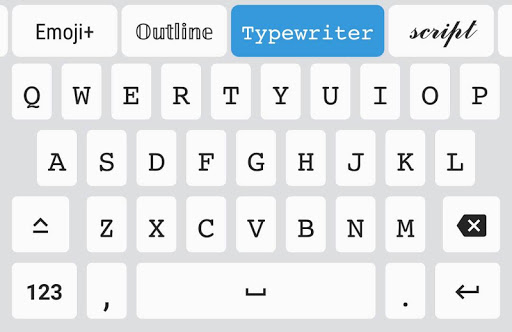
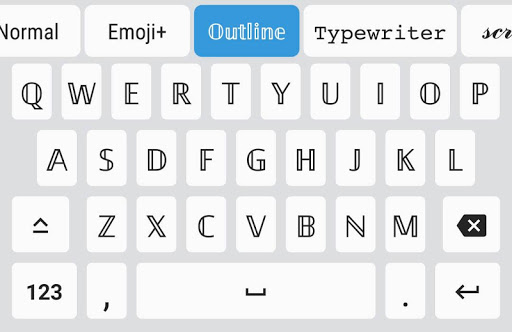
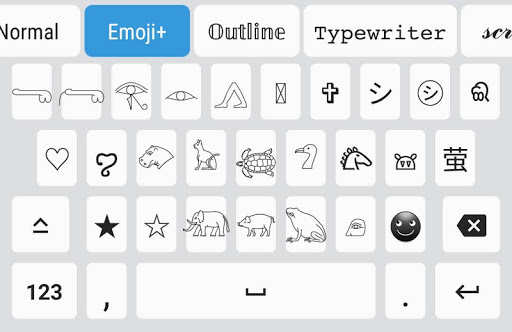
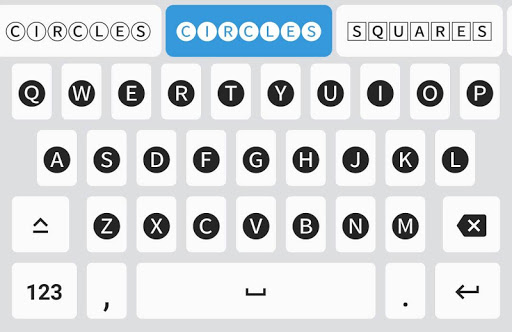
A free Android keyboard focused on stylish text, offering dozens of decorative fonts, sticker fonts, symbols, and kaomojis you can use directly in any app (Instagram, Snapchat, WhatsApp, Discord, etc.). It prioritizes easy font switching and broad compatibility over advanced typing utilities.
Verdict
Verdict: Excellent for creative, eye‑catching text on social apps, but not a replacement for full‑featured keyboards with advanced typing aids.
Who is it for
Best for:
- Social media users who want unique bios, posts, and messages
- Anyone who prefers one‑tap font styling without copy‑paste
- People OK trading advanced typing tools for creativity
Not ideal for:
- Power typists who need autocorrect, swipe typing, and suggestions
- Users requiring full font consistency for numbers/symbols across apps
- Those sensitive to occasional app compatibility limits or ad unlocks
Real-world User Experience
Users like it:
Very easy to use; works across most popular apps; large variety of fun fonts, symbols, and kaomojis; generally free without aggressive paywalls; convenient versus copy‑paste generators; light on battery for many users.
Users complain about:
No autocorrect, swipe typing, or suggestion bar; numbers and special characters often don’t match the chosen font; some fonts display small or aren’t supported in certain games/apps; occasional quirks (keyboard switch delay, missing emoji panel, voice typing absent); a few users see ads required to unlock all fonts temporarily.
Is it Worth Paying For?
On Android, core fonts and features are largely free with ads; optional IAPs exist but many reviewers feel no purchase is necessary. If you want everything unlocked permanently and to skip ad‑based unlocks, paying may be convenient, but casual users will be satisfied without it.
How it Compares to Alternatives
Compared to Gboard or Microsoft SwiftKey, Fonts Keyboard lacks essentials like autocorrect, swipe, and robust suggestions—those remain better daily drivers. Versus other font/emoji keyboards (e.g., Facemoji, Fonts Art, Stylish Text, Kika), it’s lighter on paywalls and straightforward to use, though it still inherits the same cross‑app compatibility limits common to decorative fonts.
Summary
Fonts Keyboard delivers what it promises: fast, fuss‑free decorative text for chats, bios, and posts, directly from a keyboard instead of copy‑paste tools. It shines with a big selection of fonts, symbols, and kaomojis that work in most major apps, and users appreciate that it’s mostly free on Android. The trade‑offs are clear: you won’t get autocorrect, swipe typing, or a suggestions bar, and some fonts won’t alter numbers or punctuation consistently across apps. If your priority is creative expression over typing efficiency, it’s one of the best options; if you need a primary keyboard for speed and accuracy, pair this with Gboard/SwiftKey and switch when you want stylistic flair.
Ratings
Trending APP











Alternative to this app










