
Copyright 2026 © swekartor. All Rights Reserved.


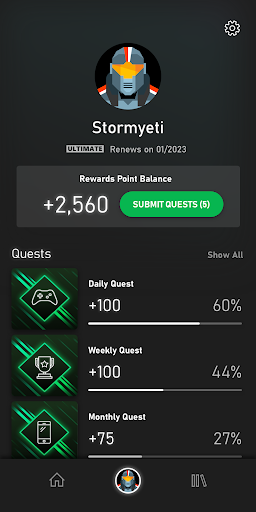
App Feature
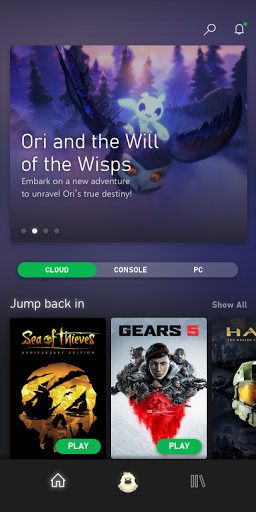
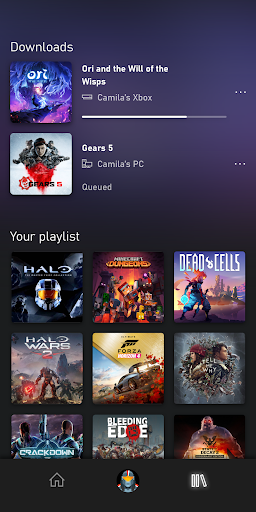
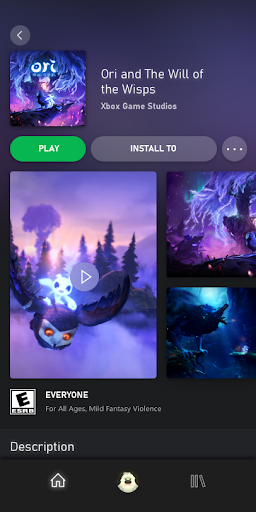
Xbox Game Pass centralizes a large, frequently updated game library and lets you browse, queue, and remotely download titles to your Xbox, with cloud play on Android for gaming anywhere and cross-device continuity, plus alerts for new releases and member discounts.
Verdict
Verdict: A polished gateway to a massive, ever-rotating game catalog with excellent remote management and cloud play, best if you’re comfortable with a subscription model.
Who is it for
Best for:
- Players who want a rotating library of 100+ games and day-one releases
- Gamers who value cloud streaming and remote console downloads from mobile
- Deal-seekers who appreciate member discounts on games and add-ons
Not ideal for:
- Users who prefer buying and owning individual games outright
- Players with limited or unstable internet connections for cloud play
- Those who dislike rotating catalogs where titles may leave over time
Real-world User Experience
Users like it:
The breadth of games, frequent additions, and ability to manage downloads remotely make it convenient; cloud streaming helps play anywhere; notifications and discounts add tangible value. The strong rating (4.5) suggests overall satisfaction with reliability and ease of use.
Users complain about:
Requires an active subscription despite the app being free; cloud streaming can depend on network quality; the catalog changes over time, so favorites may rotate out.
Is it Worth Paying For?
The app itself is free, but the service is subscription-based. Given the large and regularly updated catalog, day-one access to select Xbox titles, cloud play, and member discounts (up to 20% on games and 10% on add-ons), the value is strong if you play multiple titles monthly. If you only play one game long-term, buying that title outright may be more cost-effective.
How it Compares to Alternatives
Compared to PlayStation Plus and Nintendo Switch Online’s catalogs, Game Pass emphasizes a broader, frequently refreshed library and day-one first-party releases. Versus cloud-first services like GeForce NOW, Game Pass integrates discovery, downloads to console, and a bundled catalog rather than relying on your existing purchases. Google Play Pass focuses on mobile apps/games without console integration; Xbox Game Pass stands out for cross-device console integration and member discounts.
Summary
Xbox Game Pass (app) is a well-rated companion and cloud gaming hub that streamlines how you discover, manage, and play a substantial, regularly updated game library. Use your Android device to queue console downloads, receive alerts for new releases, and jump into cloud sessions on the go. While the app is free, the experience hinges on a paid subscription and a decent internet connection for smooth streaming. If you enjoy sampling many games, want day-one releases, and appreciate integrated discounts and remote management, it delivers excellent value and convenience; if you prefer one-time purchases or offline-only play, it may be less compelling.
Ratings
Trending APP










Alternative to this app










