
Copyright 2026 © swekartor. All Rights Reserved.




App Feature
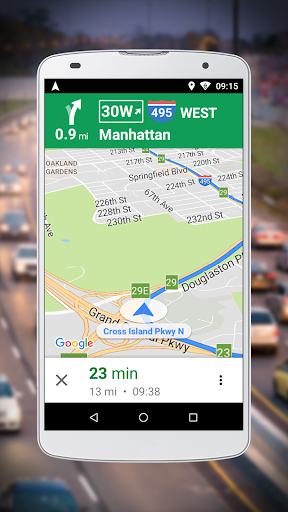
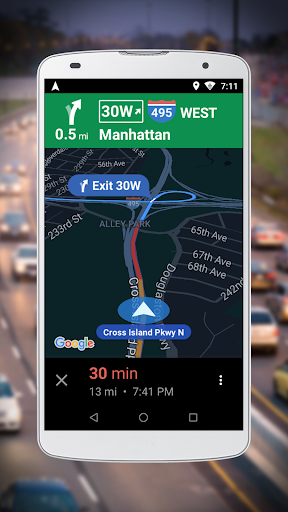
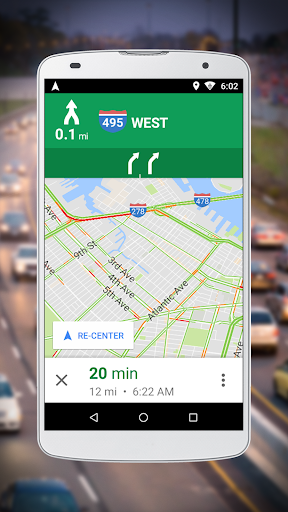
A lightweight companion to Google Maps Go that adds turn-by-turn voice navigation, real-time traffic updates, and multi-language voice guidance. It helps find routes, draw shortest paths, save routes, and locate nearby places with simple 2D/3D map views.
Verdict
Verdict: A fast, lightweight navigator for everyday driving, best if you want voice guidance without the bloat of full mapping apps.
Who is it for
Best for:
- Users on entry-level or older Android devices needing lightweight navigation
- Commuters who want real-time traffic and clear voice directions
- Travelers needing multi-language voice guidance (50+ languages)
Not ideal for:
- Power users who need rich offline maps and full-featured trip planning
- Drivers who prefer crowdsourced incident reporting and social features
- Users expecting the full Google Maps feature set in one app
Real-world User Experience
Users like it:
Smooth performance on low-end devices, clear multi-language voice guidance, and helpful real-time traffic rerouting for daily commutes.
Users complain about:
Feature set is leaner than full Google Maps; offline capabilities are limited and many functions depend on an internet connection.
Is it Worth Paying For?
The app is free with no noted in-app purchases; there’s nothing to pay for, and the value is strong if you want reliable, lightweight navigation.
How it Compares to Alternatives
Compared to Google Maps (full), this is faster and lighter but with fewer planning and offline options. Versus Waze, it lacks crowdsourced reports and social features but avoids clutter. Against HERE WeGo, it trails in downloadable offline maps yet offers tighter integration with Google’s mapping data and multilingual voice guidance.
Summary
Navigation for Google Maps Go delivers essential, turn-by-turn navigation with real-time traffic and robust multi-language voice support in a compact package. It’s designed for reliability and efficiency on devices with limited resources, making it ideal for routine commuting and straightforward trips. While it includes tools for route finding, saving, and nearby place discovery, many features still rely on an internet connection and the overall toolkit is slimmer than full-scale navigation apps. If you value speed, clarity, and simplicity over deep feature sets and offline maps, this is a smart, no-cost choice.
Ratings
Trending APP








Alternative to this app









