
Copyright 2026 © swekartor. All Rights Reserved.



App Feature
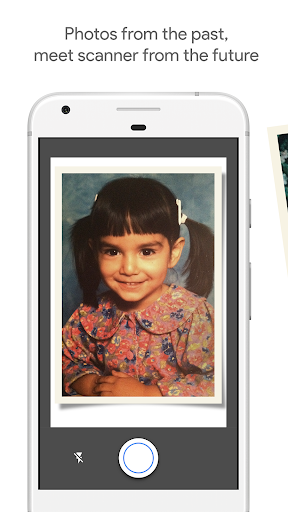
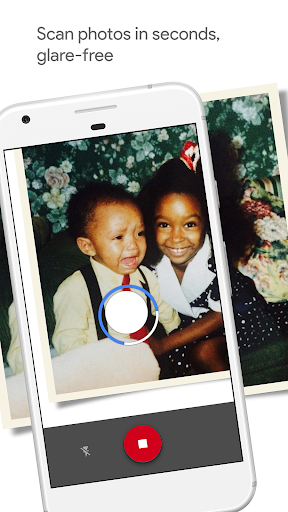
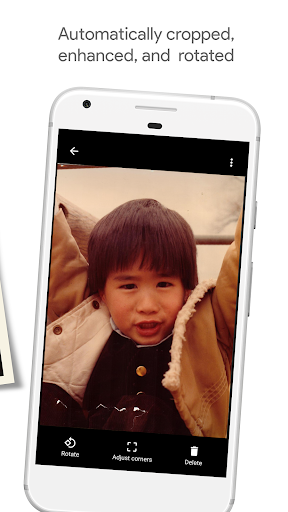
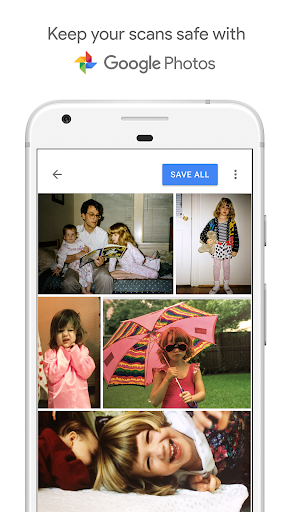
PhotoScan by Google Photos turns your phone into a photo digitizer, using multi-shot glare removal, smart edge detection, auto-cropping/perspective correction, and smart rotation to create clean scans of printed photos that save directly to Google Photos for easy organizing and sharing.
Verdict
Verdict: A fast, glare‑free photo digitizer ideal for casual archiving, but limited if you need pro‑level resolution and editing controls.
Who is it for
Best for:
- People digitizing family albums quickly without a flatbed scanner
- Users already in the Google Photos ecosystem who want automatic backup
- Anyone needing glare-free captures from framed or glossy prints
Not ideal for:
- Professionals requiring very high-resolution scans or color profiles
- Users who want advanced in-app editing or custom export workflows
Real-world User Experience
Users like it:
Consistently praised for speed, simplicity, and glare removal via the four-corner capture; automatic cropping/rotation works well; results often comparable to consumer flatbed scanners; great for photos stuck in albums or behind glass; seamless save to Google Photos.
Users complain about:
Some find aligning the four circles slow; limited controls (few editing options, occasional desire to capture photo backs); occasional confusion about where scans are saved or how to share; a minority report uneven cropping/perspective and wish for higher-resolution output.
Is it Worth Paying For?
It’s free, with no ads or in-app purchases—excellent value for quick, quality photo scans and effortless backup to Google Photos.
How it Compares to Alternatives
Compared to flatbed scanners, PhotoScan is far faster and removes glare from glossy prints but can’t match top-tier resolution or color fidelity. Versus general document scanners (e.g., Lens/Adobe Scan), it’s more tuned for photographs (glare removal and perspective) but offers fewer export/edit options. Dedicated photo-scan apps with paid tiers may provide batch tools and restoration features; PhotoScan wins on simplicity, reliability, and cost.
Summary
PhotoScan by Google Photos is a standout free tool for turning physical photos into clean, glare-free digital images in seconds. Its step‑by‑step capture, auto-crop, perspective correction, and smart rotation make scanning effortless, and automatic backup to Google Photos streamlines organizing and sharing. While it won’t replace a professional-grade scanner for maximum resolution or offer deep editing and export controls, it excels at what most people need: quickly preserving albums and framed photos with impressive quality and minimal hassle.
Ratings
Trending APP












Alternative to this app










