
Copyright 2026 © swekartor. All Rights Reserved.




App Feature
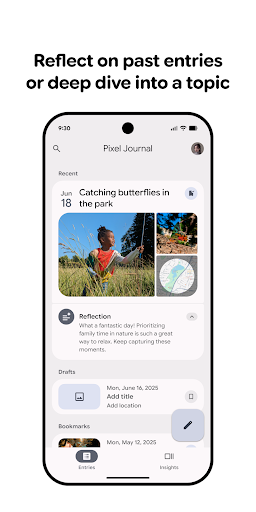
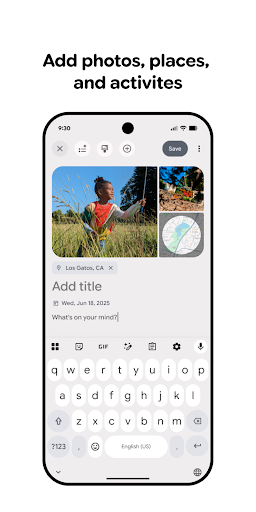
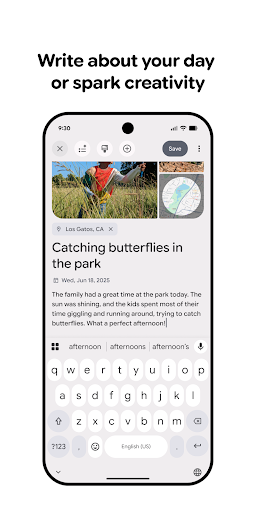
Journal is a free lifestyle app by Google designed to make daily journaling easy. It supports quick text or voice entries, adds rich media like photos and location, includes tagging and powerful search, offers reminders and personalized prompts to build habits, and provides security features such as biometric lock, passcode, and optional end-to-end encrypted sync.
Verdict
Verdict: A clean, security‑minded journaling app with helpful prompts, but mixed reviews suggest it may feel basic or uneven for power users.
Who is it for
Best for:
- People who want quick, low‑friction daily journaling with prompts
- Users who value privacy options like biometric lock and encryption
- Note‑takers who attach photos or locations to memories
Not ideal for:
- Power users needing advanced templates, analytics, or deep customization
- Users who rely on mature cross‑platform ecosystems and exporting options
- Anyone expecting long‑proven stability from day one
Real-world User Experience
Users like it:
Overall rating near 3.4 suggests some users appreciate the simple, approachable flow, the helpful daily prompts, and the ability to enrich entries with photos and locations.
Users complain about:
The mixed score implies others encounter rough edges—potential gaps in advanced features or polish—leading to uneven satisfaction compared to more established journaling apps.
Is it Worth Paying For?
The app is free with no ads and no in‑app purchases, so there is no cost barrier—easy to try without financial commitment.
How it Compares to Alternatives
Compared to established alternatives like Day One, Journey, or Reflectly, Journal focuses on quick capture, prompts, and privacy basics rather than deep customization, rich templating, or multi‑platform ecosystems. It’s lighter and simpler than many competitors; those needing advanced organization, integrations, or extensive export options may prefer a more mature app, while minimalists may appreciate Journal’s streamlined approach.
Summary
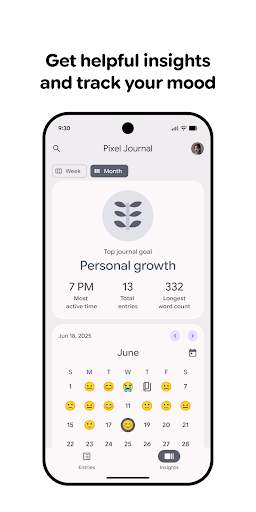
Journal aims to lower the barrier to daily writing with fast text/voice capture, rich media attachments, tags and search, and habit‑building prompts, wrapped in privacy features like biometric lock and optional E2E encryption. Its free price and straightforward design make it an easy starter option, especially for users who want gentle guidance and simple organization. The middling rating indicates a mixed experience, likely reflecting trade‑offs in depth, polish, and advanced features compared with long‑standing journaling tools. If you value simplicity and security basics over power‑user tooling, Journal is worth a try; if you need robust cross‑platform workflows, templates, and advanced analytics, established alternatives may fit better.
Ratings
Trending APP












Alternative to this app










