
Copyright 2026 © swekartor. All Rights Reserved.




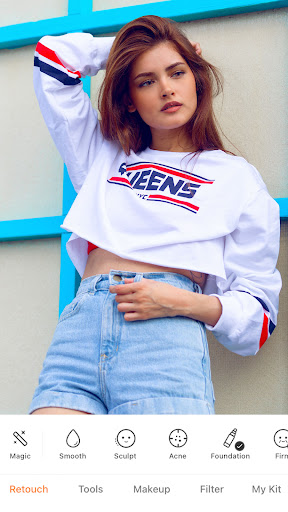
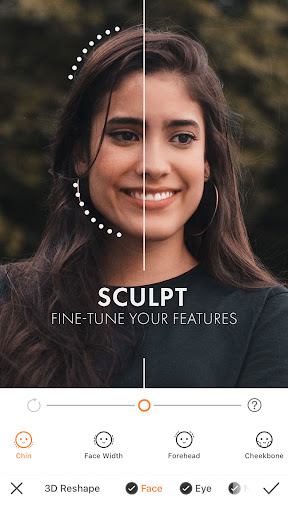
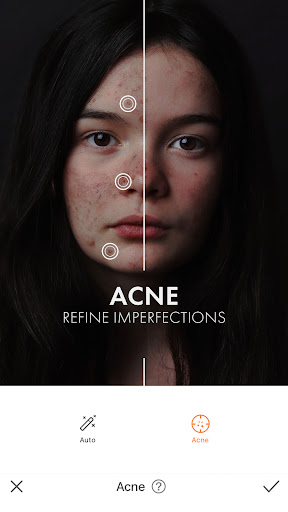
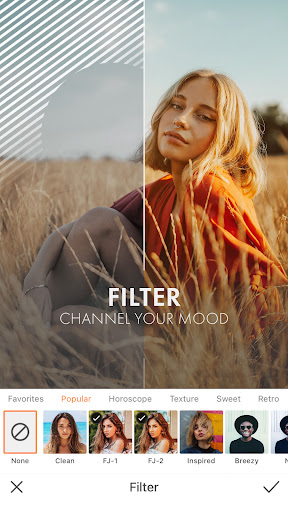
App Feature
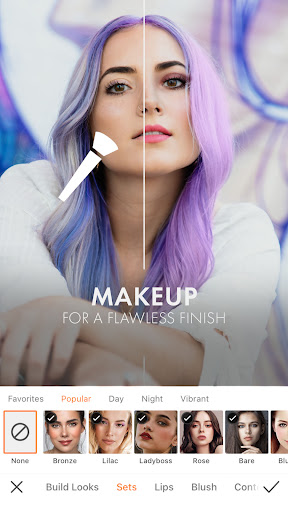
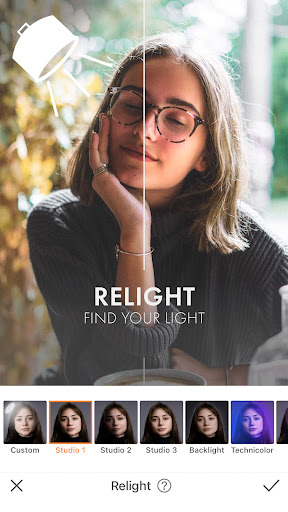
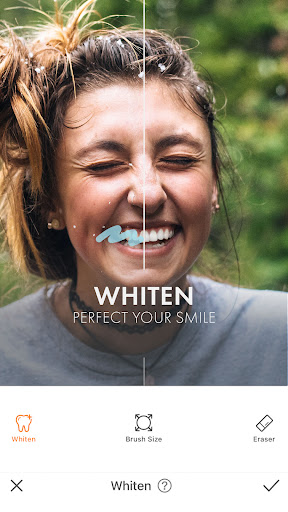
AirBrush is an AI-powered photo and video editor focused on natural-looking portrait retouching and creative enhancements. Core tools include one-tap AI Retouch, blemish/acne removal, teeth whitening, smoothing, contouring and reshaping, makeup and hairstyling, background blur/replace, object eraser, filters/effects, and AI upscaling/repair, plus real-time beautification for videos.
Verdict
Verdict: A powerful, beginner-friendly portrait editor with excellent AI retouching, but recent paywall changes and occasional glitches may frustrate loyal users.
Who is it for
Best for:
- Selfie and portrait editors who want quick, natural-looking touchups
- Small creators/shops needing fast product-model cleanup on mobile
- Users who value an all-in-one retouch, background, and AI toolkit
Not ideal for:
- Budget-only users opposed to subscriptions or shifting paywalls
- Pro editors needing pixel-precise, desktop-grade control and layers
- Users who prioritize restoration-only tools over retouching
Real-world User Experience
Users like it:
Consistently praised for ease of use, broad retouching toolkit, and natural results; object removal and background tools work well with a bit of practice; frequent feature additions; strong value for many paying users; reliable for quick touchups that don’t look over-processed.
Users complain about:
Reports of previously free tools moving behind a paywall; occasional subscription restore/payment issues and premium access glitches; object eraser sometimes leaves faint shadows; background replacement could be more intuitive to position/scale; some find pricing high relative to pro suites.
Is it Worth Paying For?
The free tier covers basic edits, but the subscription unlocks 300+ presets, 400+ filters, extensive AI retouch/makeup, and unlimited stylized tools—good value if you edit portraits regularly and want everything in one app without credit-based limits. However, note user reports of restored-purchase glitches and that some formerly free tools are now premium; try the free trial first to ensure stability on your device.
How it Compares to Alternatives
Versus Facetune, AirBrush offers comparable or broader portrait tools with strong AI automation and an all-in-one feel; versus Remini, AirBrush is better for nuanced retouching while Remini excels at restoration and upscaling; versus Adobe Photoshop Express/Lightroom, AirBrush is easier for quick face/body edits while Adobe apps provide deeper pro controls, RAW workflows, and more precise adjustments. AirBrush stands out for its balanced mix of AI retouch, makeup, and background/object tools on mobile.
Summary
AirBrush: Easy Photo Editor delivers an approachable yet robust suite for portrait-focused editing, combining AI-powered retouching (skin, teeth, eyes, contouring, reshaping) with creative options like makeup, hairstyling, background changes, object removal, filters, and even real-time video beautification. With a 4.3 rating and 50M+ installs, it’s proven and popular for quick, natural-looking results that enhance—rather than replace—your features. The premium plan is attractive for frequent editors thanks to its extensive presets and tools without credit limits, though some longtime users resent paywall shifts and a subset encounter subscription restore/payment hiccups. If you primarily edit people and want fast, polished outcomes on mobile, AirBrush is a strong pick; power users needing desktop-level precision or those strictly avoiding subscriptions may prefer alternatives.
Ratings
Trending APP












Alternative to this app










